AI Content Generator

Midjourney for Slack

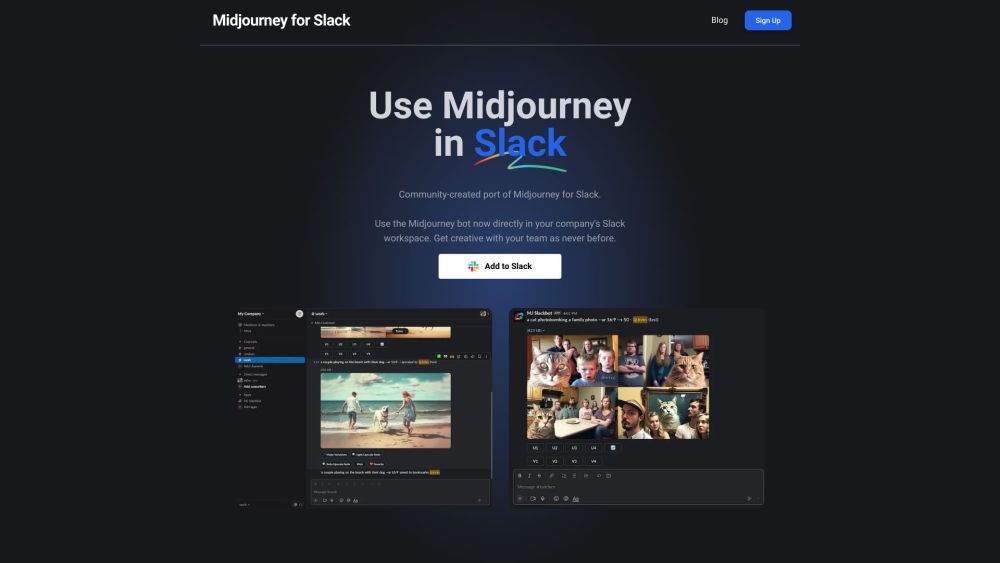
Midjourney for Slack: Unofficial AI bot that designs images directly in Slack. Streamline creativity and enhance team collaboration effortlessly.

Midjourney for Slack website preview

Midjourney for Slack Website screenshot

Introducing Midjourney for Slack

Midjourney for Slack is a unique, community-driven adaptation of the popular AI image creation tool, Midjourney. Tailored for Slack users, this bot empowers teams to generate stunning visuals directly within their Slack channels, making the creative process more streamlined and collaborative.

Getting Started with Midjourney for Slack

To start using Midjourney for Slack, follow these steps: 1. Integrate the MJ Slack Bot into your Slack workspace by selecting the "Add to Slack" option. 2. Initiate the bot by typing /info in any Slack channel. If set up correctly, the bot will respond. 3. Create images by typing /imagine followed by a description of the desired image (e.g., /imagine a dog at the beach). The first 5 image generations are complimentary. For continued use, a subscription is necessary.

Key Features of Midjourney for Slack

Core features of Midjourney for Slack:

1. Real-time collaboration: Collaborate with team members to create images instantly, receive feedback, and gain approvals all within Slack. 2. Seamless Slack integration: Utilize Midjourney’s features without needing to leave Slack. 3. Distraction-free environment: Focus solely on your creative tasks without the distractions of other platforms. 4. Familiar commands: Leverage the same commands and parameters as used in Midjourney on Discord, ensuring a smooth transition for users. 5. Compliance-friendly: Operate Midjourney within your company’s Slack workspace, bypassing the need for additional tool approvals.

Applications of Midjourney for Slack

Use Cases:

1. Collaborative image creation and sharing within teams. 2. Visually conveying creative ideas to team members. 3. Enhancing team communication and engagement. 4. Creating fun, interactive custom images for Slack conversations. 5. Streamlining the creative workflow directly within Slack.

Product source: Midjourney for Slack official website. Check the provider for current plans, limits and availability.

FAQ

Midjourney for Slack questions and answers

Product context and practical checks for evaluating Midjourney for Slack.

What is Midjourney for Slack used for?

Midjourney for Slack: Unofficial AI bot that designs images directly in Slack. Streamline creativity and enhance team collaboration effortlessly.

How do I get started with Midjourney for Slack?

To start using Midjourney for Slack, follow these steps: 1. Integrate the MJ Slack Bot into your Slack workspace by selecting the "Add to Slack" option. 2. Initiate the bot by typing /info in any Slack channel. If set up correctly, the bot will respond. 3. Create images by typing /imagine followed by a description of the desired image (e.g., /imagine a dog at the beach). The first 5 image generations are complimentary. For continued use, a subscription is necessary.

Which capabilities are described for Midjourney for Slack?

Core features of Midjourney for Slack: 1. Real-time collaboration: Collaborate with team members to create images instantly, receive feedback, and gain approvals all within Slack. 2. Seamless Slack integration: Utilize Midjourney’s features without needing to leave Slack. 3. Distraction-free environment: Focus solely on your creative tasks without the distractions of other platforms. 4. Familiar commands: Leverage the same commands and parameters as used in Midjourney on Discord, ensuring a smooth transition for users. 5. Compliance-friendly: Operate Midjourney within your company’s Slack workspace, bypassing the need for additional tool approvals.

What projects can I evaluate Midjourney for Slack for?

Use Cases: 1. Collaborative image creation and sharing within teams. 2. Visually conveying creative ideas to team members. 3. Enhancing team communication and engagement. 4. Creating fun, interactive custom images for Slack conversations. 5. Streamlining the creative workflow directly within Slack. Support and Contact Information For customer service, please contact: [email protected]. For more contact options, visit the contact us page(mailto:[email protected]?subject=Midjourney%20for%20Slack).

What should I compare before choosing a Midjourney for Slack plan?

Check Midjourney for Slack’s current pricing page for included usage, renewal terms and any credit charges. Compare the cost of a usable result, including retries, rather than assuming that account registration includes free usage.

What inputs should I prepare for a Midjourney for Slack trial?

Look for text prompts, image references, masks or sketches as appropriate. Compare composition control, supported upload types and the ability to revise a selected area.

How can I check the quality of a Midjourney for Slack result?

Inspect text, hands, edges, reflections and repeated objects at full size. Check that important product or brand details survive editing.

Which export options should I check in Midjourney for Slack?

Compare pixel dimensions, transparency, file formats and any enlargement options. Confirm that the downloaded result works in your design or publishing software.

What is a practical way to test Midjourney for Slack against alternatives?

Prepare a brief with a subject, composition, lighting and required output size. Test a first generation and a targeted revision to see how much control you retain.

Where is the official Midjourney for Slack website?

The website linked from this profile is https://mjslackbot.com. Use the provider’s own documentation, account area and support channels to confirm current product details.

Visit Midjourney for Slack