AI Analytics Assistant

Mera Monitor

Boost productivity with Mera Monitor: the ultimate workforce analytics tool for tracking performance, optimizing efficiency, and driving success.

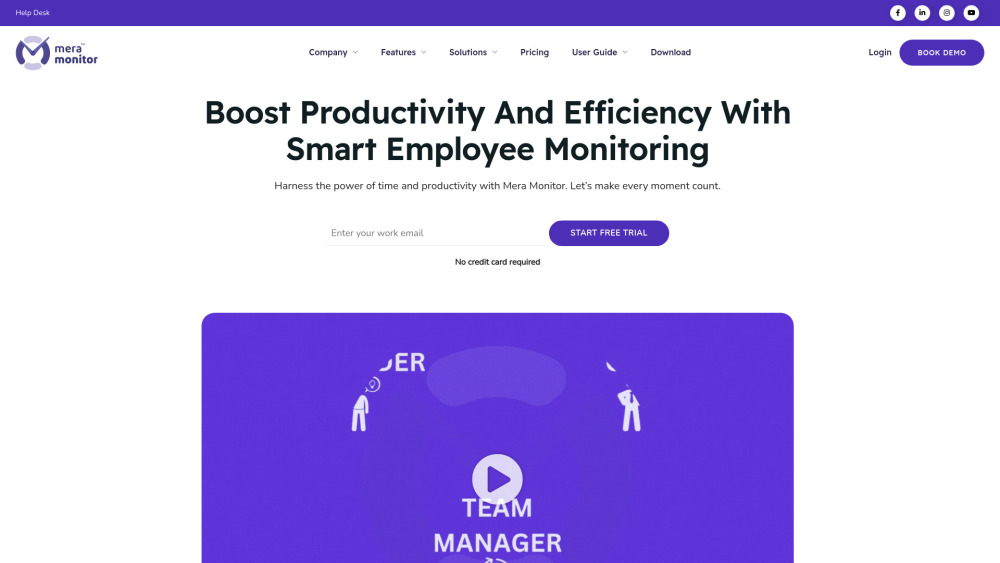
Mera Monitor website preview

Mera Monitor Website screenshot

What is Mera Monitor?

Mera Monitor is a comprehensive software solution aimed at helping businesses monitor and enhance workforce productivity and performance. By leveraging real-time data and insights, this tool provides actionable analytics to manage teams more efficiently, whether in-office or remote.

How to use Mera Monitor?

To get started with Mera Monitor, sign up on the platform, download the application, and follow the setup instructions. Once installed, you can easily track employee productivity by configuring monitoring settings tailored to your team’s needs.

Mera Monitor's Core Features

Live screen tracking

Monitor active work sessions in real-time and ensure tasks are completed efficiently.

Detailed performance analytics

Access in-depth reports on workforce productivity and individual performance metrics.

Attendance logging

Automated tracking of team attendance and time spent on tasks.

Live video streaming and session recording

View and record live sessions to keep track of ongoing tasks for later review.

AI-powered insights

Use AI-driven reports to identify trends and optimize team performance.

Mera Monitor's Use Cases

Boosting remote team productivity

Mera Monitor is ideal for managing remote teams, allowing employers to track and improve the productivity of their off-site workforce in real-time.

Optimizing team performance with data

Generate comprehensive reports to gain insights into team efficiency, helping managers make informed decisions to improve productivity.

Product source: Mera Monitor official website. Check the provider for current plans, limits and availability.

FAQ

Mera Monitor questions and answers

Product context and practical checks for evaluating Mera Monitor.

What is Mera Monitor used for?

Boost productivity with Mera Monitor: the ultimate workforce analytics tool for tracking performance, optimizing efficiency, and driving success.

How do I get started with Mera Monitor?

To get started with Mera Monitor, sign up on the platform, download the application, and follow the setup instructions. Once installed, you can easily track employee productivity by configuring monitoring settings tailored to your team’s needs.

Which capabilities are described for Mera Monitor?

Live screen trackingMonitor active work sessions in real-time and ensure tasks are completed efficiently.Detailed performance analyticsAccess in-depth reports on workforce productivity and individual performance metrics.Attendance loggingAutomated tracking of team attendance and time spent on tasks.Live video streaming and session recordingView and record live sessions to keep track of ongoing tasks for later review.AI-powered insightsUse AI-driven reports to identify trends and optimize team performance.

What projects can I evaluate Mera Monitor for?

Boosting remote team productivityMera Monitor is ideal for managing remote teams, allowing employers to track and improve the productivity of their off-site workforce in real-time.Optimizing team performance with dataGenerate comprehensive reports to gain insights into team efficiency, helping managers make informed decisions to improve productivity. Mera Monitor Support & Customer Service For assistance, reach Mera Monitor's support team at: [email protected]. Mera Monitor Company Learn more about Mera Monitor's mission and services on the About Us page. Mera Monitor Login Access your Mera Monitor account here: https://app.meramonitor.com/. Mera Monitor Pricing View pricing details on the official website: https://meramonitor.com/pricing/. Mera Monitor Social Media Stay connected with Mera Monitor on social media: Facebook: https://www.facebook.com/MeraMonitor/ YouTube: https://www.youtube.com/@MeraMonitor LinkedIn: https://www.linkedin.com/company/mera-monitor/ Instagram: https://www.instagram.com/meramonitor/ Pinterest: https://in.pinterest.com/MeraMonitor/

What should I compare before choosing a Mera Monitor plan?

View pricing details on the official website: https://meramonitor.com/pricing/. Confirm current prices and allowances on the provider’s website before purchasing.

What inputs should I prepare for a Mera Monitor trial?

Check supported documents, datasets and source access. Establish whether the product can inspect your actual material rather than answer from general knowledge.

How can I check the quality of a Mera Monitor result?

Follow citations to the original source, recalculate important numbers and check the date and scope of the evidence. Distinguish an explanation from a verified result.

Which export options should I check in Mera Monitor?

Look for usable citations, tables, downloadable data and reproducible steps. A clear answer should let another person inspect how the conclusion was reached.

What is a practical way to test Mera Monitor against alternatives?

Choose a question with known sources and a checkable result. Compare citation accuracy, omissions and reproducibility rather than response length.

Where is the official Mera Monitor website?

The website linked from this profile is https://meramonitor.com. Use the provider’s own documentation, account area and support channels to confirm current product details.

Visit Mera Monitor