AI Product Description Generator

Menukite

Elevate your restaurant experience with Menukite: the AI-powered digital menu tool that modernizes ordering, enhances efficiency, and delights your customers.

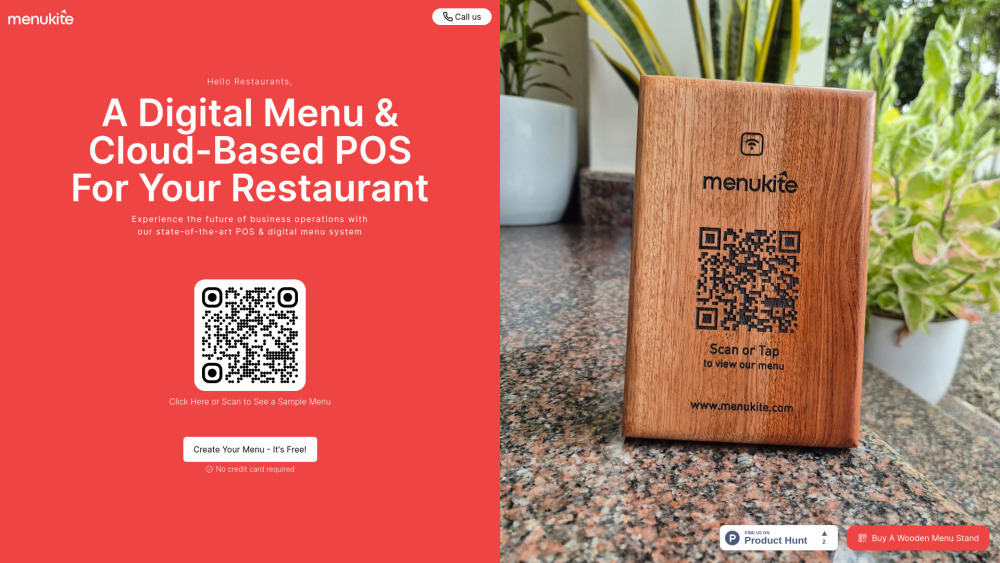
Menukite website preview

Menukite Website screenshot

Discover Menukite: The Future of Restaurant Menus

Menukite is revolutionizing how restaurants manage their menus by offering an AI-powered tool that seamlessly transforms a simple menu photo into a fully functional digital menu. Designed for the modern dining experience, Menukite adapts to various languages, caters to dietary needs, and integrates effortlessly with your existing POS systems, ensuring a smooth and efficient service for both customers and staff.

Getting Started with Menukite

Using Menukite is incredibly straightforward. Start by uploading a photo of your menu, and let the AI do the rest. In just a few clicks, you’ll have a digital menu ready to go, complete with a QR code for easy sharing with your customers. It’s that simple!

Key Features of Menukite

AI-driven menu creation from images

Support for multiple languages and dietary preferences

Seamless POS integration for enhanced service

Practical Applications of Menukite

Digitizing restaurant menus with ease

Enhancing customer satisfaction and operational efficiency

  • Menukite Customer Support & Contact Information

    For any inquiries or assistance, reach out to Menukite’s customer support team via email: [email protected].

  • Menukite Office Location

    Visit or contact Menukite at their office located at 39/2475-B1, LR Towers, Palarivattom, Ernakulam- 682025, Kerala, India.

  • Menukite Pricing Information

    For detailed pricing, visit Menukite's pricing page: https://app.menukite.com/onboarding.

  • Menukite on WhatsApp

    Connect with Menukite via WhatsApp for quick support: https://wa.me/917907736057.

Product source: Menukite official website. Check the provider for current plans, limits and availability.

FAQ

Menukite questions and answers

Product context and practical checks for evaluating Menukite.

What is Menukite used for?

Elevate your restaurant experience with Menukite: the AI-powered digital menu tool that modernizes ordering, enhances efficiency, and delights your customers.

How do I get started with Menukite?

Using Menukite is incredibly straightforward. Start by uploading a photo of your menu, and let the AI do the rest. In just a few clicks, you’ll have a digital menu ready to go, complete with a QR code for easy sharing with your customers. It’s that simple!

Which capabilities are described for Menukite?

AI-driven menu creation from imagesSupport for multiple languages and dietary preferencesSeamless POS integration for enhanced service

What projects can I evaluate Menukite for?

Digitizing restaurant menus with easeEnhancing customer satisfaction and operational efficiency Menukite Customer Support & Contact Information For any inquiries or assistance, reach out to Menukite’s customer support team via email: [email protected]. Menukite Office Location Visit or contact Menukite at their office located at 39/2475-B1, LR Towers, Palarivattom, Ernakulam- 682025, Kerala, India. Menukite Pricing Information For detailed pricing, visit Menukite's pricing page: https://app.menukite.com/onboarding. Menukite on WhatsApp Connect with Menukite via WhatsApp for quick support: https://wa.me/917907736057.

What should I compare before choosing a Menukite plan?

For detailed pricing, visit Menukite's pricing page: https://app.menukite.com/onboarding. Confirm current prices and allowances on the provider’s website before purchasing.

What inputs should I prepare for a Menukite trial?

Identify the files, text or account connections your task needs. Confirm that the product accepts those inputs and offers controls for reviewing its work.

How can I check the quality of a Menukite result?

Test one representative task and inspect the result for accuracy and completeness. Record where manual corrections or extra tools are needed.

Which export options should I check in Menukite?

Check export formats, integrations and whether you can keep using your work outside the service. Test a real export before committing to a longer plan.

What is a practical way to test Menukite against alternatives?

Choose one task with a clear success condition. Keep the input consistent, record the time spent reviewing and compare the complete workflow cost.

Where is the official Menukite website?

The website linked from this profile is https://menukite.com. Use the provider’s own documentation, account area and support channels to confirm current product details.

Visit Menukite