AI Advertising Assistant

Mentioned

Mentioned is an automated email outreach tool designed to help bloggers reach out to individuals and companies they have mentioned in their blog posts. It streamlines the process of finding contact information and sending personalized email campaigns, allowing bloggers to build relationships, increase brand awareness, and potentially acquire backlinks from their mentions.

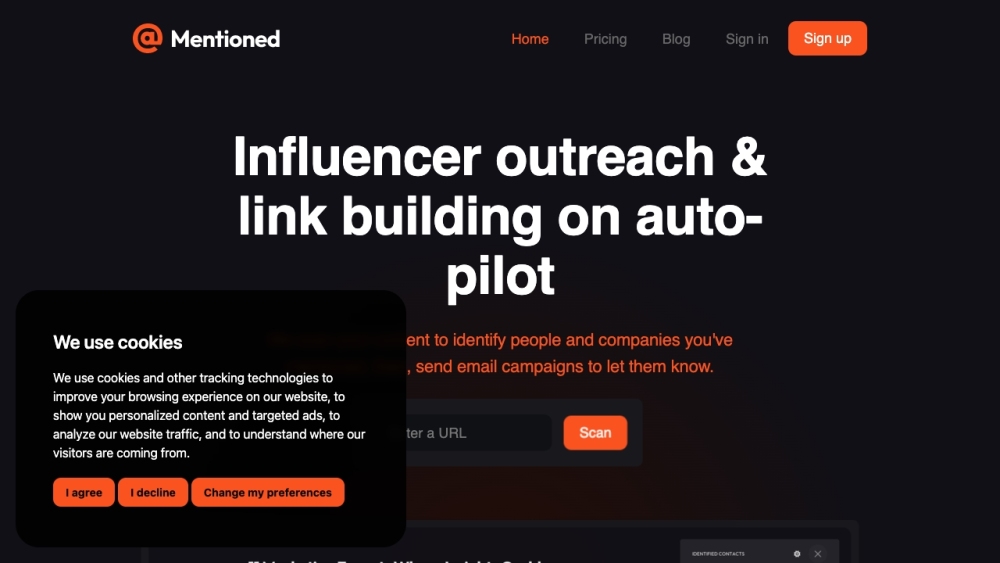
Mentioned website preview

Mentioned Website screenshot

What is Mentioned?

Mentioned is a powerful automated tool designed to assist bloggers in reaching out to individuals and companies highlighted in their blog posts. By automating the search for contact information and the sending of personalized emails, Mentioned helps bloggers establish relationships, boost brand visibility, and potentially secure valuable backlinks.

How to Use Mentioned?

To effectively utilize Mentioned, follow these straightforward steps: Step 1: Scan your blog post to identify the individuals and organizations you've referenced. Step 2: Verify the accuracy of the mentions and gather the necessary contact details. Step 3: Design and tailor your email templates. Step 4: Launch the automated email campaign and monitor its progress using the dashboard. Using Mentioned, bloggers can streamline their outreach efforts and reduce time spent on manual tasks.

Mentioned's Core Features

Automated scanning of blog posts for mentions

Identification of contact information

Pre-written email sequences

Campaign tracking and analytics

Integrations with platforms like Webflow, Facebook, and Twitter

Mentioned's Use Cases

Influencer outreach

Link building

Establishing new connections

Enhancing brand awareness

Acquiring potential backlinks

Product source: Mentioned official website. Check the provider for current plans, limits and availability.

FAQ

Mentioned questions and answers

Product context and practical checks for evaluating Mentioned.

What is Mentioned used for?

Mentioned is an automated email outreach tool designed to help bloggers reach out to individuals and companies they have mentioned in their blog posts. It streamlines the process of finding contact information and sending personalized email campaigns, allowing bloggers to build relationships, increase brand awareness, and potentially acquire backlinks from their mentions.

How do I get started with Mentioned?

To effectively utilize Mentioned, follow these straightforward steps: Step 1: Scan your blog post to identify the individuals and organizations you've referenced. Step 2: Verify the accuracy of the mentions and gather the necessary contact details. Step 3: Design and tailor your email templates. Step 4: Launch the automated email campaign and monitor its progress using the dashboard. Using Mentioned, bloggers can streamline their outreach efforts and reduce time spent on manual tasks.

Which capabilities are described for Mentioned?

Automated scanning of blog posts for mentionsIdentification of contact informationPre-written email sequencesCampaign tracking and analyticsIntegrations with platforms like Webflow, Facebook, and Twitter

What projects can I evaluate Mentioned for?

Influencer outreachLink buildingEstablishing new connectionsEnhancing brand awarenessAcquiring potential backlinks Mentioned Login Mentioned Login Link: https://app.mentioned.ai/login Mentioned Sign up Mentioned Sign up Link: https://app.mentioned.ai/login Mentioned Pricing Mentioned Pricing Link: https://mentioned.ai/pricing Mentioned Facebook Mentioned Facebook Link: https://mentioned.ai/integration/facebook Mentioned Twitter Mentioned Twitter Link: https://twitter.com/MentionedAI

What should I compare before choosing a Mentioned plan?

Mentioned Pricing Link: https://mentioned.ai/pricing Confirm current prices and allowances on the provider’s website before purchasing.

What inputs should I prepare for a Mentioned trial?

Look for text prompts, image references, masks or sketches as appropriate. Compare composition control, supported upload types and the ability to revise a selected area.

How can I check the quality of a Mentioned result?

Inspect text, hands, edges, reflections and repeated objects at full size. Check that important product or brand details survive editing.

Which export options should I check in Mentioned?

Compare pixel dimensions, transparency, file formats and any enlargement options. Confirm that the downloaded result works in your design or publishing software.

What is a practical way to test Mentioned against alternatives?

Prepare a brief with a subject, composition, lighting and required output size. Test a first generation and a targeted revision to see how much control you retain.

Where is the official Mentioned website?

The website linked from this profile is https://www.promptdodo.com. Use the provider’s own documentation, account area and support channels to confirm current product details.

Visit Mentioned