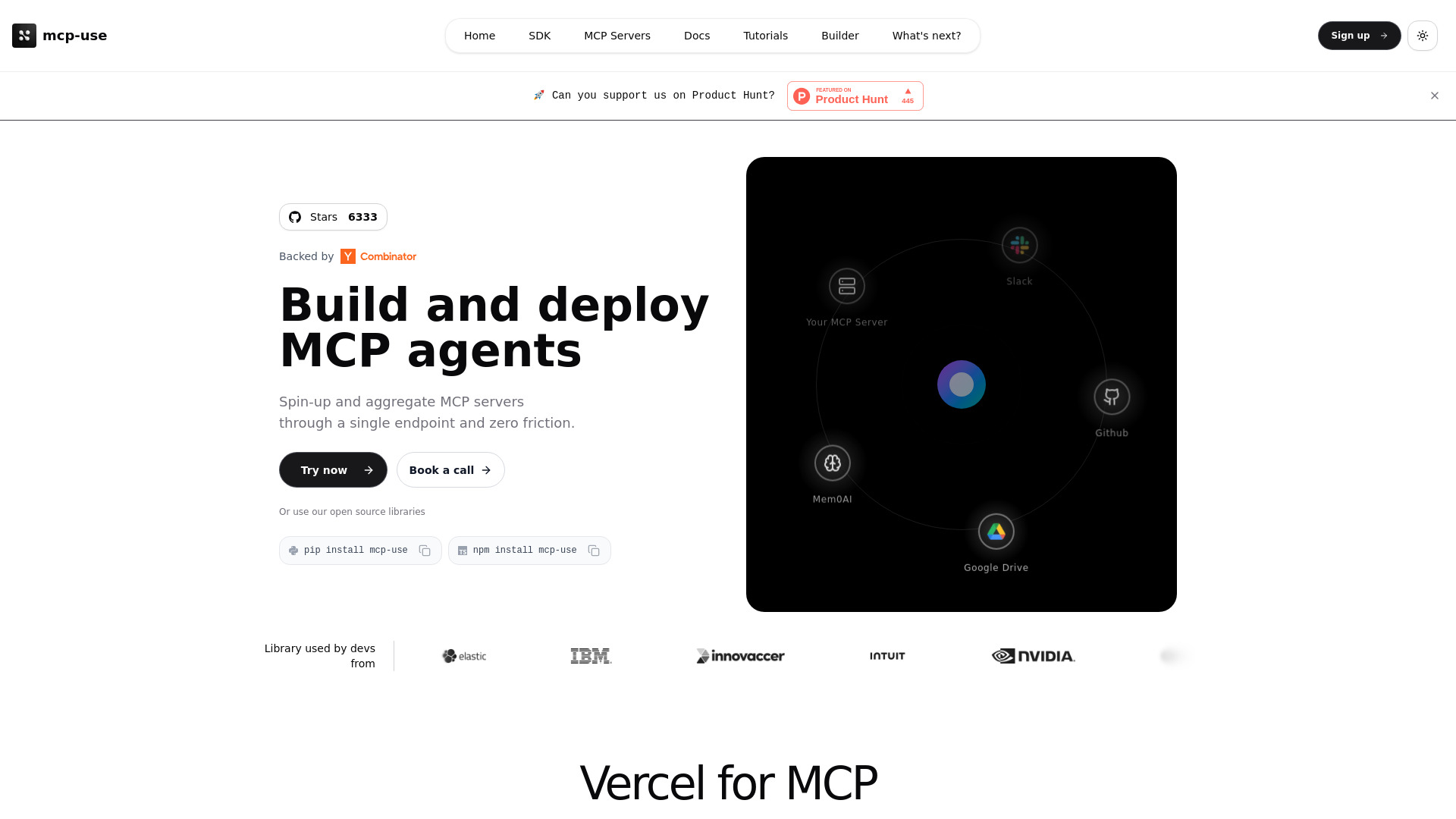
What Is mcp-use?
mcp-use is an open-source platform that helps developers build AI agents and connect them to MCP (Model Context Protocol) servers. By combining a developer SDK, a managed MCP gateway, and cloud deployment tools, it brings key parts of the agent development workflow into one place. Teams can use mcp-use to connect language models with external tools, test agent interactions, and manage the servers behind their applications without assembling every infrastructure component themselves.
For developers exploring how to build AI agents faster, mcp-use offers a practical starting point through its open-source SDK and gateway options. It supports workflows involving models from providers such as Anthropic and OpenAI, including models used in Claude and ChatGPT. Whether you are experimenting with a small assistant or developing a larger AI-powered product, the platform helps simplify connections between models, tools, and services. Check current plan details to confirm free gateway availability, usage limits, and any charges for hosted infrastructure or model APIs.
How to Use mcp-use
Start by installing the mcp-use SDK for your development environment. Python developers can use pip install mcp-use, while JavaScript and TypeScript developers can install the package with npm install mcp-use. Next, configure a supported model provider, supply the credentials required by that provider, and connect the MCP servers that expose the tools your agent needs. This creates a foundation for assistants that can interact with services rather than generate text alone.
As your project grows, the mcp-use dashboard and managed gateway can help organize multiple MCP connections. Instead of handling each server separately within your application, you can aggregate services behind a unified endpoint. Depending on your setup, you can deploy MCP servers in the cloud, use local virtual machine environments for development, or connect third-party servers through the gateway. Centralizing these connections makes it easier to review and maintain the infrastructure supporting your agents.
Use the chat interface to test tool interactions and refine agent behavior before expanding your deployment. For more demanding workloads, explore routing, authentication, and load-balancing capabilities to manage access and distribute requests across server resources. Start with a focused prototype, validate the workflow, and then add infrastructure features as your requirements become clearer.
Key Features of mcp-use
- Open-Source AI Agent SDK: Build custom agents using a toolkit designed to connect language models with MCP servers. Python and JavaScript/TypeScript installation options let teams work within familiar development environments.
- Managed MCP Gateway: Bring server connections together through a shared access layer. Routing, authentication, and load balancing help reduce the amount of infrastructure logic developers need to maintain inside their applications.
- Cloud Deployment Tools: Host MCP servers using managed infrastructure rather than configuring every deployment component independently. This can help teams spend more time developing useful agent capabilities and less time on server operations.
- Community Server Discovery: Explore community-built MCP servers to find integrations and reusable tools. Existing server implementations can provide a starting point for connecting agents to services and data sources.
- Flexible Infrastructure Options: Combine hosted servers, local development environments, and third-party services according to your project needs. This flexibility supports experimentation as well as more structured deployment workflows.
- Interactive Chat Testing: Try agent interactions through a chat-based interface. Testing conversations and tool use in one place helps developers identify configuration issues and improve workflows during development.
Together, these features aim to reduce repetitive integration work and simplify MCP server management. The benefits will depend on your application, deployment choices, and existing infrastructure, but a shared toolkit can make it easier to move from an initial experiment toward a maintainable AI product.
Why Choose mcp-use?
Building an AI agent involves more than selecting a language model. Developers also need to connect tools, configure access, manage servers, and understand how the system behaves during real interactions. mcp-use addresses these tasks with tooling centered on MCP-based workflows. Rather than adapting a collection of general-purpose infrastructure products, teams can use an SDK and gateway designed around the connection between agents and MCP servers.
The open-source SDK also gives developers a way to explore agent development before committing to a larger infrastructure setup. Teams can begin with a limited set of tools, learn how their agent uses them, and expand the system as requirements evolve. Support for different model-provider workflows offers flexibility when evaluating models for cost, capabilities, or application needs.
For teams managing several services, centralized access and deployment controls can make the architecture easier to understand. A gateway-based approach can reduce scattered connection logic, while community server integrations may shorten the path to useful functionality. Evaluate mcp-use against your own security, reliability, hosting, and budget requirements, particularly when moving from development into production.
Use Cases and Applications
mcp-use can support custom AI assistants that need access to tools and information beyond the model itself. Examples include internal knowledge assistants, customer support workflows, developer utilities, and task-focused automation agents. By connecting the relevant MCP servers, developers can give an agent access to capabilities appropriate to its role, subject to the permissions and controls configured for those services.
Another application is consolidating multiple MCP servers behind a single gateway. Teams working with several integrations can use this approach to simplify how applications reach those services and manage access more consistently. It is particularly useful when developers want to separate agent logic from the details of individual server connections.
Product teams can also use mcp-use to prototype AI features before investing in a broader deployment. For example, a team might test a coding assistant with selected development tools or build an operations assistant connected to approved internal services. Infrastructure teams can evaluate centralized MCP management across local, hosted, and third-party environments. In each case, the goal is to make tool-connected AI workflows easier to build, test, and maintain.