Text to Image

Mangaka.app

Mangaka.app: Turn scripts into manga art—fast, intuitive, and authentically Japanese. AI-powered creativity, unleashed.

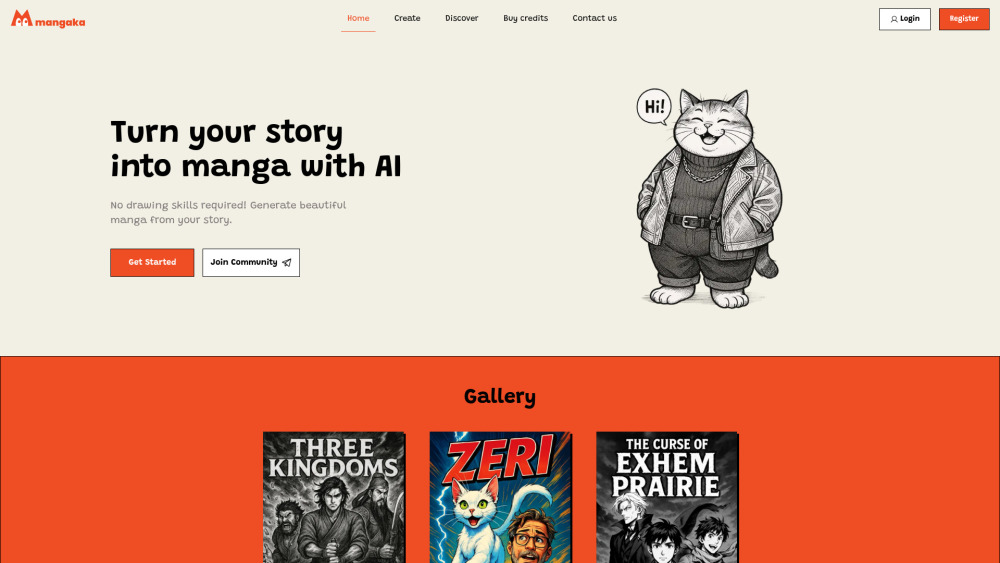
Mangaka.app website preview

Mangaka.app Website screenshot

What is Mangaka.app?

Mangaka.app is a next-generation AI platform engineered specifically for manga creation — not just generically “anime-style” art, but authentically Japanese in aesthetic, composition, and storytelling sensibility. Built with deep cultural fluency and trained on curated, licensed manga references, it interprets narrative intent with precision: panel rhythm, expressive *gaman* (endurance) faces, dynamic *speed lines*, subtle *koma* (frame) transitions, and genre-appropriate visual grammar — from shōnen action to josei romance. No artistic training needed — just your story, and Mangaka.app delivers studio-grade manga visuals, fast.

How to use Mangaka.app?

Start by uploading your script (PDF, DOCX, or TXT). Then select an authentic manga lineage — choose from era- and genre-accurate presets like *Shōwa-era shōnen*, *Heisei shojo*, or *modern seinen realism* — or fine-tune a custom style using intuitive sliders for line weight, screentone density, and emotional intensity. The AI analyzes pacing, dialogue tone, and character arcs to auto-generate expressive characters, cinematic panel layouts, and culturally resonant visual motifs. Export instantly as print-ready PDFs, web-optimized image sequences, or layered PSD files for professional refinement.

Mangaka.app's Core Features

Script-to-manga conversion rooted in Japanese visual language

AI that understands manga grammar: koma flow, focus framing, and emotional punctuation

Authentic style library — no Westernized approximations

Zero-drawing workflow: fully accessible to writers, educators, and storytellers

High-fidelity exports: PDF, PNG, JPG, and layered PSD (Pro plan)

Commercial-use license & watermark-free output (with paid tiers)

Mangaka.app's Use Cases

Adapting light novels, web novels, or original prose into publishable manga

Classroom storytelling tools for Japanese language and culture education

Rapid prototyping for indie manga creators and doujin circles

Licensing-ready content for global publishers and streaming platforms

Product source: Mangaka.app official website. Check the provider for current plans, limits and availability.

FAQ

Mangaka.app questions and answers

Product context and practical checks for evaluating Mangaka.app.

What is Mangaka.app used for?

Mangaka.app: Turn scripts into manga art—fast, intuitive, and authentically Japanese. AI-powered creativity, unleashed.

How do I get started with Mangaka.app?

Start by uploading your script (PDF, DOCX, or TXT). Then select an authentic manga lineage — choose from era- and genre-accurate presets like *Shōwa-era shōnen*, *Heisei shojo*, or *modern seinen realism* — or fine-tune a custom style using intuitive sliders for line weight, screentone density, and emotional intensity. The AI analyzes pacing, dialogue tone, and character arcs to auto-generate expressive characters, cinematic panel layouts, and culturally resonant visual motifs. Export instantly as print-ready PDFs, web-optimized image sequences, or layered PSD files for professional refinement.

Which capabilities are described for Mangaka.app?

Script-to-manga conversion rooted in Japanese visual languageAI that understands manga grammar: koma flow, focus framing, and emotional punctuationAuthentic style library — no Westernized approximationsZero-drawing workflow: fully accessible to writers, educators, and storytellersHigh-fidelity exports: PDF, PNG, JPG, and layered PSD (Pro plan)Commercial-use license & watermark-free output (with paid tiers)

What projects can I evaluate Mangaka.app for?

Adapting light novels, web novels, or original prose into publishable mangaClassroom storytelling tools for Japanese language and culture educationRapid prototyping for indie manga creators and doujin circlesLicensing-ready content for global publishers and streaming platforms

What should I compare before choosing a Mangaka.app plan?

Check Mangaka.app’s current pricing page for included usage, renewal terms and any credit charges. Compare the cost of a usable result, including retries, rather than assuming that account registration includes free usage.

What inputs should I prepare for a Mangaka.app trial?

Look for text prompts, image references, masks or sketches as appropriate. Compare composition control, supported upload types and the ability to revise a selected area.

How can I check the quality of a Mangaka.app result?

Inspect text, hands, edges, reflections and repeated objects at full size. Check that important product or brand details survive editing.

Which export options should I check in Mangaka.app?

Compare pixel dimensions, transparency, file formats and any enlargement options. Confirm that the downloaded result works in your design or publishing software.

What is a practical way to test Mangaka.app against alternatives?

Prepare a brief with a subject, composition, lighting and required output size. Test a first generation and a targeted revision to see how much control you retain.

Where is the official Mangaka.app website?

The website linked from this profile is https://mangaka.app. Use the provider’s own documentation, account area and support channels to confirm current product details.

Visit Mangaka.app