AI Content Generator

MakeLanding

Create landing pages instantly with MakeLanding: AI-Powered builder. Generate copy, logos, and icons effortlessly with advanced AI technology.

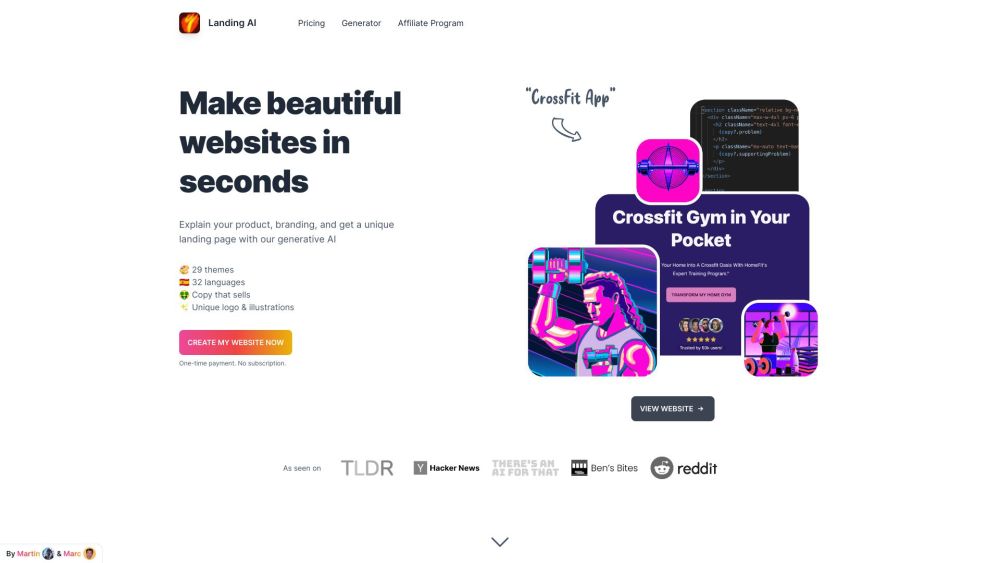
MakeLanding website preview

MakeLanding Website screenshot

What is MakeLanding?

MakeLanding is an innovative AI-driven platform designed to create striking landing pages with ease. By leveraging advanced AI, it generates compelling copy, unique logos, and custom illustrations, eliminating the need for a professional designer or developer.

How to use MakeLanding?

Simply describe your business and its offerings, and MakeLanding's AI will craft your website in under a minute. It generates persuasive copy, a distinctive logo, and captivating illustrations. You can further personalize your site by adding images, tweaking the text, and modifying buttons. Once you're happy with the result, your site is ready to be shared.

MakeLanding's Core Features

AI-driven copy creation using millions of successful headlines in over 50 languages

Unique logos and illustrations generated by AI

Select from 6 artistic styles and 12 color themes for perfect visuals

Integration with various call-to-action links, such as the Apple Store and crowdfunding platforms

Extensive library of templates tailored to different industries and needs

User-friendly website editor with intuitive customization options

Responsive, fast, and SEO-optimized design

Built-in analytics for tracking website performance

MakeLanding's Use Cases

Creating landing pages for mobile applications

Promoting podcasts or online courses

Launching Software as a Service (SaaS) products

Building portfolios or community websites

Generating lead capture pages for businesses

Developing e-commerce product pages

Showcasing music, fashion, or medical content

Designing mockups for web development

Product source: MakeLanding official website. Check the provider for current plans, limits and availability.

FAQ

MakeLanding questions and answers

Product context and practical checks for evaluating MakeLanding.

What is MakeLanding used for?

Create landing pages instantly with MakeLanding: AI-Powered builder. Generate copy, logos, and icons effortlessly with advanced AI technology.

How do I get started with MakeLanding?

Simply describe your business and its offerings, and MakeLanding's AI will craft your website in under a minute. It generates persuasive copy, a distinctive logo, and captivating illustrations. You can further personalize your site by adding images, tweaking the text, and modifying buttons. Once you're happy with the result, your site is ready to be shared.

Which capabilities are described for MakeLanding?

AI-driven copy creation using millions of successful headlines in over 50 languagesUnique logos and illustrations generated by AISelect from 6 artistic styles and 12 color themes for perfect visualsIntegration with various call-to-action links, such as the Apple Store and crowdfunding platformsExtensive library of templates tailored to different industries and needsUser-friendly website editor with intuitive customization optionsResponsive, fast, and SEO-optimized designBuilt-in analytics for tracking website performance

What projects can I evaluate MakeLanding for?

Creating landing pages for mobile applicationsPromoting podcasts or online coursesLaunching Software as a Service (SaaS) productsBuilding portfolios or community websitesGenerating lead capture pages for businessesDeveloping e-commerce product pagesShowcasing music, fashion, or medical contentDesigning mockups for web development MakeLanding Company Company Name: MakeLanding MakeLanding Pricing Pricing Information: https://makelanding.ai/#pricing MakeLanding Facebook Facebook Page: https://makelanding.ai/facebook MakeLanding Tiktok Tiktok Profile: https://makelanding.ai/tiktok MakeLanding Instagram Instagram Profile: https://makelanding.ai/instagram

What should I compare before choosing a MakeLanding plan?

Pricing Information: https://makelanding.ai/#pricing Confirm current prices and allowances on the provider’s website before purchasing.

What inputs should I prepare for a MakeLanding trial?

Look for text prompts, image references, masks or sketches as appropriate. Compare composition control, supported upload types and the ability to revise a selected area.

How can I check the quality of a MakeLanding result?

Inspect text, hands, edges, reflections and repeated objects at full size. Check that important product or brand details survive editing.

Which export options should I check in MakeLanding?

Compare pixel dimensions, transparency, file formats and any enlargement options. Confirm that the downloaded result works in your design or publishing software.

What is a practical way to test MakeLanding against alternatives?

Prepare a brief with a subject, composition, lighting and required output size. Test a first generation and a targeted revision to see how much control you retain.

Where is the official MakeLanding website?

The website linked from this profile is https://landing-ai.com. Use the provider’s own documentation, account area and support channels to confirm current product details.

Visit MakeLanding