AI Chatbot

MacGPT - ChatGPT in Menubar

Get instant AI assistance with MacGPT! Access OpenAI's ChatGPT directly from your Mac's menubar for seamless, on-the-go conversations and productivity.

MacGPT - ChatGPT in Menubar website preview

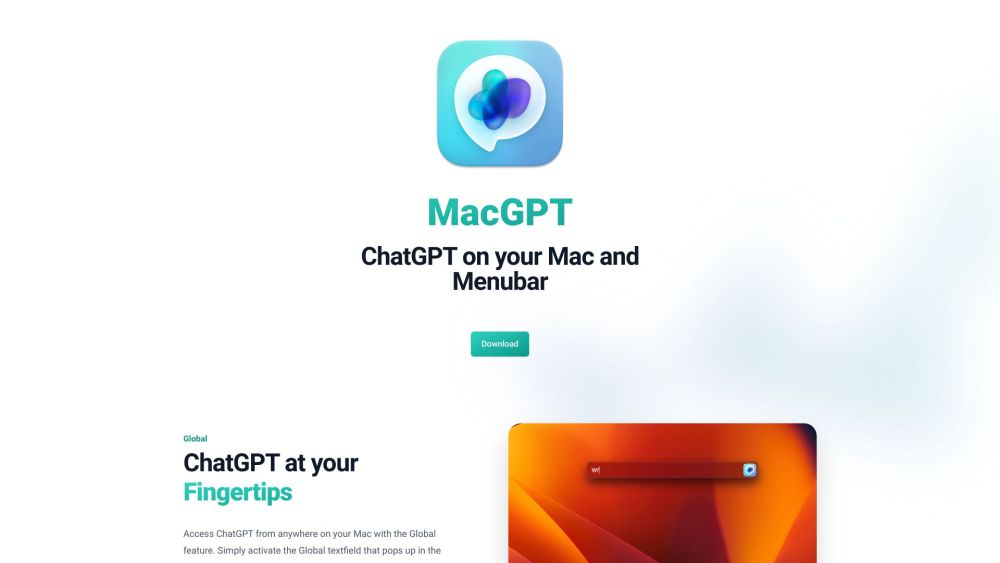
MacGPT - ChatGPT in your menubar Website screenshot

What is MacGPT - ChatGPT in Menubar?

MacGPT is an innovative tool that integrates ChatGPT, an AI language model by OpenAI, directly into your Mac's menubar. This allows for seamless access and interaction with ChatGPT from any location on your Mac.

How to Use MacGPT - ChatGPT in Menubar?

To get started with MacGPT, download the application for free and install it on your Mac. Once installed, you can enable the Global feature, which opens a text field for chatting with ChatGPT. The MacGPT Inline feature allows you to type trigger phrases and prompts in any text field, and ChatGPT will generate responses. Accessing ChatGPT is also possible through the website or the menubar menu. The app supports conversation mode for interactive, voice-based conversations without typing.

Core Features of MacGPT - ChatGPT in Menubar

Global ChatGPT Access

MacGPT Inline for Prompt Entry

Quick Access via Menubar

Web and API Access

Easy Transcript Copying

Voice-Based Conversation Mode

Use Cases for MacGPT - ChatGPT in Menubar

Engage in Quick and Fun Conversations

Utilize with ChatGPT Plus

Enhanced Experience with OpenAI API Key

Create Multiple Conversations

Convenient Access through MacGPT App

On-the-Go Conversations with GeePeeTee

  • Support & Customer Service for MacGPT - ChatGPT in Menubar

    For support, contact MacGPT - ChatGPT in Menubar at: [email protected]. For more details, visit the contact us page(mailto:[email protected]).

  • MacGPT - ChatGPT in Menubar Company

    The company behind MacGPT - ChatGPT in Menubar is Good Snooze.

  • MacGPT - ChatGPT in Menubar on Twitter

    Follow MacGPT - ChatGPT in Menubar on Twitter: https://www.twitter.com/jordibruin

Product source: MacGPT - ChatGPT in Menubar official website. Check the provider for current plans, limits and availability.

FAQ

MacGPT - ChatGPT in Menubar questions and answers

Product context and practical checks for evaluating MacGPT - ChatGPT in Menubar.

What is MacGPT - ChatGPT in Menubar used for?

Get instant AI assistance with MacGPT! Access OpenAI's ChatGPT directly from your Mac's menubar for seamless, on-the-go conversations and productivity.

How do I get started with MacGPT - ChatGPT in Menubar?

To get started with MacGPT, download the application for free and install it on your Mac. Once installed, you can enable the Global feature, which opens a text field for chatting with ChatGPT. The MacGPT Inline feature allows you to type trigger phrases and prompts in any text field, and ChatGPT will generate responses. Accessing ChatGPT is also possible through the website or the menubar menu. The app supports conversation mode for interactive, voice-based conversations without typing.

Which capabilities are described for MacGPT - ChatGPT in Menubar?

Global ChatGPT AccessMacGPT Inline for Prompt EntryQuick Access via MenubarWeb and API AccessEasy Transcript CopyingVoice-Based Conversation Mode

What projects can I evaluate MacGPT - ChatGPT in Menubar for?

Engage in Quick and Fun ConversationsUtilize with ChatGPT PlusEnhanced Experience with OpenAI API KeyCreate Multiple ConversationsConvenient Access through MacGPT AppOn-the-Go Conversations with GeePeeTee Support & Customer Service for MacGPT - ChatGPT in Menubar For support, contact MacGPT - ChatGPT in Menubar at: [email protected]. For more details, visit the contact us page(mailto:[email protected]). MacGPT - ChatGPT in Menubar Company The company behind MacGPT - ChatGPT in Menubar is Good Snooze. MacGPT - ChatGPT in Menubar on Twitter Follow MacGPT - ChatGPT in Menubar on Twitter: https://www.twitter.com/jordibruin

What should I compare before choosing a MacGPT - ChatGPT in Menubar plan?

Check MacGPT - ChatGPT in Menubar’s current pricing page for included usage, renewal terms and any credit charges. Compare the cost of a usable result, including retries, rather than assuming that account registration includes free usage.

What inputs should I prepare for a MacGPT - ChatGPT in Menubar trial?

Identify the files, text or account connections your task needs. Confirm that the product accepts those inputs and offers controls for reviewing its work.

How can I check the quality of a MacGPT - ChatGPT in Menubar result?

Test one representative task and inspect the result for accuracy and completeness. Record where manual corrections or extra tools are needed.

Which export options should I check in MacGPT - ChatGPT in Menubar?

Check export formats, integrations and whether you can keep using your work outside the service. Test a real export before committing to a longer plan.

What is a practical way to test MacGPT - ChatGPT in Menubar against alternatives?

Choose one task with a clear success condition. Keep the input consistent, record the time spent reviewing and compare the complete workflow cost.

Where is the official MacGPT - ChatGPT in Menubar website?

The website linked from this profile is https://www.promptdodo.com. Use the provider’s own documentation, account area and support channels to confirm current product details.

Visit MacGPT - ChatGPT in Menubar