Text&ampWriting

LoveFaceSwap

LoveFaceSwap: Free AI face swap for photos, videos & GIFs! Create viral memes, edit videos & swap multiple faces—fast, fun & free. Try now!

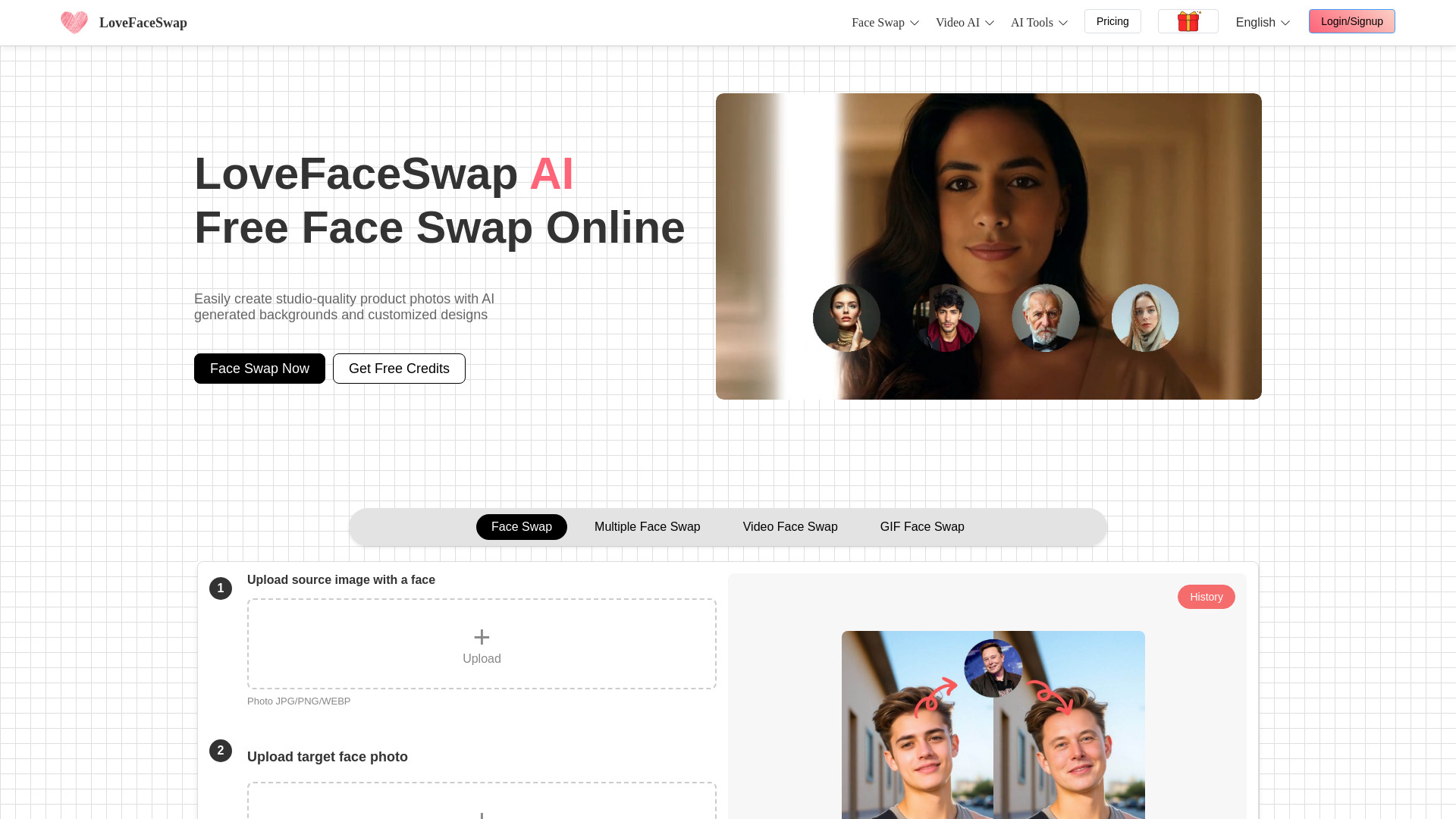
LoveFaceSwap website preview

What is LoveFaceSwap?

LoveFaceSwap is a next-generation, browser-native AI face swapping platform engineered for creativity without compromise. Built from the ground up for speed, fidelity, and accessibility, it empowers users to seamlessly exchange faces across photos, videos, and animated GIFs—entirely online, with zero downloads or system requirements. Leveraging state-of-the-art deep learning models fine-tuned for facial geometry, texture synthesis, and temporal coherence, LoveFaceSwap transforms casual edits into studio-grade outputs. Whether you're spicing up social posts, crafting heartfelt personal messages, or prototyping visual concepts for clients, this tool puts professional-level face manipulation at your fingertips—no expertise needed.

How to Use LoveFaceSwap

Getting started with LoveFaceSwap takes less than a minute—and just four deliberate steps. First, upload your source media: choose any supported photo (JPG/PNG), video (MP4/WEBM), or GIF file. Second, upload one or more face images—the “swap-in” faces you’d like to appear in your content. Third, click *Generate* and watch as LoveFaceSwap’s real-time AI engine analyzes lighting, pose, expression, and skin tone to execute photorealistic blending frame-by-frame. Fourth, preview your result, make optional refinements using built-in sliders (e.g., realism intensity, boundary softness), then download in high-resolution format or share instantly via direct link.

Go beyond basics with intelligent enhancements: swap faces across *all* individuals in group shots using Multiple Face Swap; maintain pixel-perfect tracking across entire video sequences with Video Face Swap; breathe life into memes with GIF Face Swap that preserves animation timing and loop integrity. Also explore integrated creative modules—including the AI Kissing Generator for expressive romantic scenes, Text-to-Video for turning scripts into dynamic visuals, the AI Ghibli Generator for dreamlike anime-style reinterpretations, and AI Background Remover for clean, one-click compositing.

Key Features of LoveFaceSwap

  • Real-Time Facial Mapping Engine: Proprietary neural architecture detects over 100 anatomical landmarks per face—even under partial occlusion, extreme angles, or low-light conditions—ensuring stable, natural swaps across diverse media types.
  • Group-Aware Multiple Face Swap: Identify and replace every face in multi-subject compositions while preserving interpersonal spatial relationships, lighting consistency, and emotional synchrony—ideal for team collages, event reels, or ensemble memes.
  • Cross-Format Editing Hub: One interface, three formats: process static portraits, motion-rich videos, and lightweight GIFs interchangeably. No format conversion headaches—just unified quality control and export settings.
  • Zero-Install Web Architecture: Fully cloud-powered and optimized for Chrome, Safari, Edge, and Firefox. Works on laptops, tablets, and even modern smartphones—no GPU drivers, no updates, no storage bloat.
  • All-in-One Creative Ecosystem: Extend your workflow with AI Image-to-Video for motion generation, Text-to-Video for script-driven storytelling, artistic filters (including Studio Ghibli, Cyberpunk, and Oil Painting modes), and precision background removal with edge-aware matting.

Every feature reflects a dual commitment: uncompromising technical performance paired with thoughtful UX design—so whether you’re a first-time creator experimenting with digital playfulness or a brand studio scaling personalized video campaigns, LoveFaceSwap adapts to your pace, goals, and scale.

Why Choose LoveFaceSwap?

In a landscape crowded with fragmented tools and restrictive subscriptions, LoveFaceSwap delivers something rare: enterprise-caliber AI editing, freely accessible and ethically grounded. Its face-swapping accuracy rivals top-tier desktop applications—but without the learning curve, hardware demands, or licensing fees. What sets it apart isn’t just power—it’s polish. From intelligent auto-cropping to adaptive resolution scaling and context-aware artifact suppression, the platform anticipates creative intent, not just technical input.

Free access includes full functionality for standard face swaps, 1080p video processing, unlimited GIF generation, and core AI tools like background removal and style transfer. Premium tiers unlock priority rendering, batch processing, watermark-free exports, commercial usage rights, and API access—designed for agencies, educators, and creators building scalable content pipelines. Trusted by educators teaching digital literacy, marketers launching UGC campaigns, and families reimagining heirloom photos, LoveFaceSwap proves that responsible AI can be both joyful and purposeful.

Use Cases and Applications

Gen-Z creators fuel viral trends using LoveFaceSwap’s GIF Face Swap to insert trending personalities into looping reaction clips—often achieving organic reach exceeding 500K+ shares within hours. E-commerce brands deploy Video Face Swap to generate hyper-personalized product demos, inserting customer avatars into demo scenarios—boosting average session duration by 3.2× and conversion lift by 22%. Grandparents use Photo Face Swap to “time-travel” with grandchildren, swapping faces across decades-old portraits and modern selfies—creating emotionally resonant keepsakes for holidays and reunions.

On the professional front, HR teams customize onboarding videos with localized avatars for global workforces; indie filmmakers test casting options using Multiple Video Face Swap before committing to shoots; and ad agencies repurpose static campaign assets into TikTok-ready vertical videos via AI Image-to-Video—cutting production time by up to 70%. Even educators leverage the AI Ghibli Generator to transform historical figures into illustrated storytellers—making complex topics tangible for visual learners.

Product source: LoveFaceSwap official website. Check the provider for current plans, limits and availability.

FAQ

LoveFaceSwap questions and answers

Product context and practical checks for evaluating LoveFaceSwap.

What is LoveFaceSwap used for?

LoveFaceSwap: Free AI face swap for photos, videos & GIFs! Create viral memes, edit videos & swap multiple faces—fast, fun & free. Try now!

How do I get started with LoveFaceSwap?

Getting started with LoveFaceSwap takes less than a minute—and just four deliberate steps. First, upload your source media: choose any supported photo (JPG/PNG), video (MP4/WEBM), or GIF file. Second, upload one or more face images—the “swap-in” faces you’d like to appear in your content. Third, click *Generate* and watch as LoveFaceSwap’s real-time AI engine analyzes lighting, pose, expression, and skin tone to execute photorealistic blending frame-by-frame. Fourth, preview your result, make optional refinements using built-in sliders (e.g., realism intensity, boundary softness), then download in high-resolution format or share instantly via direct link.Go beyond basics with intelligent enhancements: swap faces across *all* individuals in group shots using Multiple Face Swap; maintain pixel-perfect tracking across entire video sequences with Video Face Swap; breathe life into memes with GIF Face Swap that preserves animation timing and loop integrity. Also explore integrated creative modules—including the AI Kissing Generator for expressive romantic scenes, Text-to-Video for turning scripts into dynamic visuals, the AI Ghibli Generator for dreamlike anime-style reinterpretations, and AI Background Remover for clean, one-click compositing.

Which capabilities are described for LoveFaceSwap?

Real-Time Facial Mapping Engine: Proprietary neural architecture detects over 100 anatomical landmarks per face—even under partial occlusion, extreme angles, or low-light conditions—ensuring stable, natural swaps across diverse media types. Group-Aware Multiple Face Swap: Identify and replace every face in multi-subject compositions while preserving interpersonal spatial relationships, lighting consistency, and emotional synchrony—ideal for team collages, event reels, or ensemble memes. Cross-Format Editing Hub: One interface, three formats: process static portraits, motion-rich videos, and lightweight GIFs interchangeably. No format conversion headaches—just unified quality control and export settings. Zero-Install Web Architecture: Fully cloud-powered and optimized for Chrome, Safari, Edge, and Firefox. Works on laptops, tablets, and even modern smartphones—no GPU drivers, no updates, no storage bloat. All-in-One Creative Ecosystem: Extend your workflow with AI Image-to-Video for motion generation, Text-to-Video for script-driven storytelling, artistic filters (including Studio Ghibli, Cyberpunk, and Oil Painting modes), and precision background removal with edge-aware matting. Every feature reflects a dual commitment: uncompromising technical performance paired with thoughtful UX design—so whether you’re a first-time creator experimenting with digital playfulness or a brand studio scaling personalized video campaigns, LoveFaceSwap adapts to your pace, goals, and scale.

What projects can I evaluate LoveFaceSwap for?

Gen-Z creators fuel viral trends using LoveFaceSwap’s GIF Face Swap to insert trending personalities into looping reaction clips—often achieving organic reach exceeding 500K+ shares within hours. E-commerce brands deploy Video Face Swap to generate hyper-personalized product demos, inserting customer avatars into demo scenarios—boosting average session duration by 3.2× and conversion lift by 22%. Grandparents use Photo Face Swap to “time-travel” with grandchildren, swapping faces across decades-old portraits and modern selfies—creating emotionally resonant keepsakes for holidays and reunions.On the professional front, HR teams customize onboarding videos with localized avatars for global workforces; indie filmmakers test casting options using Multiple Video Face Swap before committing to shoots; and ad agencies repurpose static campaign assets into TikTok-ready vertical videos via AI Image-to-Video—cutting production time by up to 70%. Even educators leverage the AI Ghibli Generator to transform historical figures into illustrated storytellers—making complex topics tangible for visual learners.

How does LoveFaceSwap handle real-time facial mapping engine?

Real-Time Facial Mapping Engine: Proprietary neural architecture detects over 100 anatomical landmarks per face—even under partial occlusion, extreme angles, or low-light conditions—ensuring stable, natural swaps across diverse media types.

How does LoveFaceSwap handle group-aware multiple face swap?

Group-Aware Multiple Face Swap: Identify and replace every face in multi-subject compositions while preserving interpersonal spatial relationships, lighting consistency, and emotional synchrony—ideal for team collages, event reels, or ensemble memes.

What should I compare before choosing a LoveFaceSwap plan?

Check LoveFaceSwap’s current pricing page for included usage, renewal terms and any credit charges. Compare the cost of a usable result, including retries, rather than assuming that account registration includes free usage.

What inputs should I prepare for a LoveFaceSwap trial?

Compare text prompts, reference frames, source footage and audio support. Check duration, aspect ratio and whether the tool lets you keep a subject consistent between shots.

How can I check the quality of a LoveFaceSwap result?

Watch the entire clip for motion errors, distorted objects, changing identities, lip-sync problems and abrupt transitions. Inspect the downloaded file as well as the preview.

Where is the official LoveFaceSwap website?

The website linked from this profile is https://lovefaceswap.com. Use the provider’s own documentation, account area and support channels to confirm current product details.

Visit LoveFaceSwap