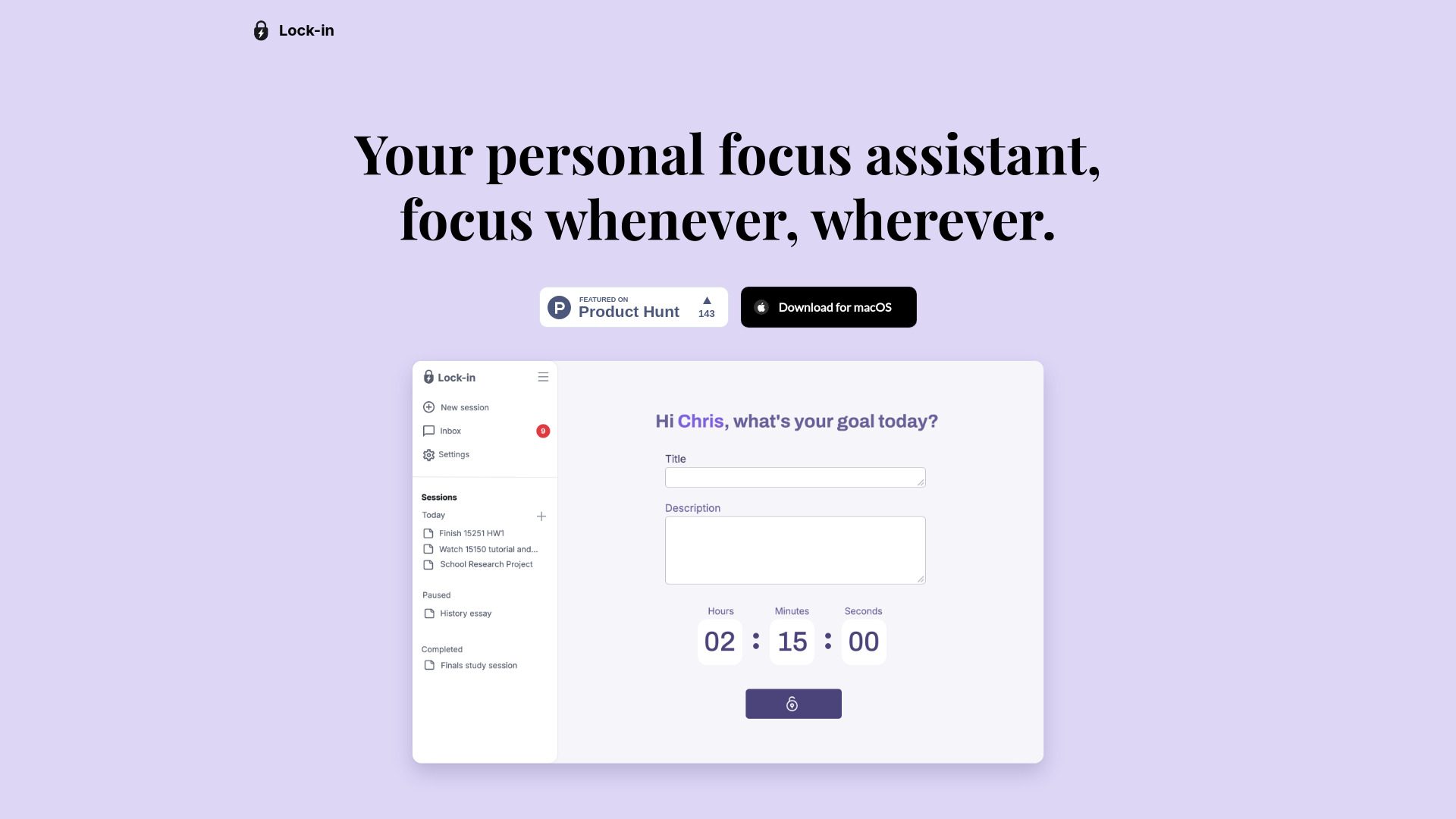
What is Lock-in?
Lock-in is an intelligent, macOS-native focus assistant powered by adaptive AI—engineered not just to track time or block distractions, but to *understand* and *support* your attention in real time. Built at the intersection of cognitive science and generative AI, Lock-in observes how you work—not just what you do—learning your rhythms, recognizing subtle shifts in engagement, and intervening with precision before focus fractures. It doesn’t assume a one-size-fits-all workflow; instead, it evolves alongside you, offering dynamic coaching that strengthens focus stamina, refines break timing, and surfaces insights you can actually act on. Whether you’re debugging a complex system, drafting a strategic report, or iterating on visual design, Lock-in helps you work with greater intention—and recover with greater ease.
How to Use Lock-in
Getting started with Lock-in takes seconds: download the app, grant minimal accessibility permissions for seamless background operation, and begin working as usual. There’s no setup ritual, no manual timers to start or stop—Lock-in activates intelligently, analyzing keystrokes, window activity, mouse movement, and application usage to build a real-time model of your attentional state. When it senses your cognitive load spiking or your engagement dipping—say, during repetitive copy-pasting, prolonged scrolling, or rapid tab cycling—it delivers a gentle, context-sensitive nudge: not a pop-up alarm, but a subtle, purposeful prompt calibrated to your current task and historical response patterns.
Equally powerful is Lock-in’s adaptive break engine. Rather than enforcing rigid intervals, it waits for physiological and behavioral cues—like reduced typing velocity, increased dwell time on low-signal sites, or extended idle windows—then recommends a micro-reset tailored to your energy profile: a 90-second breathing cue, a posture reset reminder, or even a targeted stretch suggestion synced to your calendar. Post-session, you receive a concise, visual summary: your Focus Resilience Score™, distraction origin map (e.g., “73% of interruptions came from Slack notifications between 2:15–3:05 PM”), recovery efficiency rating, and one prioritized behavioral insight—such as “You sustain deep focus 22% longer after a 4-minute walk—try scheduling one before your next 90-min coding block.”
Key Features of Lock-in
- Real-Time Nudges, Not Alerts: A behavior-aware prompting system that interprets intent—not just activity. It distinguishes between research browsing and distraction, between thoughtful pausing and mental drift—and intervenes only when alignment with your stated goal begins to weaken.
- Adaptive Breaks That Learn Your Biology: Goes beyond fixed Pomodoro logic. Uses on-device pattern recognition to detect fatigue signatures unique to *you*, then prescribes micro-breaks proven to restore prefrontal cortex function—whether that’s ambient sound, guided breathwork, or screen-free movement—timed for maximal neural rebound.
- Session Insights Dashboard — Clarity, Not Clutter: Clean, narrative-driven analytics that translate raw data into human-readable stories: “Your focus peaks 47 minutes after morning coffee—but dips sharply after back-to-back video calls,” or “You recover fastest with tactile breaks (e.g., sketching, note-taking) vs. digital ones.” Includes trend graphs, comparative benchmarks, and weekly progress snapshots.
- Focus Coaching Loop: An embedded guidance engine that synthesizes session history, calendar context, and self-reported energy logs to generate evolving, actionable recommendations—like adjusting meeting buffers, optimizing email check-in windows, or gradually extending deep-work blocks based on your resilience curve.
- Flow-First Environment Mode: A smart focus layer that doesn’t just silence notifications—it reshapes your interface: dimming non-essential UI elements, greying out distracting tabs, and surfacing only the tools relevant to your active project—all while preserving access to critical workflows (e.g., keeping your IDE fully functional while muting Slack previews).
Together, these features form a closed-loop productivity system: observe → interpret → intervene → reflect → adapt. The result? Not just more output—but sharper thinking, calmer transitions, and work that feels sustainable, not sacrificial.
Why Choose Lock-in?
In a landscape crowded with timers, blockers, and dashboards, Lock-in stands apart by treating focus as a *dynamic skill*—not a static setting to toggle on or off. It doesn’t ask you to conform to its rules; it adapts its intelligence to yours. While legacy tools measure time spent, Lock-in measures *attention quality*. While others react to distraction after it happens, Lock-in anticipates it—like a co-pilot reading your cognitive weather. Its strength lies in restraint: no invasive data harvesting, no cloud-based keystroke logging, no forced gamification. All AI inference runs locally on your Mac, ensuring privacy, speed, and responsiveness.
Professionals choose Lock-in because it delivers measurable behavioral change—not just metrics. Users report 31% fewer mid-session derailments (based on internal 12-week cohort data), 2.4x faster re-engagement after breaks, and sustained increases in self-reported flow frequency. Featured on aitop-tools.com as a leader in ethical AI productivity, Lock-in offers something rare: technology that empowers agency, not automation—that helps you master your attention, without surrendering it.
Use Cases and Applications
For software engineers, Lock-in detects the exact moment context-switching begins to degrade code comprehension—triggering a nudge to pause, refactor a comment, or take a 60-second visual rest—reducing post-interruption ramp-up time by up to 40%. Its session insights reveal which types of tasks (e.g., legacy refactoring vs. greenfield design) most consistently trigger attention leakage, enabling smarter sprint planning.
Writers and editors use Lock-in’s Flow-First Mode to create immersive writing environments—temporarily de-emphasizing grammar tools and notification badges while highlighting their preferred reference docs. Over time, its coaching loop identifies personal “focus anchors” (e.g., “You write most fluidly with instrumental music and a physical notebook nearby”) and gently reinforces those conditions.
Data analysts and product managers rely on Lock-in to maintain analytical rigor across fragmented workflows—preventing costly lapses during long SQL queries or dashboard reviews. Its distraction origin map shows whether interruptions stem from async comms, calendar overloads, or environmental triggers—enabling precise habit adjustments rather than broad, unsustainable restrictions.