AI Tools Directory

Lobe

Lobe is a free and easy-to-use app that allows users to train custom machine learning models and incorporate them into their own applications. It provides a visual programming interface and supports various tasks such as image classification, object detection, and data classification.

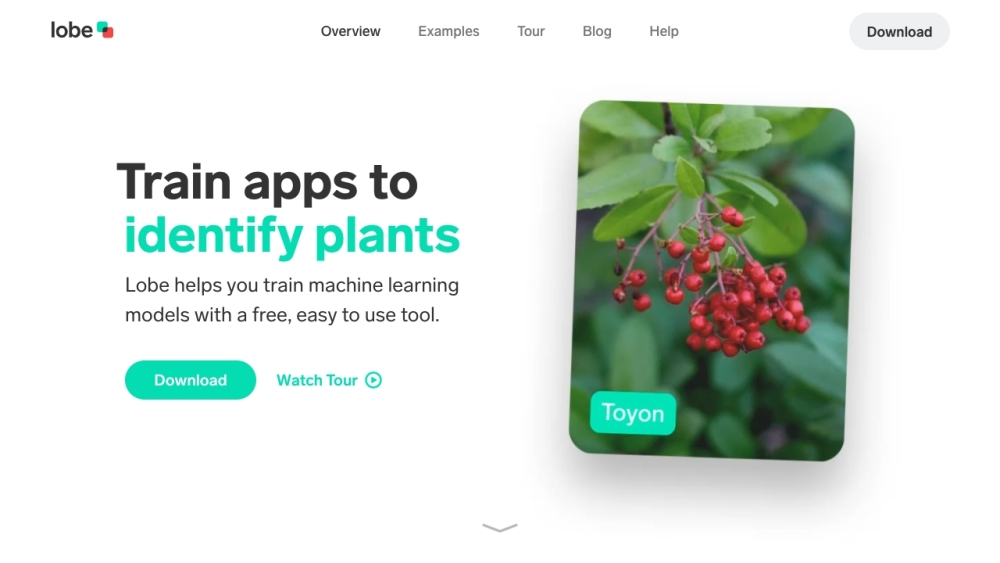
Lobe website preview

Lobe Website screenshot

What is Lobe?

Lobe is an intuitive, free software that empowers users to create custom machine learning models and seamlessly integrate them into their applications. Featuring a visual programming interface, Lobe simplifies tasks such as image classification, object detection, and data classification.

How to use Lobe?

To get started with Lobe, download the app on your Mac or Windows computer. Gather and label your images or data to build a machine learning dataset. Lobe will automatically train your model using the labeled examples. You can then test your model with your webcam or images, refine its predictions, and export it for use in your application.

Lobe's Core Features

User-friendly visual programming interface

Image classification

Object detection (coming soon)

Data classification (coming soon)

Automated model training

Real-time visual feedback

Model export to standard formats

Support for TensorFlow, CoreML, ONNX, TF.js, and TFLite

Lobe's Use Cases

Identifying plant species

Recognizing hand gestures

Developing personal trainer applications

Analyzing emotional reactions

Creating interactive paintings

Detecting safety hazards

Monitoring whale watching behaviors

Assessing beehive health

Implementing baby monitors

Setting up smart checkout systems

Fire prevention and monitoring

Assisting with scientific research

Tracking wildlife behaviors

Performing equipment analytics

Analyzing telescopic imagery

Processing aerial imagery

Product source: Lobe official website. Check the provider for current plans, limits and availability.

FAQ

Lobe questions and answers

Product context and practical checks for evaluating Lobe.

What is Lobe used for?

Lobe is a free and easy-to-use app that allows users to train custom machine learning models and incorporate them into their own applications. It provides a visual programming interface and supports various tasks such as image classification, object detection, and data classification.

How do I get started with Lobe?

To get started with Lobe, download the app on your Mac or Windows computer. Gather and label your images or data to build a machine learning dataset. Lobe will automatically train your model using the labeled examples. You can then test your model with your webcam or images, refine its predictions, and export it for use in your application.

Which capabilities are described for Lobe?

User-friendly visual programming interfaceImage classificationObject detection (coming soon)Data classification (coming soon)Automated model trainingReal-time visual feedbackModel export to standard formatsSupport for TensorFlow, CoreML, ONNX, TF.js, and TFLite

What projects can I evaluate Lobe for?

Identifying plant speciesRecognizing hand gesturesDeveloping personal trainer applicationsAnalyzing emotional reactionsCreating interactive paintingsDetecting safety hazardsMonitoring whale watching behaviorsAssessing beehive healthImplementing baby monitorsSetting up smart checkout systemsFire prevention and monitoringAssisting with scientific researchTracking wildlife behaviorsPerforming equipment analyticsAnalyzing telescopic imageryProcessing aerial imagery Lobe Reddit Visit the Lobe Reddit community here: https://reddit.com/r/lobe Lobe Support Email & Customer Service Contact For customer service, email: [email protected]. For more contact information, visit the contact us page (mailto:[email protected]). Lobe Company Lobe is a Microsoft company. Learn more about Lobe on the about us page. Lobe YouTube Watch Lobe videos on YouTube: Lobe YouTube Channel Lobe Twitter Follow Lobe on Twitter: Lobe Twitter Lobe Reddit Join the Lobe Reddit community: Lobe Reddit

What should I compare before choosing a Lobe plan?

Check Lobe’s current pricing page for included usage, renewal terms and any credit charges. Compare the cost of a usable result, including retries, rather than assuming that account registration includes free usage.

What inputs should I prepare for a Lobe trial?

Look for text prompts, image references, masks or sketches as appropriate. Compare composition control, supported upload types and the ability to revise a selected area.

How can I check the quality of a Lobe result?

Inspect text, hands, edges, reflections and repeated objects at full size. Check that important product or brand details survive editing.

Which export options should I check in Lobe?

Compare pixel dimensions, transparency, file formats and any enlargement options. Confirm that the downloaded result works in your design or publishing software.

What is a practical way to test Lobe against alternatives?

Prepare a brief with a subject, composition, lighting and required output size. Test a first generation and a targeted revision to see how much control you retain.

Where is the official Lobe website?

The website linked from this profile is https://www.lobe.ai. Use the provider’s own documentation, account area and support channels to confirm current product details.

Visit Lobe