AI Photo &amp Image Generator

LivePortrait

Bring static portraits to life with LivePortrait, the AI-powered animation generator. Transform images into realistic talking videos. Perfect for creatives, marketers, and fun projects! Explore pricing, reviews, features, and alternatives today.

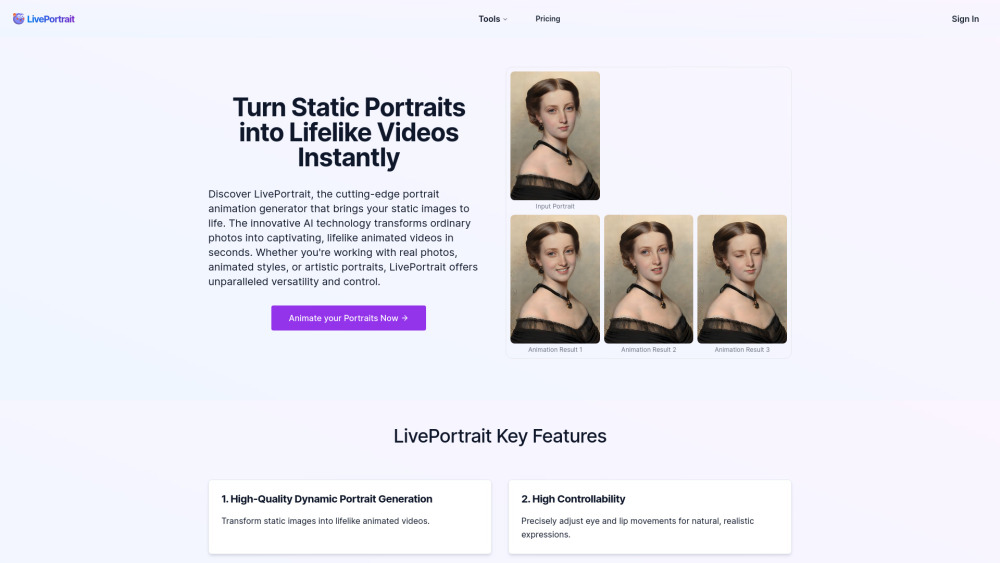
LivePortrait website preview

LivePortrait Website screenshot

What is LivePortrait?

LivePortrait is a cutting-edge AI-powered tool designed to convert static images into vibrant, lifelike animated videos. Leveraging advanced artificial intelligence, it offers users an easy way to breathe life into photos for a variety of creative applications.

How does LivePortrait work?

To get started with LivePortrait, simply upload a clear portrait image and choose from the library of pre-made motion sources or upload your own custom video as the movement reference. Adjust settings as needed or use default options, then press 'Animate' to generate your video. Once completed, download and share your creation effortlessly.

Key Features of LivePortrait

Superior Quality Animation

High Customizability

Wide Range of Styles

Tailored Actions

Applications of LivePortrait

Convert still images into engaging animated clips

Produce stunning animations within minutes

Common Queries About LivePortrait

What exactly is LivePortrait?

LivePortrait is a sophisticated AI-driven platform that converts static portraits into lively, realistic animated videos swiftly.

How do I operate LivePortrait?

Begin by uploading a clear portrait photo, selecting a driving video either from the provided library or uploading one of your own, tweaking parameters if necessary, and hitting 'Animate'. Lastly, download and distribute your final product.

What should the input images look like for optimal results in LivePortrait?

To achieve the best outcomes, ensure that the input image is a high-quality portrait featuring a distinct face.

Am I allowed to utilize my personal videos as motion sources in LivePortrait?

Absolutely, LivePortrait grants the option to incorporate custom videos as motion sources, enhancing personalization.

What kind of quality can I anticipate from the animated videos generated by LivePortrait?

LivePortrait delivers top-notch dynamic portrait videos characterized by vivid, lifelike animations.

How swift is the image processing time in LivePortrait?

With LivePortrait, turning an image into an animated video takes mere seconds, ensuring rapid delivery.

Does LivePortrait provide refunds for bought credits?

Concerns regarding refunds for purchased credits should be directed to the LivePortrait support team for resolution.

Product source: LivePortrait official website. Check the provider for current plans, limits and availability.

FAQ

LivePortrait questions and answers

Product context and practical checks for evaluating LivePortrait.

What is LivePortrait used for?

Bring static portraits to life with LivePortrait, the AI-powered animation generator. Transform images into realistic talking videos. Perfect for creatives, marketers, and fun projects! Explore pricing, reviews, features, and alternatives today.

How do I get started with LivePortrait?

To get started with LivePortrait, simply upload a clear portrait image and choose from the library of pre-made motion sources or upload your own custom video as the movement reference. Adjust settings as needed or use default options, then press 'Animate' to generate your video. Once completed, download and share your creation effortlessly.

Which capabilities are described for LivePortrait?

Superior Quality AnimationHigh CustomizabilityWide Range of StylesTailored Actions

What projects can I evaluate LivePortrait for?

Convert still images into engaging animated clipsProduce stunning animations within minutes

What should I compare before choosing a LivePortrait plan?

Explore the pricing plans offered by LivePortrait here: https://liveportrait.app/pricing. Confirm current prices and allowances on the provider’s website before purchasing.

What inputs should I prepare for a LivePortrait trial?

Compare text prompts, reference frames, source footage and audio support. Check duration, aspect ratio and whether the tool lets you keep a subject consistent between shots.

How can I check the quality of a LivePortrait result?

Watch the entire clip for motion errors, distorted objects, changing identities, lip-sync problems and abrupt transitions. Inspect the downloaded file as well as the preview.

Which export options should I check in LivePortrait?

Check export resolution, frame rate, aspect ratio, audio tracks and watermark rules. A good preview is not a substitute for an export that fits your publishing channel.

What is a practical way to test LivePortrait against alternatives?

Use a short shot with one subject and one camera movement. Keep the prompt and duration constant, then compare usable seconds and the number of regenerations.

Where is the official LivePortrait website?

The website linked from this profile is https://liveportrait.app. Use the provider’s own documentation, account area and support channels to confirm current product details.

Visit LivePortrait