AI Art Generator

Live3D

Live3D is the best VTuber Software Suite for you to become a VTuber, dedicated to building fun VTuber avatars and engaging animations with VTuber Maker. It has served over 1 million VTubers, Streamers, YouTubers, Artists all over the world

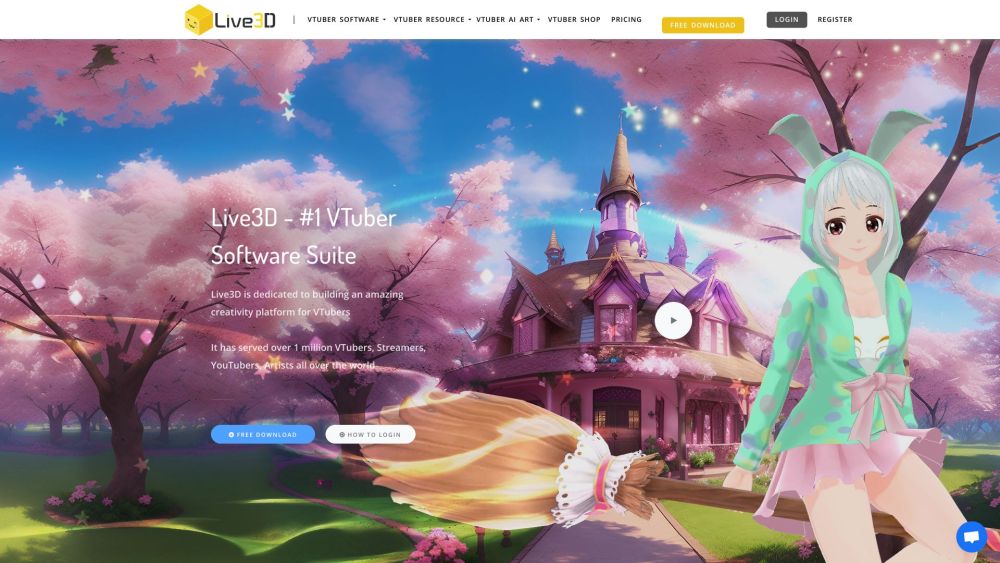
Live3D website preview

Live3D Website screenshot

What is Live3D?

Live3D is a comprehensive VTuber Software Suite that enables users to become VTubers, focusing on creating enjoyable VTuber avatars and dynamic animations with VTuber Maker. It has supported over 1 million VTubers, Streamers, YouTubers, and Artists globally.

How to use Live3D?

To start using Live3D, download the software suite for free. Create your unique VTuber avatar with VTuber Maker and customize its appearance and animations with VTuber Editor. Use the VTuber Gallery for a variety of anime poses as references. Enhance your livestreams with VTuber Extension by adding virtual effects. You can also explore and download VTuber models, assets, and backgrounds from the VTuber Resource section.

Live3D's Core Features

Fast, high-quality face tracking

Diverse public 3D VTuber avatars

Innovative VTuber interactive effects

OBS virtual camera for streaming

High-resolution, high-quality VTuber live streaming

Smooth hand tracking via webcam or other devices

Twitch Extension for enhanced stream interaction

Live3D's Use Cases

Becoming a VTuber

Creating engaging livestreams

Customizing VTuber avatars and animations

Using anime poses as art references

Adding virtual effects to livestreams

Product source: Live3D official website. Check the provider for current plans, limits and availability.

FAQ

Live3D questions and answers

Product context and practical checks for evaluating Live3D.

What is Live3D used for?

Live3D is the best VTuber Software Suite for you to become a VTuber, dedicated to building fun VTuber avatars and engaging animations with VTuber Maker. It has served over 1 million VTubers, Streamers, YouTubers, Artists all over the world

How do I get started with Live3D?

To start using Live3D, download the software suite for free. Create your unique VTuber avatar with VTuber Maker and customize its appearance and animations with VTuber Editor. Use the VTuber Gallery for a variety of anime poses as references. Enhance your livestreams with VTuber Extension by adding virtual effects. You can also explore and download VTuber models, assets, and backgrounds from the VTuber Resource section.

Which capabilities are described for Live3D?

Fast, high-quality face trackingDiverse public 3D VTuber avatarsInnovative VTuber interactive effectsOBS virtual camera for streamingHigh-resolution, high-quality VTuber live streamingSmooth hand tracking via webcam or other devicesTwitch Extension for enhanced stream interaction

What projects can I evaluate Live3D for?

Becoming a VTuberCreating engaging livestreamsCustomizing VTuber avatars and animationsUsing anime poses as art referencesAdding virtual effects to livestreamsLive3D Reddit Visit Live3D Reddit: https://www.reddit.com/r/Live3D/ Live3D Discord Join Live3D Discord: https://discord.gg/CaxThpY. For more information, click here. Live3D Support Email & Customer Service Contact Contact Live3D support via email: [email protected]. For additional contact details, visit the contact us page. Live3D Company Company name: LIVE3D OF ZINGFRONT INC. Live3D Login Login to Live3D: https://live3d.io/user/login Live3D Sign up Sign up for Live3D: https://live3d.io/user/register Live3D Pricing Check Live3D pricing: https://live3d.io/pricing Live3D YouTube Visit Live3D YouTube: https://www.youtube.com/Live3D TikTok Follow Live3D on TikTok: https://www.tiktok.com/Live3D Twitter Follow Live3D on Twitter: https://twitter.com/VTuber_MakerLive3D Reddit Explore Live3D on Reddit: https://www.reddit.com/r/Live3D/

What should I compare before choosing a Live3D plan?

Check Live3D pricing: https://live3d.io/pricing Confirm current prices and allowances on the provider’s website before purchasing.

What inputs should I prepare for a Live3D trial?

Compare text prompts, reference frames, source footage and audio support. Check duration, aspect ratio and whether the tool lets you keep a subject consistent between shots.

How can I check the quality of a Live3D result?

Watch the entire clip for motion errors, distorted objects, changing identities, lip-sync problems and abrupt transitions. Inspect the downloaded file as well as the preview.

Which export options should I check in Live3D?

Check export resolution, frame rate, aspect ratio, audio tracks and watermark rules. A good preview is not a substitute for an export that fits your publishing channel.

What is a practical way to test Live3D against alternatives?

Use a short shot with one subject and one camera movement. Keep the prompt and duration constant, then compare usable seconds and the number of regenerations.

Where is the official Live3D website?

The website linked from this profile is https://live3d.io. Use the provider’s own documentation, account area and support channels to confirm current product details.

Visit Live3D