AI Book Writing

Lint - Read More. Get Smarter

Unlock endless knowledge with Lint! Free access to thousands of ebooks and curated chapters. Read, remix, and share on our app.

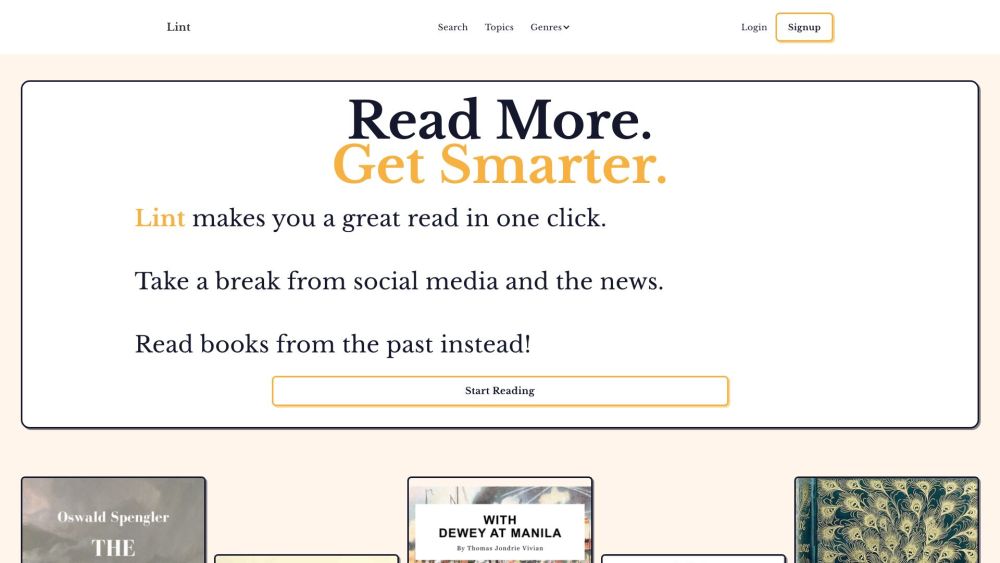
Lint - Read More. Get Smarter website preview

Lint - Read More. Get Smarter Website screenshot

What is Lint - Read More. Get Smarter?

Lint is a comprehensive ebook platform offering free access to a vast library of ebooks. Designed for avid readers seeking interesting content, the app features curated chapters from a wide range of books, known as Lectas. Each Lecta chapter is linked to its original source, enabling users to read traditionally or follow the thread of the narrative. Lint’s collection is entirely free to read, remix, and share, providing an open and versatile reading experience.

How to use Lint - Read More. Get Smarter?

Using Lint is straightforward: visit the website and dive into your reading journey. You can search by specific topics or genres, or simply explore to discover new interests. Lint ensures a distraction-free environment, letting you immerse yourself in content without the interruptions of reading lists, memory tips, or notecards. Additionally, you can sign up for a membership to unlock extra features, such as the ability to send Lectas to an e-reader for convenient access.

Lint - Read More. Get Smarter's Core Features

Free access to an extensive collection of ebooks

Curated chapters, or Lectas, from various books

Direct links to original books for in-depth reading

Advanced search for topics and genres

Options to read, remix, and share content freely

Membership benefits like sending Lectas to e-readers

Lint - Read More. Get Smarter's Use Cases

Discovering and enjoying interesting books

Taking breaks from digital noise and social media

Exploring diverse topics and genres

Experiencing a distraction-free reading environment

Creating personalized reading playlists

Product source: Lint - Read More. Get Smarter official website. Check the provider for current plans, limits and availability.

FAQ

Lint - Read More. Get Smarter questions and answers

Product context and practical checks for evaluating Lint - Read More. Get Smarter.

What is Lint - Read More. Get Smarter used for?

Unlock endless knowledge with Lint! Free access to thousands of ebooks and curated chapters. Read, remix, and share on our app.

How do I get started with Lint - Read More. Get Smarter?

Using Lint is straightforward: visit the website and dive into your reading journey. You can search by specific topics or genres, or simply explore to discover new interests. Lint ensures a distraction-free environment, letting you immerse yourself in content without the interruptions of reading lists, memory tips, or notecards. Additionally, you can sign up for a membership to unlock extra features, such as the ability to send Lectas to an e-reader for convenient access.

Which capabilities are described for Lint - Read More. Get Smarter?

Free access to an extensive collection of ebooksCurated chapters, or Lectas, from various booksDirect links to original books for in-depth readingAdvanced search for topics and genresOptions to read, remix, and share content freelyMembership benefits like sending Lectas to e-readers

What projects can I evaluate Lint - Read More. Get Smarter for?

Discovering and enjoying interesting booksTaking breaks from digital noise and social mediaExploring diverse topics and genresExperiencing a distraction-free reading environmentCreating personalized reading playlists Lint - Read More. Get Smarter Support Email & Customer service contact & Refund contact etc. For customer support, reach out via email: [email protected]. For more contact information, visit the contact us page(mailto:[email protected]). Lint - Read More. Get Smarter Company Lint - Read More. Get Smarter is a product of Empirical Systems LLC. Learn more about us at the about us page(https://lintreader.com/about-me). Lint - Read More. Get Smarter Login Login to Lint here: https://lintreader.com/login Lint - Read More. Get Smarter Sign up Sign up for Lint here: https://lintreader.com/pricing Lint - Read More. Get Smarter Pricing View pricing details here: https://lintreader.com/pricing

What should I compare before choosing a Lint - Read More. Get Smarter plan?

View pricing details here: https://lintreader.com/pricing Confirm current prices and allowances on the provider’s website before purchasing.

What inputs should I prepare for a Lint - Read More. Get Smarter trial?

Look for text prompts, image references, masks or sketches as appropriate. Compare composition control, supported upload types and the ability to revise a selected area.

How can I check the quality of a Lint - Read More. Get Smarter result?

Inspect text, hands, edges, reflections and repeated objects at full size. Check that important product or brand details survive editing.

Which export options should I check in Lint - Read More. Get Smarter?

Compare pixel dimensions, transparency, file formats and any enlargement options. Confirm that the downloaded result works in your design or publishing software.

What is a practical way to test Lint - Read More. Get Smarter against alternatives?

Prepare a brief with a subject, composition, lighting and required output size. Test a first generation and a targeted revision to see how much control you retain.

Where is the official Lint - Read More. Get Smarter website?

The website linked from this profile is https://lintreader.com. Use the provider’s own documentation, account area and support channels to confirm current product details.

Visit Lint - Read More. Get Smarter