Resume Builder

Linkedin to Resume - Chrome Extension

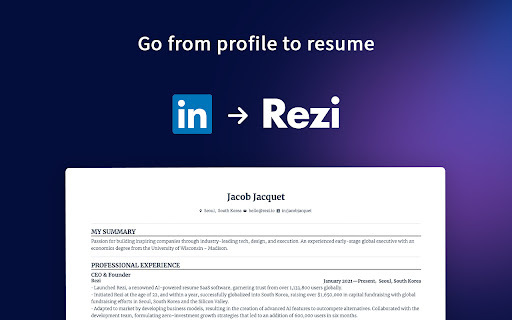
Linkedin to Resume Chrome Extension: Easily convert your LinkedIn profile into a professional resume in seconds. Streamline your job search effortlessly!

Linkedin to Resume - Chrome Extension website preview

Linkedin to Resume - Chrome Extension Website screenshot

What is the Linkedin to Resume Chrome Extension?

The Linkedin to Resume Chrome Extension allows users to effortlessly transform their Linkedin profiles into ATS-friendly resumes at no cost.

How to use the Linkedin to Resume Chrome Extension?

Simply export your Linkedin profile as a .REZI file, upload it to Rezi, and finalize your resume with ease.

Key Features of the Linkedin to Resume Chrome Extension

AI-Powered Keyword Optimization

AI-Based Cover Letter Creation

AI Bullet Point Suggestions

AI Summary Generator

Real-Time Resume Feedback

Unlimited Resume and Cover Letter Generation

Exports in .DOCX, .PDF, and Google Drive

Shareable Resume Link

Step-by-Step Video Tutorials

ATS-Friendly Resume Templates

Integrated Rezi Cover Letter Builder

Use Cases for the Linkedin to Resume Chrome Extension

Easily generate a tailored, ATS-optimized resume from your Linkedin profile.

Product source: Linkedin to Resume - Chrome Extension official website. Check the provider for current plans, limits and availability.

FAQ

Linkedin to Resume - Chrome Extension questions and answers

Product context and practical checks for evaluating Linkedin to Resume - Chrome Extension.

What is Linkedin to Resume - Chrome Extension used for?

Linkedin to Resume Chrome Extension: Easily convert your LinkedIn profile into a professional resume in seconds. Streamline your job search effortlessly!

How do I get started with Linkedin to Resume - Chrome Extension?

Simply export your Linkedin profile as a .REZI file, upload it to Rezi, and finalize your resume with ease.

Which capabilities are described for Linkedin to Resume - Chrome Extension?

AI-Powered Keyword OptimizationAI-Based Cover Letter CreationAI Bullet Point SuggestionsAI Summary GeneratorReal-Time Resume FeedbackUnlimited Resume and Cover Letter GenerationExports in .DOCX, .PDF, and Google DriveShareable Resume LinkStep-by-Step Video TutorialsATS-Friendly Resume TemplatesIntegrated Rezi Cover Letter Builder

What projects can I evaluate Linkedin to Resume - Chrome Extension for?

Easily generate a tailored, ATS-optimized resume from your Linkedin profile.

What should I compare before choosing a Linkedin to Resume - Chrome Extension plan?

Check Linkedin to Resume - Chrome Extension’s current pricing page for included usage, renewal terms and any credit charges. Compare the cost of a usable result, including retries, rather than assuming that account registration includes free usage.

What inputs should I prepare for a Linkedin to Resume - Chrome Extension trial?

Check supported documents, datasets and source access. Establish whether the product can inspect your actual material rather than answer from general knowledge.

How can I check the quality of a Linkedin to Resume - Chrome Extension result?

Follow citations to the original source, recalculate important numbers and check the date and scope of the evidence. Distinguish an explanation from a verified result.

Which export options should I check in Linkedin to Resume - Chrome Extension?

Look for usable citations, tables, downloadable data and reproducible steps. A clear answer should let another person inspect how the conclusion was reached.

What is a practical way to test Linkedin to Resume - Chrome Extension against alternatives?

Choose a question with known sources and a checkable result. Compare citation accuracy, omissions and reproducibility rather than response length.

Where is the official Linkedin to Resume - Chrome Extension website?

The website linked from this profile is https://chromewebstore.google.com/detail/profile-to-resume-reziai/delakdmnpanaclafnplfomddhlhlcloe. Use the provider’s own documentation, account area and support channels to confirm current product details.

Visit Linkedin to Resume - Chrome Extension