Life Assistant

Lifelight App

Capture & relive memories effortlessly with Lifelight App, the AI-powered journal for iPhone & Mac. Turn moments into lasting stories with ease.

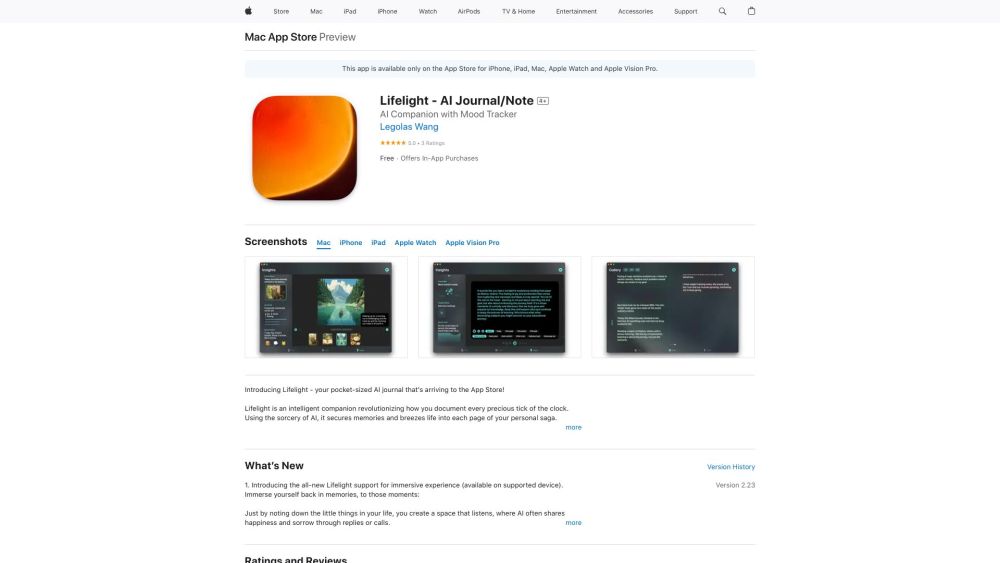
Lifelight App website preview

Lifelight App Website screenshot

What is Lifelight App?

Lifelight App is a cutting-edge AI-powered journal designed to help you capture and relive your most treasured memories on both iPhone and Mac.

How to use Lifelight App?

Getting started with Lifelight App is simple. Just download it from the App Store, and you can begin documenting your life's journey. The app utilizes AI to listen to your experiences, offering personalized insights and responses. Sync your content effortlessly across Apple devices for a seamless journaling experience.

Lifelight App's Core Features

Interactive AI Conversations & Insightful Tools

Timeless Memory Vault

Adaptive Learning

Emotion Mapping

Robust Privacy Protections

Effortless iCloud Integration

Lifelight App's Use Cases

Lifelight is perfect for securely recording your life's milestones, capturing memories through text, photos, or videos, gaining custom insights and monthly summaries, and effortlessly tracking your emotional journey.

Product source: Lifelight App official website. Check the provider for current plans, limits and availability.

FAQ

Lifelight App questions and answers

Product context and practical checks for evaluating Lifelight App.

What is Lifelight App used for?

Capture & relive memories effortlessly with Lifelight App, the AI-powered journal for iPhone & Mac. Turn moments into lasting stories with ease.

How do I get started with Lifelight App?

Getting started with Lifelight App is simple. Just download it from the App Store, and you can begin documenting your life's journey. The app utilizes AI to listen to your experiences, offering personalized insights and responses. Sync your content effortlessly across Apple devices for a seamless journaling experience.

Which capabilities are described for Lifelight App?

Interactive AI Conversations & Insightful ToolsTimeless Memory VaultAdaptive LearningEmotion MappingRobust Privacy ProtectionsEffortless iCloud Integration

What projects can I evaluate Lifelight App for?

Lifelight is perfect for securely recording your life's milestones, capturing memories through text, photos, or videos, gaining custom insights and monthly summaries, and effortlessly tracking your emotional journey.

What should I compare before choosing a Lifelight App plan?

Check Lifelight App’s current pricing page for included usage, renewal terms and any credit charges. Compare the cost of a usable result, including retries, rather than assuming that account registration includes free usage.

What inputs should I prepare for a Lifelight App trial?

Identify the files, text or account connections your task needs. Confirm that the product accepts those inputs and offers controls for reviewing its work.

How can I check the quality of a Lifelight App result?

Test one representative task and inspect the result for accuracy and completeness. Record where manual corrections or extra tools are needed.

Which export options should I check in Lifelight App?

Check export formats, integrations and whether you can keep using your work outside the service. Test a real export before committing to a longer plan.

What is a practical way to test Lifelight App against alternatives?

Choose one task with a clear success condition. Keep the input consistent, record the time spent reviewing and compare the complete workflow cost.

Where is the official Lifelight App website?

The website linked from this profile is https://apps.apple.com/ca/app/lifelight-ai-companion-diary/id1631169735. Use the provider’s own documentation, account area and support channels to confirm current product details.

Visit Lifelight App