AI Email Assistant

Levity

Levity is a no-code AI workflow automation platform that allows users to train their own AI models on documents, images, or text data to automate daily repetitive tasks and enhance team productivity without any coding required.

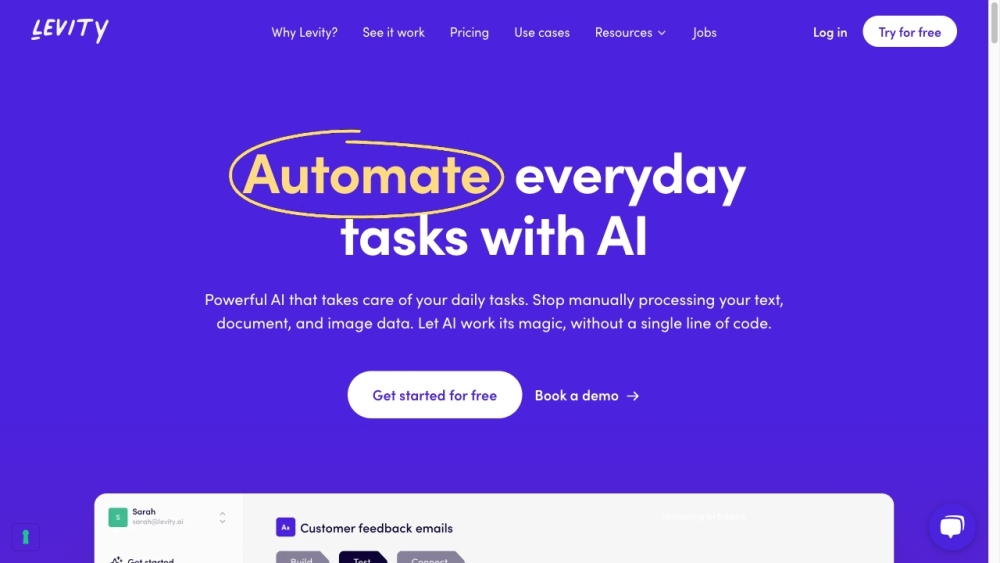
Levity website preview

Levity Website screenshot

What is Levity?

Levity is a no-code platform designed for AI workflow automation. It enables users to develop custom AI models to handle documents, images, and text data, automating routine tasks and boosting team efficiency without requiring any coding skills.

How to use Levity?

1. Create Your AI: Quickly build, test, and deploy AI models to automate tasks like text extraction, classification, generation, and summarization. 2. Test Your AI: Verify your AI models' performance in real-time to see instant prediction results. 3. Integrate Your Tools: Connect Levity with over 5,000 apps using Zapier, Make, or API for seamless workflow automation.

Levity's Core Features

Extract Text: Efficiently extract key information from text data and integrate it with your tools for insightful analysis.

Classify Text: Organize and prioritize text data into different categories for better task management.

Generate Text: Automate the creation of engaging content, reducing the effort of starting from scratch.

Summarize Text: Convert lengthy documents and articles into concise, digestible summaries.

Levity's Use Cases

Emails: Automatically classify incoming emails, send notifications on Slack, and draft replies.

Products: Extract specifications from orders and generate customized confirmation emails.

Social Media: Create engaging posts for social media platforms effortlessly.

Surveys: Analyze responses by extracting and classifying relevant text data.

Customer Support: Summarize tickets, classify by topic, assign to the right agent, and draft responses.

Product source: Levity official website. Check the provider for current plans, limits and availability.

FAQ

Levity questions and answers

Product context and practical checks for evaluating Levity.

What is Levity used for?

Levity is a no-code AI workflow automation platform that allows users to train their own AI models on documents, images, or text data to automate daily repetitive tasks and enhance team productivity without any coding required.

How do I get started with Levity?

1. Create Your AI: Quickly build, test, and deploy AI models to automate tasks like text extraction, classification, generation, and summarization. 2. Test Your AI: Verify your AI models' performance in real-time to see instant prediction results. 3. Integrate Your Tools: Connect Levity with over 5,000 apps using Zapier, Make, or API for seamless workflow automation.

Which capabilities are described for Levity?

Extract Text: Efficiently extract key information from text data and integrate it with your tools for insightful analysis.Classify Text: Organize and prioritize text data into different categories for better task management.Generate Text: Automate the creation of engaging content, reducing the effort of starting from scratch.Summarize Text: Convert lengthy documents and articles into concise, digestible summaries.

What projects can I evaluate Levity for?

Emails: Automatically classify incoming emails, send notifications on Slack, and draft replies.Products: Extract specifications from orders and generate customized confirmation emails.Social Media: Create engaging posts for social media platforms effortlessly.Surveys: Analyze responses by extracting and classifying relevant text data.Customer Support: Summarize tickets, classify by topic, assign to the right agent, and draft responses. Levity Support Email & Customer service contact & Refund contact etc. For customer service, contact Levity support at [email protected]. For more contacts, visit the contact us page(mailto:[email protected]) Levity Company Company name: Levity AI Learn more about Levity at the about us page(https://levity.ai/about). Levity Login Access your account at https://next.levity.ai/account/login Levity Pricing Check pricing details at https://levity.ai/pricing Levity Youtube Visit Levity's YouTube channel at https://www.youtube.com/c/LevityAI Levity Linkedin Follow Levity on LinkedIn at https://www.linkedin.com/company/levityai Levity Twitter Follow Levity on Twitter at https://twitter.com/levityai Levity Instagram Follow Levity on Instagram at https://www.instagram.com/levity.ai

What should I compare before choosing a Levity plan?

Check pricing details at https://levity.ai/pricing Confirm current prices and allowances on the provider’s website before purchasing.

What inputs should I prepare for a Levity trial?

Look for text prompts, image references, masks or sketches as appropriate. Compare composition control, supported upload types and the ability to revise a selected area.

How can I check the quality of a Levity result?

Inspect text, hands, edges, reflections and repeated objects at full size. Check that important product or brand details survive editing.

Which export options should I check in Levity?

Compare pixel dimensions, transparency, file formats and any enlargement options. Confirm that the downloaded result works in your design or publishing software.

What is a practical way to test Levity against alternatives?

Prepare a brief with a subject, composition, lighting and required output size. Test a first generation and a targeted revision to see how much control you retain.

Where is the official Levity website?

The website linked from this profile is https://www.promptdodo.com. Use the provider’s own documentation, account area and support channels to confirm current product details.

Visit Levity