AI Graphic Design

LanguageGUI

LanguageGUI: Open-source UI Kit for LLMs—integration, full customization, and intuitive design for building powerful language model interfaces.

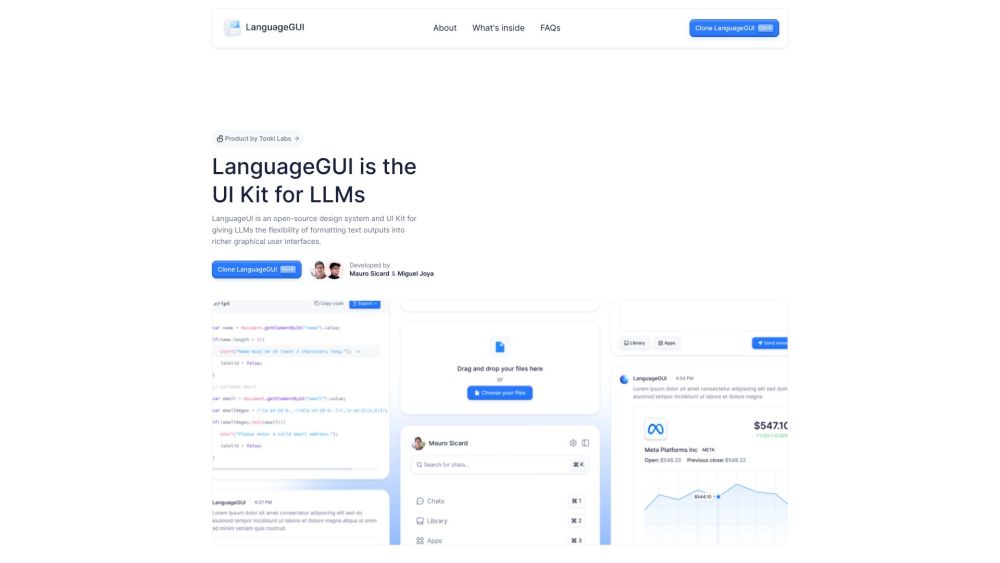
LanguageGUI website preview

LanguageGUI Website screenshot

Introducing LanguageGUI

LanguageGUI is a robust, open-source UI Kit designed to seamlessly integrate LLMs into sophisticated graphical user interfaces. It empowers developers and designers to transform plain text outputs into visually engaging, interactive elements.

Getting Started with LanguageGUI

To start using LanguageGUI, simply download the kit from Figma, and incorporate it into your LLM project. The kit offers extensive customization options, allowing you to tailor UI components and layouts to your specific project needs.

Key Features of LanguageGUI

Diverse UI components

Tailorable screen layouts

Interactive conversational elements

Customizable chat interfaces

Ready-to-use screen templates

Configurable sidebars for chat apps

Workflow screens for multi-prompt scenarios

Prompt input boxes

Built-in dark mode

Created with Figma's Auto Layout and variable styles

Practical Applications of LanguageGUI

Enhancing LLM outputs with dynamic user interfaces

  • About LanguageGUI Company

    LanguageGUI is developed by Tonki Labs, committed to creating innovative tools for the LLM ecosystem.

    For more information, visit our about page.

  • LanguageGUI on Twitter

    Follow LanguageGUI updates on Twitter: https://twitter.com/maurosicard?lang=en

Product source: LanguageGUI official website. Check the provider for current plans, limits and availability.

FAQ

LanguageGUI questions and answers

Product context and practical checks for evaluating LanguageGUI.

What is LanguageGUI used for?

LanguageGUI: Open-source UI Kit for LLMs—integration, full customization, and intuitive design for building powerful language model interfaces.

How do I get started with LanguageGUI?

To start using LanguageGUI, simply download the kit from Figma, and incorporate it into your LLM project. The kit offers extensive customization options, allowing you to tailor UI components and layouts to your specific project needs.

Which capabilities are described for LanguageGUI?

Diverse UI componentsTailorable screen layoutsInteractive conversational elementsCustomizable chat interfacesReady-to-use screen templatesConfigurable sidebars for chat appsWorkflow screens for multi-prompt scenariosPrompt input boxesBuilt-in dark modeCreated with Figma's Auto Layout and variable styles

What projects can I evaluate LanguageGUI for?

Enhancing LLM outputs with dynamic user interfaces About LanguageGUI Company LanguageGUI is developed by Tonki Labs, committed to creating innovative tools for the LLM ecosystem. For more information, visit our about page. LanguageGUI on Twitter Follow LanguageGUI updates on Twitter: https://twitter.com/maurosicard?lang=en

What should I compare before choosing a LanguageGUI plan?

Check LanguageGUI’s current pricing page for included usage, renewal terms and any credit charges. Compare the cost of a usable result, including retries, rather than assuming that account registration includes free usage.

What inputs should I prepare for a LanguageGUI trial?

Look for text prompts, image references, masks or sketches as appropriate. Compare composition control, supported upload types and the ability to revise a selected area.

How can I check the quality of a LanguageGUI result?

Inspect text, hands, edges, reflections and repeated objects at full size. Check that important product or brand details survive editing.

Which export options should I check in LanguageGUI?

Compare pixel dimensions, transparency, file formats and any enlargement options. Confirm that the downloaded result works in your design or publishing software.

What is a practical way to test LanguageGUI against alternatives?

Prepare a brief with a subject, composition, lighting and required output size. Test a first generation and a targeted revision to see how much control you retain.

Where is the official LanguageGUI website?

The website linked from this profile is https://languagegui.com. Use the provider’s own documentation, account area and support channels to confirm current product details.

Visit LanguageGUI