AI Developer Tools

Label Studio

Label Studio is an open-source data labeling tool designed to prepare training data for computer vision, natural language processing, speech, voice, and video models. It offers flexibility for labeling all types of data.

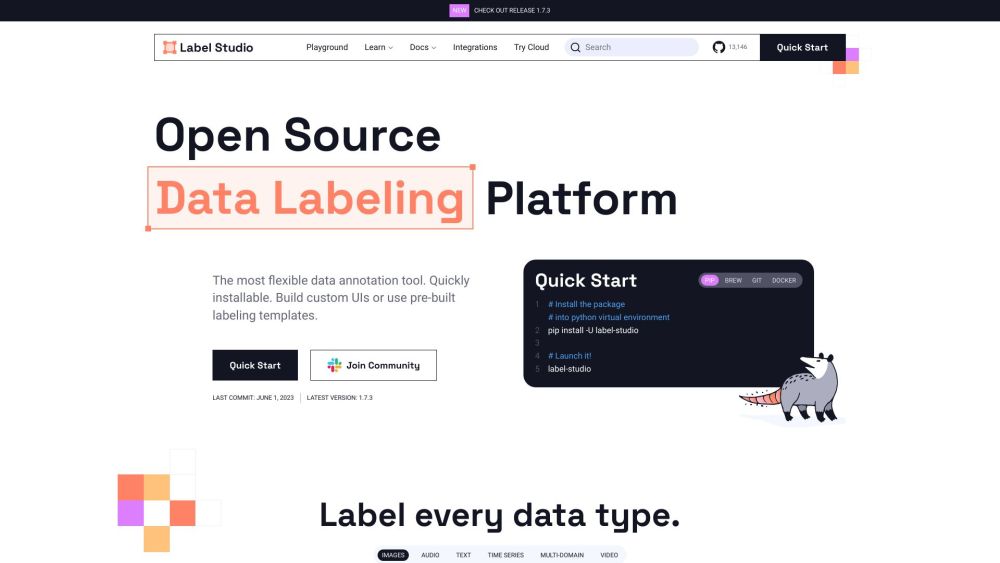
Label Studio website preview

Label Studio Website screenshot

What is Label Studio?

Label Studio is a versatile open-source data annotation tool used for preparing training datasets for various AI models, including those for computer vision, NLP, speech, and video. It supports a wide range of data types for labeling.

How to Use Label Studio?

To get started with Label Studio, follow these steps: 1. Install Label Studio via pip, brew, or by cloning the GitHub repository. 2. Launch Label Studio using the installed package or Docker. 3. Import your dataset into Label Studio. 4. Select the data type (images, audio, text, time series, multi-domain, or video) and the specific annotation task (e.g., image classification, object detection, audio transcription). 5. Begin annotating your data with customizable tags and templates. 6. Integrate with your ML/AI workflow using webhooks, Python SDK, or API for authentication, project management, and model predictions. 7. Manage and explore your dataset with advanced filters in the Data Manager. 8. Support multiple projects and users within the Label Studio platform.

Key Features of Label Studio

Flexible data annotation for various data types

Supports computer vision, NLP, speech, and video models

Customizable tags and annotation templates

Integration with ML/AI workflows via webhooks, Python SDK, and API

ML-assisted annotation with backend integration

Connectivity to cloud storage services (S3 and GCP)

Advanced data management features

Support for multiple projects and users

Trusted by a large community of data scientists

Label Studio Use Cases

Preparing training data for computer vision models

Preparing training data for NLP models

Preparing training data for speech and voice models

Preparing training data for video models

Classification of images, audio, text, and time series data

Object detection and tracking in images and videos

Semantic segmentation of images

Speaker diarization and emotion recognition in audio

Audio transcription

Document classification and named entity extraction

Question answering and sentiment analysis

Time series analysis and event recognition

Dialogue processing and optical character recognition

Multi-domain applications requiring various data annotations

  • Label Studio Support Email & Customer Service Contact

    For more information, visit the contact us page.

  • About Label Studio

    Label Studio is a product of HumanSignal, Inc. For more details, visit the about us page.

  • Label Studio Pricing

    For pricing information, visit the pricing page.

  • Label Studio on YouTube

    Watch tutorials and demos on the Label Studio YouTube channel.

  • Label Studio on LinkedIn

    Connect with us on LinkedIn.

  • Label Studio on Twitter

    Follow us on Twitter.

  • Label Studio on GitHub

    Explore our code and contribute on GitHub.

Product source: Label Studio official website. Check the provider for current plans, limits and availability.

FAQ

Label Studio questions and answers

Product context and practical checks for evaluating Label Studio.

What is Label Studio used for?

Label Studio is an open-source data labeling tool designed to prepare training data for computer vision, natural language processing, speech, voice, and video models. It offers flexibility for labeling all types of data.

How do I get started with Label Studio?

To get started with Label Studio, follow these steps: 1. Install Label Studio via pip, brew, or by cloning the GitHub repository. 2. Launch Label Studio using the installed package or Docker. 3. Import your dataset into Label Studio. 4. Select the data type (images, audio, text, time series, multi-domain, or video) and the specific annotation task (e.g., image classification, object detection, audio transcription). 5. Begin annotating your data with customizable tags and templates. 6. Integrate with your ML/AI workflow using webhooks, Python SDK, or API for authentication, project management, and model predictions. 7. Manage and explore your dataset with advanced filters in the Data Manager. 8. Support multiple projects and users within the Label Studio platform.

Which capabilities are described for Label Studio?

Flexible data annotation for various data typesSupports computer vision, NLP, speech, and video modelsCustomizable tags and annotation templatesIntegration with ML/AI workflows via webhooks, Python SDK, and APIML-assisted annotation with backend integrationConnectivity to cloud storage services (S3 and GCP)Advanced data management featuresSupport for multiple projects and usersTrusted by a large community of data scientists

What projects can I evaluate Label Studio for?

Preparing training data for computer vision modelsPreparing training data for NLP modelsPreparing training data for speech and voice modelsPreparing training data for video modelsClassification of images, audio, text, and time series dataObject detection and tracking in images and videosSemantic segmentation of imagesSpeaker diarization and emotion recognition in audioAudio transcriptionDocument classification and named entity extractionQuestion answering and sentiment analysisTime series analysis and event recognitionDialogue processing and optical character recognitionMulti-domain applications requiring various data annotations Label Studio Support Email & Customer Service Contact For more information, visit the contact us page. About Label Studio Label Studio is a product of HumanSignal, Inc. For more details, visit the about us page. Label Studio Pricing For pricing information, visit the pricing page. Label Studio on YouTube Watch tutorials and demos on the Label Studio YouTube channel. Label Studio on LinkedIn Connect with us on LinkedIn. Label Studio on Twitter Follow us on Twitter. Label Studio on GitHub Explore our code and contribute on GitHub.

What should I compare before choosing a Label Studio plan?

For pricing information, visit the pricing page. Confirm current prices and allowances on the provider’s website before purchasing.

What inputs should I prepare for a Label Studio trial?

Compare text prompts, reference frames, source footage and audio support. Check duration, aspect ratio and whether the tool lets you keep a subject consistent between shots.

How can I check the quality of a Label Studio result?

Watch the entire clip for motion errors, distorted objects, changing identities, lip-sync problems and abrupt transitions. Inspect the downloaded file as well as the preview.

Which export options should I check in Label Studio?

Check export resolution, frame rate, aspect ratio, audio tracks and watermark rules. A good preview is not a substitute for an export that fits your publishing channel.

What is a practical way to test Label Studio against alternatives?

Use a short shot with one subject and one camera movement. Keep the prompt and duration constant, then compare usable seconds and the number of regenerations.

Where is the official Label Studio website?

The website linked from this profile is https://www.promptdodo.com. Use the provider’s own documentation, account area and support channels to confirm current product details.

Visit Label Studio