AI Photo &amp Image Generator

Krome Photos

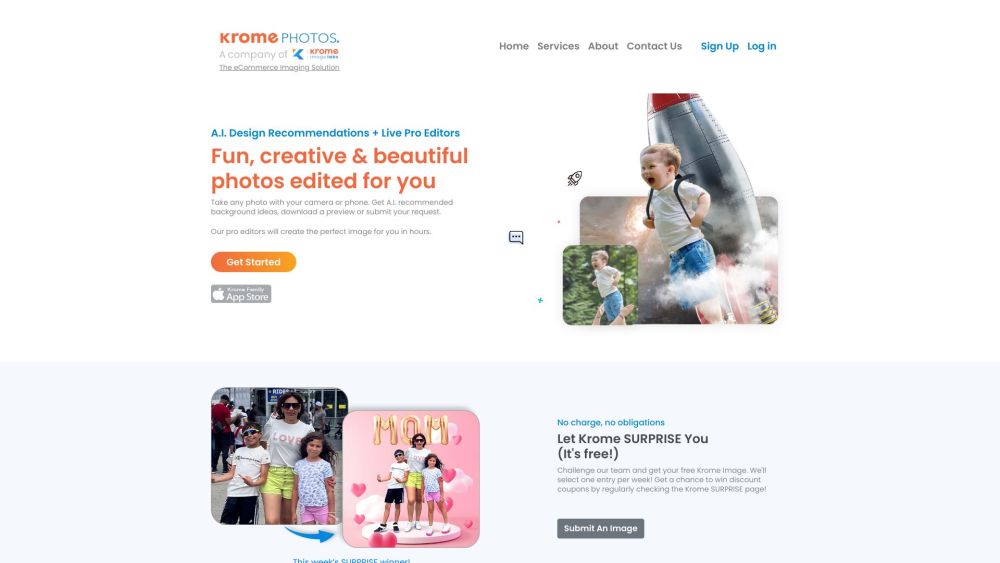
Krome Photos is a powerful image optimization solution that transforms any product photo into quality listing and lifestyle images. It offers AI design recommendations and live pro editors to create fun, creative, and beautiful photos for users. Users can take a photo with their camera or phone, receive AI-recommended background ideas, download a preview, or submit a request. Krome's professional editors will then create the perfect image in hours.

Krome Photos website preview

Krome Photos: Ecommerce & Family Photo Editing Services Website screenshot

Understanding Krome Photos: Ecommerce & Family Photo Editing Services

Krome Photos offers a robust photo enhancement service that elevates any image, transforming it into stunning product listings or captivating lifestyle visuals. Utilizing AI-driven design suggestions and professional editors, Krome Photos delivers creative and polished photos. Users can upload a photo taken with any camera or phone, receive AI-generated background ideas, view a preview, or request professional edits. Krome’s editors then craft the perfect image within a few hours.

How to Get Started with Krome Photos: Ecommerce & Family Photo Editing Services

Using Krome Photos is straightforward. Capture a photo using your camera or smartphone, then upload it to Krome’s platform. The AI will provide design recommendations to enhance your photo. You can either tweak the preview yourself or submit it for expert editing. The final edited image will be available on your account across iOS, web, or Android platforms.

Key Features of Krome Photos: Ecommerce & Family Photo Editing Services

AI Design Recommendations

Professional Live Editors

Creative and High-Quality Photo Edits

Fast Turnaround

Extensive Library of Design Concepts

Print-Quality Images

Applications of Krome Photos: Ecommerce & Family Photo Editing Services

Optimizing Product Photos for Ecommerce

Editing Family Photos

Enhancing Images for Online Listings

Creating Memorable Photos

Producing Print-Ready Images

Product source: Krome Photos official website. Check the provider for current plans, limits and availability.

FAQ

Krome Photos questions and answers

Product context and practical checks for evaluating Krome Photos.

What is Krome Photos used for?

Krome Photos is a powerful image optimization solution that transforms any product photo into quality listing and lifestyle images. It offers AI design recommendations and live pro editors to create fun, creative, and beautiful photos for users. Users can take a photo with their camera or phone, receive AI-recommended background ideas, download a preview, or submit a request. Krome's professional editors will then create the perfect image in hours.

How do I get started with Krome Photos?

Using Krome Photos is straightforward. Capture a photo using your camera or smartphone, then upload it to Krome’s platform. The AI will provide design recommendations to enhance your photo. You can either tweak the preview yourself or submit it for expert editing. The final edited image will be available on your account across iOS, web, or Android platforms.

Which capabilities are described for Krome Photos?

AI Design RecommendationsProfessional Live EditorsCreative and High-Quality Photo EditsFast TurnaroundExtensive Library of Design ConceptsPrint-Quality Images

What projects can I evaluate Krome Photos for?

Optimizing Product Photos for EcommerceEditing Family PhotosEnhancing Images for Online ListingsCreating Memorable PhotosProducing Print-Ready Images Support and Contact Information for Krome Photos: Ecommerce & Family Photo Editing Services For customer support, email: [email protected]. For more contact details, visit the contact us page(mailto:[email protected]) Krome Photos Company Information Headquarters: Palo Alto, CA. For more details, visit the about us page(https://kromephotos.com/company/). Login to Krome Photos: Ecommerce & Family Photo Editing Services Login here: https://webapp.kromephotos.com/#/ Sign Up for Krome Photos: Ecommerce & Family Photo Editing Services Sign up here: https://webapp.kromephotos.com/#/ Pricing for Krome Photos: Ecommerce & Family Photo Editing Services View pricing here: https://kromephotos.com/pricing/ Follow Krome Photos on Facebook Facebook page: https://www.facebook.com/kromephotos Follow Krome Photos on LinkedIn LinkedIn profile: https://www.linkedin.com/company/kromephotos Follow Krome Photos on Twitter Twitter profile: https://twitter.com/KromePhotos Follow Krome Photos on Instagram Instagram profile: https://www.instagram.com/kromestudio/

What should I compare before choosing a Krome Photos plan?

View pricing here: https://kromephotos.com/pricing/ Confirm current prices and allowances on the provider’s website before purchasing.

What inputs should I prepare for a Krome Photos trial?

Look for text prompts, image references, masks or sketches as appropriate. Compare composition control, supported upload types and the ability to revise a selected area.

How can I check the quality of a Krome Photos result?

Inspect text, hands, edges, reflections and repeated objects at full size. Check that important product or brand details survive editing.

Which export options should I check in Krome Photos?

Compare pixel dimensions, transparency, file formats and any enlargement options. Confirm that the downloaded result works in your design or publishing software.

What is a practical way to test Krome Photos against alternatives?

Prepare a brief with a subject, composition, lighting and required output size. Test a first generation and a targeted revision to see how much control you retain.

Where is the official Krome Photos website?

The website linked from this profile is https://kromephotos.com. Use the provider’s own documentation, account area and support channels to confirm current product details.

Visit Krome Photos