AI Content Generator

Korl

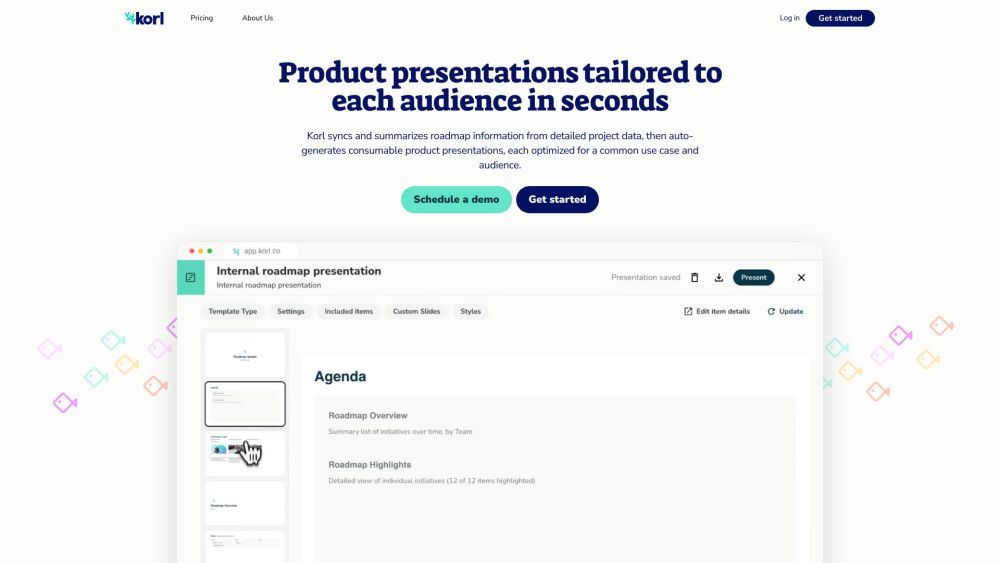
Korl syncs and summarizes product roadmap data in a single place, then auto-generates consumable product presentations, each tailored for a specific use case and audience.

Korl website preview

Korl Website screenshot

What is Korl?

Korl consolidates and simplifies product roadmap data into a single, cohesive platform, automatically generating tailored product presentations for various audiences and purposes.

How to use Korl?

Korl seamlessly integrates with tools such as Jira and PRDs, syncing data to create automated, customized content for roadmap items. Users can craft and modify slides using best practice templates, collaborate effectively with a unified source of truth, and invite stakeholders for reviews and feedback on presentations.

Korl's Core Features

The essential features of Korl include roadmap data synchronization, automated product presentations, integration with tools like Jira and PRDs, customizable templates, collaborative feedback, and a repository of past presentations.

Korl's Use Cases

{ "use_case": "Customer Meetings", "description": "Present your product's direction to customers using the External Roadmap template. It features an introduction to key investment themes, detailed slides for each feature, and a summary organized by configurable time periods." }

{ "use_case": "Company All Hands", "description": "Provide company-wide updates on product plans with the Internal Roadmap template. It includes high-level takeaways, a summary of projects categorized by key concepts like Priority, Goal, or Team, and the option to highlight individual items with detailed internal slides." }

{ "use_case": "GTM Enablement", "description": "Empower GTM teams to support and sell key changes using the Release Review template. It details changes in a release, aligns them with themes and user personas, and provides guidelines for external positioning." }

{ "use_case": "Executive Updates", "description": "Keep leadership updated on product progress with the Status Update template. It highlights key takeaways and progress metrics, lists changes to roadmap items since the last milestone, and flags any strategic projects at risk." }

Product source: Korl official website. Check the provider for current plans, limits and availability.

FAQ

Korl questions and answers

Product context and practical checks for evaluating Korl.

What is Korl used for?

Korl syncs and summarizes product roadmap data in a single place, then auto-generates consumable product presentations, each tailored for a specific use case and audience.

How do I get started with Korl?

Korl seamlessly integrates with tools such as Jira and PRDs, syncing data to create automated, customized content for roadmap items. Users can craft and modify slides using best practice templates, collaborate effectively with a unified source of truth, and invite stakeholders for reviews and feedback on presentations.

Which capabilities are described for Korl?

The essential features of Korl include roadmap data synchronization, automated product presentations, integration with tools like Jira and PRDs, customizable templates, collaborative feedback, and a repository of past presentations.

What projects can I evaluate Korl for?

{ "use_case": "Customer Meetings", "description": "Present your product's direction to customers using the External Roadmap template. It features an introduction to key investment themes, detailed slides for each feature, and a summary organized by configurable time periods." } { "use_case": "Company All Hands", "description": "Provide company-wide updates on product plans with the Internal Roadmap template. It includes high-level takeaways, a summary of projects categorized by key concepts like Priority, Goal, or Team, and the option to highlight individual items with detailed internal slides." } { "use_case": "GTM Enablement", "description": "Empower GTM teams to support and sell key changes using the Release Review template. It details changes in a release, aligns them with themes and user personas, and provides guidelines for external positioning." } { "use_case": "Executive Updates", "description": "Keep leadership updated on product progress with the Status Update template. It highlights key takeaways and progress metrics, lists changes to roadmap items since the last milestone, and flags any strategic projects at risk." } Korl Company Korl Company name: Korl Inc. For more information, visit our about us page. Korl Login Access Korl here: http://app.korl.co Korl Pricing View pricing details: https://www.korl.co/pricing Korl Youtube Watch our videos: https://www.youtube.com/@Korl_co Korl Linkedin Connect with us: https://www.linkedin.com/company/korl/ Korl Twitter Follow us: https://twitter.com/Korl_co

What should I compare before choosing a Korl plan?

View pricing details: https://www.korl.co/pricing Confirm current prices and allowances on the provider’s website before purchasing.

What inputs should I prepare for a Korl trial?

Compare support for source documents, style instructions, outlines and length limits. Check whether citations link to real material rather than merely looking like references.

How can I check the quality of a Korl result?

Verify names, dates, quotations and factual claims against the original sources. Edit tone, remove repetition and make sure the text answers the intended reader’s question.

Which export options should I check in Korl?

Check export to plain text, Markdown, documents or your publishing system. Formatting, headings and working links matter when moving a draft into production.

What is a practical way to test Korl against alternatives?

Use a real brief and a short source document. Compare factual accuracy, structure and editing time rather than accepting the longest or most confident draft.

Where is the official Korl website?

The website linked from this profile is https://www.korl.co. Use the provider’s own documentation, account area and support channels to confirm current product details.

Visit Korl