AI Product Description Generator

Kombai

Effortlessly convert Figma designs to flawless front-end code with Kombai. Using AI and deep learning, Kombai delivers pixel-perfect UI code for designers.

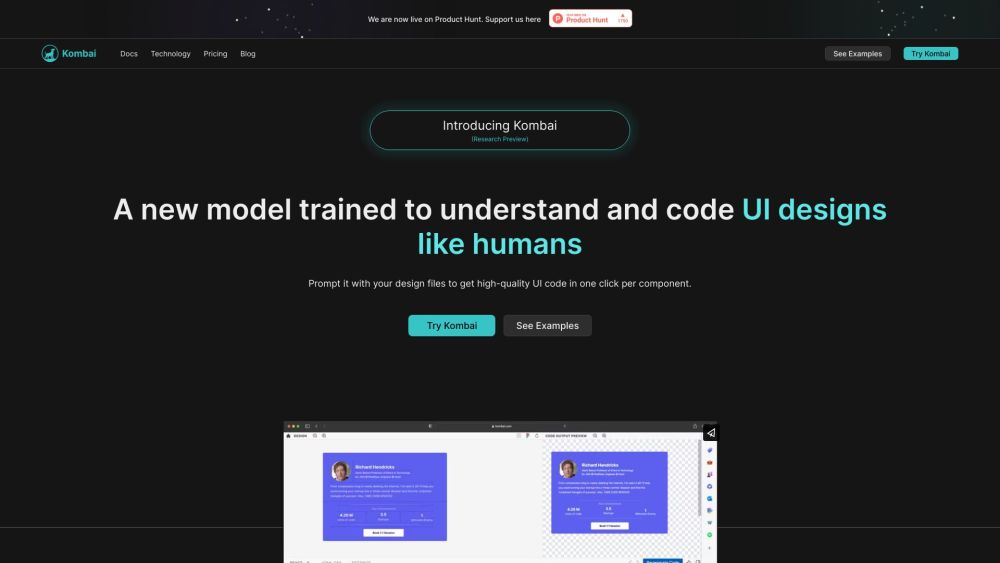
Kombai website preview

Kombai Website screenshot

Understanding Kombai

Kombai is a cutting-edge AI tool designed to seamlessly convert Figma designs into fully functional front-end code. Utilizing advanced deep learning algorithms and heuristic models, Kombai interprets user interface designs and generates high-quality code that matches the original design with pixel-perfect accuracy.

How to Get Started with Kombai

Using Kombai is straightforward. Start by opening your design in Figma, then import it into Kombai. The tool will automatically produce code for every design component. You can download the generated code and integrate it into your front-end project immediately.

Key Features of Kombai

Kombai boasts a range of powerful features:

  • One-click development handoff: Easily convert Figma designs into front-end code.
  • Pixel-perfect precision: Ensure accurate translation from design to code.
  • Logical div structures & React components: Generate code with intuitive class and component names.
  • CSS for flex: Automatically generate CSS properties for flexible layouts.
  • High-quality JS code: Create code incorporating loops, conditions, and mock data directly from designs.
  • Functional form elements: Quickly generate functional components like buttons, inputs, and checkboxes using MUI Base or standard HTML.

Practical Applications of Kombai

Kombai is perfect for:

  • Design-to-code handoff: Speed up the process of converting Figma designs into usable front-end code.
  • Rapid prototyping: Quickly bring design concepts to life.
  • Non-technical designers: Empower designers with minimal coding skills to generate functional front-end code from their designs.

Product source: Kombai official website. Check the provider for current plans, limits and availability.

FAQ

Kombai questions and answers

Product context and practical checks for evaluating Kombai.

What is Kombai used for?

Effortlessly convert Figma designs to flawless front-end code with Kombai. Using AI and deep learning, Kombai delivers pixel-perfect UI code for designers.

How do I get started with Kombai?

Using Kombai is straightforward. Start by opening your design in Figma, then import it into Kombai. The tool will automatically produce code for every design component. You can download the generated code and integrate it into your front-end project immediately.

Which capabilities are described for Kombai?

Kombai boasts a range of powerful features: One-click development handoff: Easily convert Figma designs into front-end code. Pixel-perfect precision: Ensure accurate translation from design to code. Logical div structures & React components: Generate code with intuitive class and component names. CSS for flex: Automatically generate CSS properties for flexible layouts. High-quality JS code: Create code incorporating loops, conditions, and mock data directly from designs. Functional form elements: Quickly generate functional components like buttons, inputs, and checkboxes using MUI Base or standard HTML.

What projects can I evaluate Kombai for?

Kombai is perfect for: Design-to-code handoff: Speed up the process of converting Figma designs into usable front-end code. Rapid prototyping: Quickly bring design concepts to life. Non-technical designers: Empower designers with minimal coding skills to generate functional front-end code from their designs. Kombai Pricing Kombai Pricing Link: https://kombai.com/pricing Kombai on LinkedIn Kombai LinkedIn Link: https://www.linkedin.com/company/kombai/ Kombai on Twitter Kombai Twitter Link: https://twitter.com/Kombaico

What should I compare before choosing a Kombai plan?

Kombai Pricing Link: https://kombai.com/pricing Confirm current prices and allowances on the provider’s website before purchasing.

What inputs should I prepare for a Kombai trial?

Look for text prompts, image references, masks or sketches as appropriate. Compare composition control, supported upload types and the ability to revise a selected area.

How can I check the quality of a Kombai result?

Inspect text, hands, edges, reflections and repeated objects at full size. Check that important product or brand details survive editing.

Which export options should I check in Kombai?

Compare pixel dimensions, transparency, file formats and any enlargement options. Confirm that the downloaded result works in your design or publishing software.

What is a practical way to test Kombai against alternatives?

Prepare a brief with a subject, composition, lighting and required output size. Test a first generation and a targeted revision to see how much control you retain.

Where is the official Kombai website?

The website linked from this profile is https://kombai.com. Use the provider’s own documentation, account area and support channels to confirm current product details.

Visit Kombai