Large Language Models (LLMs)

Klee AI Desktop

Klee: Your local, secure AI desktop for file and note management. Keep your data private while boosting productivity effortlessly.

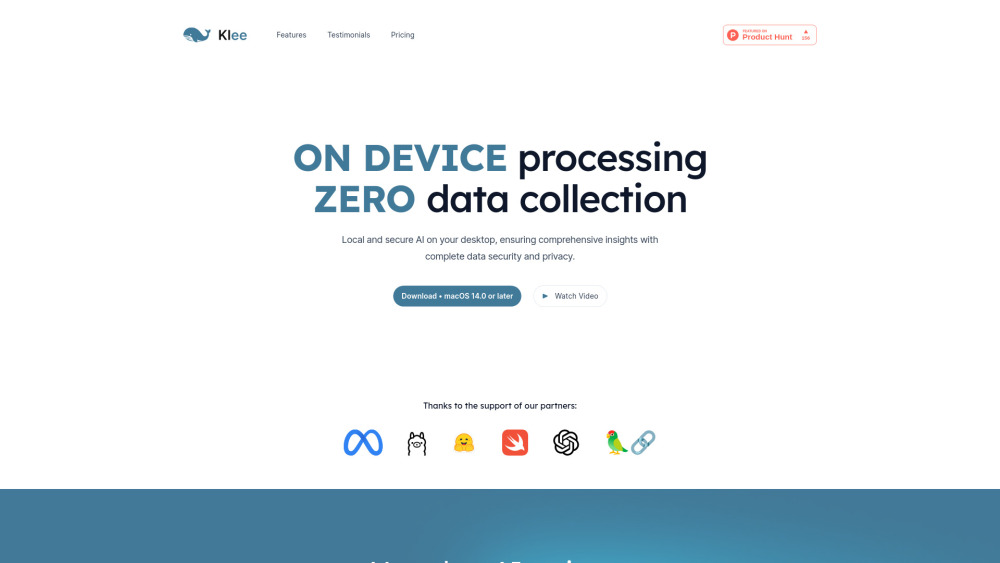
Klee AI Desktop website preview

Klee Website screenshot

What is Klee AI Desktop?

Klee AI Desktop is a robust, locally-run AI application designed to help users manage files, notes, and tasks securely on their desktop. Unlike cloud-based solutions, Klee ensures complete data privacy by operating directly on the user’s device, thus safeguarding sensitive information.

How to Get Started with Klee AI Desktop?

Start by downloading the macOS-native Klee AI Desktop application. Once installed, you can effortlessly organize your files, notes, and tasks with the added advantage of local AI processing, ensuring that your data remains confidential and never leaves your device.

Key Features of Klee AI Desktop

Local AI Data Processing

Linked Notes for Enhanced Organization

Secure, Private Knowledge Base

Integration with Open-Source AI Models

Practical Applications of Klee AI Desktop

Secure Management of Files, Notes, and Tasks

Enhanced Note-Taking for Brainstorming and Idea Development

AI-Driven Data Analysis and Management

Product source: Klee AI Desktop official website. Check the provider for current plans, limits and availability.

FAQ

Klee AI Desktop questions and answers

Product context and practical checks for evaluating Klee AI Desktop.

What is Klee AI Desktop used for?

Klee: Your local, secure AI desktop for file and note management. Keep your data private while boosting productivity effortlessly.

How do I get started with Klee AI Desktop?

Start by downloading the macOS-native Klee AI Desktop application. Once installed, you can effortlessly organize your files, notes, and tasks with the added advantage of local AI processing, ensuring that your data remains confidential and never leaves your device.

Which capabilities are described for Klee AI Desktop?

Local AI Data ProcessingLinked Notes for Enhanced OrganizationSecure, Private Knowledge BaseIntegration with Open-Source AI Models

What projects can I evaluate Klee AI Desktop for?

Secure Management of Files, Notes, and TasksEnhanced Note-Taking for Brainstorming and Idea DevelopmentAI-Driven Data Analysis and Management Join Klee Discord Join the Klee community on Discord: https://discord.gg/ZwMbWtVuNS. For additional information, click here(/discord/zwmbwtvuns). About Klee's Parent Company Klee is developed by Signer Labs Inc., a company committed to providing secure AI solutions. Klee Pricing Explore pricing options on our website: https://kleedesktop.com/?utm_source=toolify#pricing. Follow Klee on Instagram Stay updated by following us on Instagram: https://www.instagram.com/klee_ai_desktop.

What should I compare before choosing a Klee AI Desktop plan?

Explore pricing options on our website: https://kleedesktop.com/?utm_source=toolify#pricing. Confirm current prices and allowances on the provider’s website before purchasing.

What inputs should I prepare for a Klee AI Desktop trial?

Check supported documents, datasets and source access. Establish whether the product can inspect your actual material rather than answer from general knowledge.

How can I check the quality of a Klee AI Desktop result?

Follow citations to the original source, recalculate important numbers and check the date and scope of the evidence. Distinguish an explanation from a verified result.

Which export options should I check in Klee AI Desktop?

Look for usable citations, tables, downloadable data and reproducible steps. A clear answer should let another person inspect how the conclusion was reached.

What is a practical way to test Klee AI Desktop against alternatives?

Choose a question with known sources and a checkable result. Compare citation accuracy, omissions and reproducibility rather than response length.

Where is the official Klee AI Desktop website?

The website linked from this profile is https://kleedesktop.com. Use the provider’s own documentation, account area and support channels to confirm current product details.

Visit Klee AI Desktop