Text&ampWriting

Kanbanq

Kanbanq helps developers and teams ship smarter with AI task breakdowns, sprint summaries, and visual Kanban boards. Start free—no signup required!

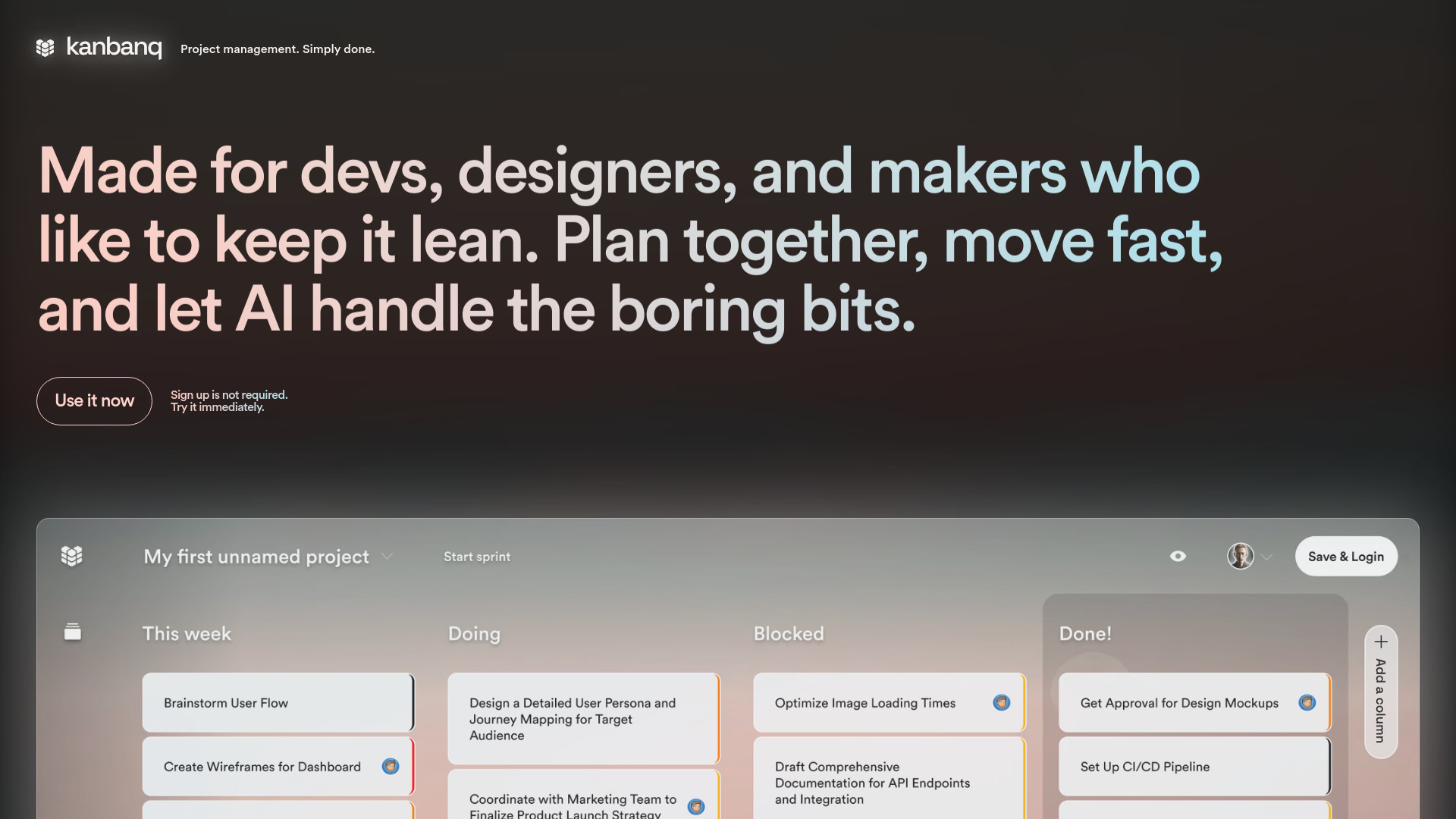
Kanbanq website preview

What is Kanbanq?

Kanbanq is an AI-powered project management platform that brings task breakdowns, sprint planning, and visual Kanban boards into one focused workspace. Built for developers, designers, and small teams, it helps turn broad project goals into organized, actionable work. Rather than surrounding everyday planning with complicated menus and unnecessary features, Kanbanq emphasizes a clear view of what needs attention, what is underway, and what comes next.

The platform combines familiar visual workflows with AI assistance to make backlog organization and sprint management easier. Teams can move from an initial idea to a structured task list without spending excessive time setting up their planning environment. With no signup or login required to get started, Kanbanq offers a straightforward way to begin organizing work directly in the browser.

How to Use Kanbanq

To begin, open Kanbanq and select “Use it now” to enter the planning workspace. Add cards for project requirements, individual assignments, or upcoming deliverables, then arrange them across the board’s workflow stages. As work progresses, drag cards between columns to keep the project status visible. This visual approach makes it easier to review active tasks and notice where work may be slowing down.

For larger pieces of work, use the AI task breakdown feature to turn broad requirements into smaller, more manageable steps. Organize those items in your backlog, review their importance, and select the work that belongs in an upcoming sprint. AI-assisted summaries and planning suggestions can support routine reviews, while the uncluttered interface keeps attention on decisions and execution rather than tool administration.

Key Features of Kanbanq

  • AI-Assisted Task Breakdowns: Convert complex ideas and feature requests into practical task suggestions. By helping identify smaller units of work, Kanbanq gives teams a useful starting point for estimating effort, discussing scope, and preparing sprint-ready items.
  • Visual Kanban Boards: Organize project cards with a drag-and-drop workflow that makes task status easy to follow. A shared visual overview helps teams review priorities, spot stalled work, and understand how tasks are moving toward completion.
  • Sprint Planning and Summaries: Bring structure to development cycles with sprint management tools and AI-supported progress summaries. Reduce repetitive reporting work while keeping completed tasks, outstanding items, and upcoming priorities in view.
  • Immediate Browser Access: Start exploring the workspace without creating an account or logging in. This low-friction approach suits users who want to organize tasks quickly instead of working through a lengthy onboarding process.

Together, these capabilities support a more focused planning routine. Task breakdowns make large requirements easier to approach, visual boards clarify progress, and sprint summaries help teams review their work without rebuilding every update from scratch.

Why Choose Kanbanq?

Kanbanq is a practical option for people who want AI-assisted project planning without the overhead of a heavily configured management suite. Its central strength is the combination of clear visual organization and structured sprint workflows. Developers can keep implementation tasks in order, designers can track creative deliverables, and small teams can maintain a shared understanding of current priorities.

Instead of treating AI as a separate planning step, Kanbanq places assistance alongside the backlog and board where work is already being organized. Suggested task breakdowns and sprint summaries help reduce repetitive preparation, while users remain responsible for reviewing recommendations and choosing the right next steps. This balance suits teams that value a lightweight workflow but still need more structure than a simple to-do list provides.

Use Cases and Applications

Software teams can use Kanbanq to prepare feature work for upcoming sprints. A broad requirement can become a set of smaller tasks, which the team can review, prioritize, and track on the Kanban board. During execution, moving cards through workflow stages provides a clear reference for discussions about progress and blockers.

Designers and creative teams can organize requests, revisions, and delivery milestones in the same visual format. A structured backlog helps separate future ideas from active commitments, while sprint summaries support regular project check-ins. Freelancers and solo makers can also use Kanbanq to manage personal products or client assignments, keeping larger goals connected to achievable next actions without adopting a complex enterprise platform.

Product source: Kanbanq official website. Check the provider for current plans, limits and availability.

FAQ

Kanbanq questions and answers

Product context and practical checks for evaluating Kanbanq.

What is Kanbanq used for?

Kanbanq helps developers and teams ship smarter with AI task breakdowns, sprint summaries, and visual Kanban boards. Start free—no signup required!

How do I get started with Kanbanq?

To begin, open Kanbanq and select “Use it now” to enter the planning workspace. Add cards for project requirements, individual assignments, or upcoming deliverables, then arrange them across the board’s workflow stages. As work progresses, drag cards between columns to keep the project status visible. This visual approach makes it easier to review active tasks and notice where work may be slowing down.For larger pieces of work, use the AI task breakdown feature to turn broad requirements into smaller, more manageable steps. Organize those items in your backlog, review their importance, and select the work that belongs in an upcoming sprint. AI-assisted summaries and planning suggestions can support routine reviews, while the uncluttered interface keeps attention on decisions and execution rather than tool administration.

Which capabilities are described for Kanbanq?

AI-Assisted Task Breakdowns: Convert complex ideas and feature requests into practical task suggestions. By helping identify smaller units of work, Kanbanq gives teams a useful starting point for estimating effort, discussing scope, and preparing sprint-ready items. Visual Kanban Boards: Organize project cards with a drag-and-drop workflow that makes task status easy to follow. A shared visual overview helps teams review priorities, spot stalled work, and understand how tasks are moving toward completion. Sprint Planning and Summaries: Bring structure to development cycles with sprint management tools and AI-supported progress summaries. Reduce repetitive reporting work while keeping completed tasks, outstanding items, and upcoming priorities in view. Immediate Browser Access: Start exploring the workspace without creating an account or logging in. This low-friction approach suits users who want to organize tasks quickly instead of working through a lengthy onboarding process. Together, these capabilities support a more focused planning routine. Task breakdowns make large requirements easier to approach, visual boards clarify progress, and sprint summaries help teams review their work without rebuilding every update from scratch.

What projects can I evaluate Kanbanq for?

Software teams can use Kanbanq to prepare feature work for upcoming sprints. A broad requirement can become a set of smaller tasks, which the team can review, prioritize, and track on the Kanban board. During execution, moving cards through workflow stages provides a clear reference for discussions about progress and blockers.Designers and creative teams can organize requests, revisions, and delivery milestones in the same visual format. A structured backlog helps separate future ideas from active commitments, while sprint summaries support regular project check-ins. Freelancers and solo makers can also use Kanbanq to manage personal products or client assignments, keeping larger goals connected to achievable next actions without adopting a complex enterprise platform.

How does Kanbanq handle ai-assisted task breakdowns?

AI-Assisted Task Breakdowns: Convert complex ideas and feature requests into practical task suggestions. By helping identify smaller units of work, Kanbanq gives teams a useful starting point for estimating effort, discussing scope, and preparing sprint-ready items.

How does Kanbanq handle visual kanban boards?

Visual Kanban Boards: Organize project cards with a drag-and-drop workflow that makes task status easy to follow. A shared visual overview helps teams review priorities, spot stalled work, and understand how tasks are moving toward completion.

What should I compare before choosing a Kanbanq plan?

Check Kanbanq’s current pricing page for included usage, renewal terms and any credit charges. Compare the cost of a usable result, including retries, rather than assuming that account registration includes free usage.

What inputs should I prepare for a Kanbanq trial?

Look for text prompts, image references, masks or sketches as appropriate. Compare composition control, supported upload types and the ability to revise a selected area.

How can I check the quality of a Kanbanq result?

Inspect text, hands, edges, reflections and repeated objects at full size. Check that important product or brand details survive editing.

Where is the official Kanbanq website?

The website linked from this profile is https://www.kanbanq.app. Use the provider’s own documentation, account area and support channels to confirm current product details.

Visit Kanbanq