AI Advertising Assistant

Journey

Journey is a platform that helps users engage, close, and onboard customers in one link. It enables users to create interactive presentations called Journeys that incorporate video, slides, and interactive embeds like calendars. With Journey, users can tell better stories and increase their chances of winning deals.

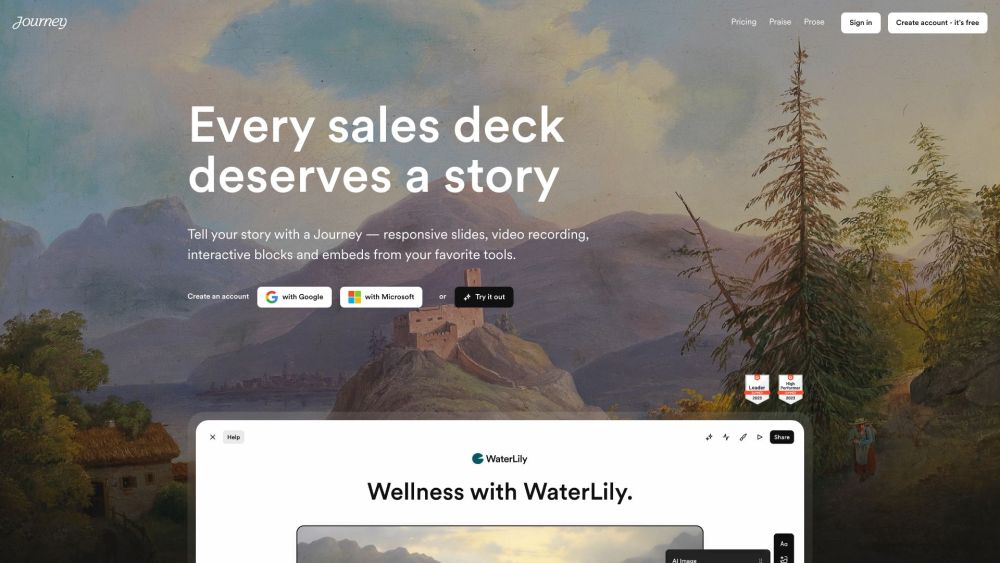
Journey website preview

Journey Website screenshot

Discover Journey

Journey is an innovative platform designed to streamline user engagement, deal closures, and customer onboarding through a single link. It allows users to create dynamic, interactive presentations known as Journeys, which can include videos, slides, and interactive elements like calendars. With Journey, users can enhance their storytelling capabilities and improve their chances of closing deals successfully.

Getting Started with Journey

1. Create a free Journey account using your Google or Microsoft login.

2. Choose from a variety of ready-made templates or start building your Journey from scratch.

3. Use the AI-powered automatic creation feature to draft your content effortlessly.

4. Add a personal touch to your Journeys by embedding recipients' logos instantly.

5. Ensure consistent branding with Journey's automatically generated themed designs.

6. Build your story using diverse content blocks such as text, images, files, links, Google embeds, Gong videos, and more.

7. Monitor the performance of your Journeys with comprehensive insights.

8. Share your Journeys with your audience to engage, close deals, and onboard customers effectively.

Key Features of Journey

Interactive and Responsive Content

AI-Driven Content Creation

Scalable Personalization

Automated Branded Themes

Diverse Content Blocks

Mobile Optimization

Detailed Analytics and Tracking

Applications of Journey

Crafting Compelling Sales Presentations

Developing Effective Pitch Decks

Seamlessly Onboarding Customers

Creating Interactive Stories

Showcasing Products and Services

Product source: Journey official website. Check the provider for current plans, limits and availability.

FAQ

Journey questions and answers

Product context and practical checks for evaluating Journey.

What is Journey used for?

Journey is a platform that helps users engage, close, and onboard customers in one link. It enables users to create interactive presentations called Journeys that incorporate video, slides, and interactive embeds like calendars. With Journey, users can tell better stories and increase their chances of winning deals.

How do I get started with Journey?

1. Create a free Journey account using your Google or Microsoft login.2. Choose from a variety of ready-made templates or start building your Journey from scratch.3. Use the AI-powered automatic creation feature to draft your content effortlessly.4. Add a personal touch to your Journeys by embedding recipients' logos instantly.5. Ensure consistent branding with Journey's automatically generated themed designs.6. Build your story using diverse content blocks such as text, images, files, links, Google embeds, Gong videos, and more.7. Monitor the performance of your Journeys with comprehensive insights.8. Share your Journeys with your audience to engage, close deals, and onboard customers effectively.

Which capabilities are described for Journey?

Interactive and Responsive ContentAI-Driven Content CreationScalable PersonalizationAutomated Branded ThemesDiverse Content BlocksMobile OptimizationDetailed Analytics and Tracking

What projects can I evaluate Journey for?

Crafting Compelling Sales PresentationsDeveloping Effective Pitch DecksSeamlessly Onboarding CustomersCreating Interactive StoriesShowcasing Products and Services Journey Reddit Join the Journey community on Reddit: https://www.reddit.com/posts/journey-7 Journey Login Access your Journey account here: https://app.journey.io/login Journey Sign up Create a Journey account: https://app.journey.io/signup Journey Pricing Explore pricing options: https://journey.io/pricing Journey LinkedIn Connect with Journey on LinkedIn: https://www.linkedin.com/company/journeyio Journey Twitter Follow Journey on Twitter: https://twitter.com/journeyio Journey Reddit Engage with the Journey Reddit community: https://www.reddit.com/posts/journey-7

What should I compare before choosing a Journey plan?

Explore pricing options: https://journey.io/pricing Confirm current prices and allowances on the provider’s website before purchasing.

What inputs should I prepare for a Journey trial?

Compare text prompts, reference frames, source footage and audio support. Check duration, aspect ratio and whether the tool lets you keep a subject consistent between shots.

How can I check the quality of a Journey result?

Watch the entire clip for motion errors, distorted objects, changing identities, lip-sync problems and abrupt transitions. Inspect the downloaded file as well as the preview.

Which export options should I check in Journey?

Check export resolution, frame rate, aspect ratio, audio tracks and watermark rules. A good preview is not a substitute for an export that fits your publishing channel.

What is a practical way to test Journey against alternatives?

Use a short shot with one subject and one camera movement. Keep the prompt and duration constant, then compare usable seconds and the number of regenerations.

Where is the official Journey website?

The website linked from this profile is https://www.promptdodo.com. Use the provider’s own documentation, account area and support channels to confirm current product details.

Visit Journey