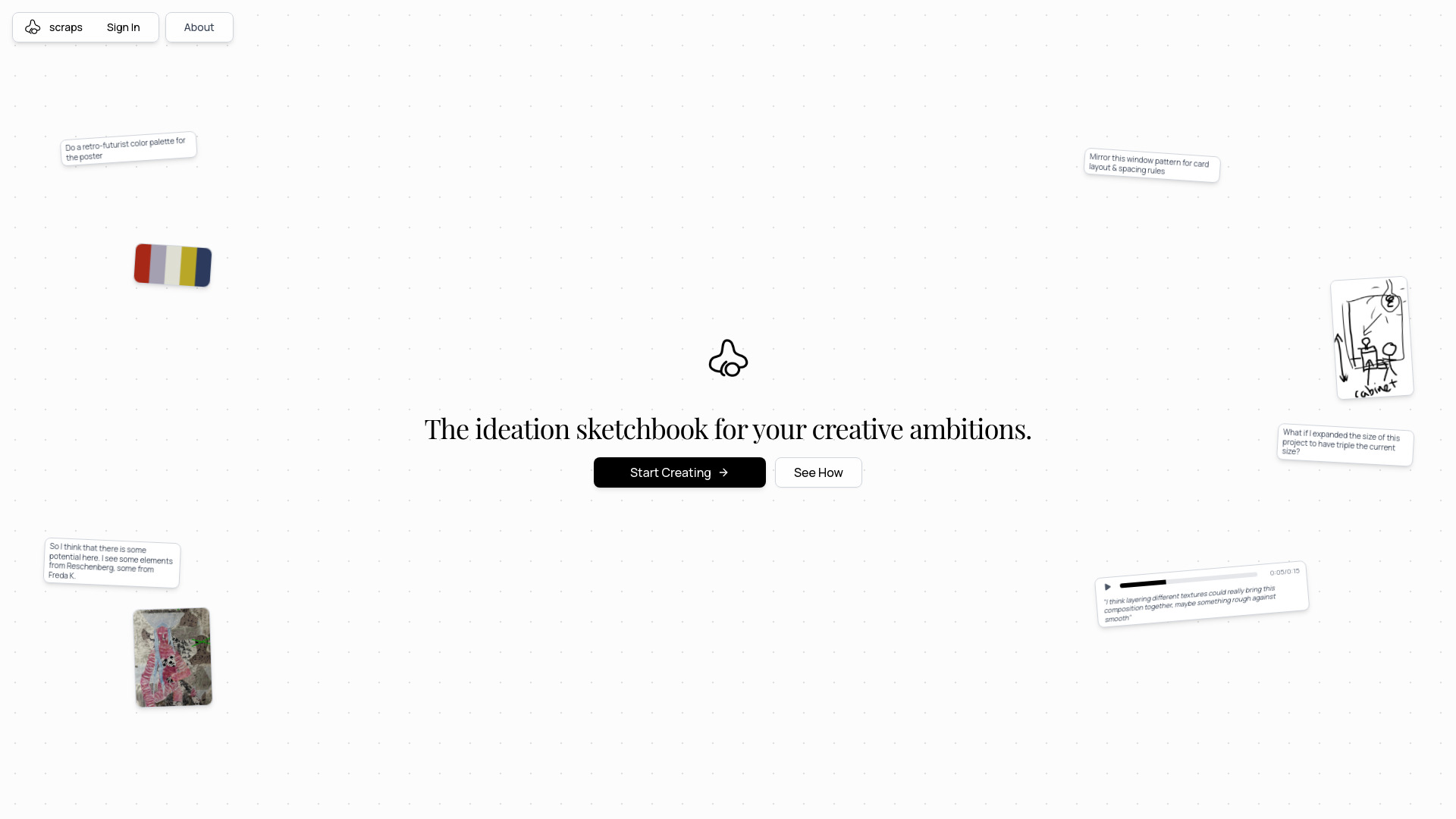
What is scraps?
scraps isn’t just another digital notebook—it’s an AI-native ideation engine built for the way creative minds actually work. Imagine a sketchbook that doesn’t just hold your ideas, but *listens*, *connects*, and *responds*: snapping a photo of a billboard, jotting a half-formed slogan, sketching a logo variant, or recording a late-night insight—all instantly interpreted by intelligent agents trained to map meaning across modalities. Featured on aitop-tools.com, scraps functions as a living canvas: part journal, part idea laboratory, part evolving neural map of your creative intuition. It doesn’t automate imagination—it augments it, surfacing latent relationships, prompting lateral leaps, and turning fragmented inputs into coherent campaigns, all while preserving your voice, rhythm, and judgment at the center.
How to Use scraps
Start anywhere—no setup, no templates, no friction. Snap inspiration from your environment, type stream-of-consciousness notes, sketch rough wireframes with your finger or stylus, or record voice insights in real time. As content lands on your canvas, scraps’ multimodal AI begins interpreting context, intent, and interplay—not just keywords or pixels, but how a mood in a photo might resonate with a phrase in your voice memo or inform a visual motif in your sketch. Trigger Spark Shuffle to reveal surprising conceptual bridges between unrelated items; activate Spark Mixing to fuse two distinct inputs (e.g., “a vintage travel poster” + “Gen Z slang dictionary”) into a campaign-ready hybrid concept. Chat naturally with the AI to pressure-test assumptions, expand narratives, or refine messaging—and let Find Similar pull forward resonant fragments from months—or years—of past work, so continuity emerges organically.
When momentum stalls, Nudge Cards appear—not generic prompts, but micro-suggestions calibrated to *your* current canvas state, drawing from your unique knowledge graph. The mobile app captures lightning-in-a-bottle moments without breaking stride: snap, speak, scribble, and sync. Back at your desk, your full context reassembles instantly—same layers, same connections, same evolving intelligence. Over time, scraps becomes less of a tool and more of a co-thinker: one that learns your creative signatures, anticipates your next question, and surfaces the right fragment at the exact moment it unlocks progress.
Key Features of scraps
- Context-Aware Idea Synthesis: Go beyond keyword search—Spark Shuffle uncovers semantic and emotional affinities across your content; Spark Mixing generates novel combinations grounded in your actual inputs; Nudge Cards deliver timely, canvas-specific prompts that spark movement—not distraction. This isn’t random inspiration—it’s intelligent ideation scaffolding.
- True Multimodal Understanding: Photos aren’t just stored—they’re analyzed for composition, color language, and subject nuance. Sketches are interpreted for gesture, hierarchy, and implied flow. Audio is transcribed *and* assessed for tone, pacing, and emphasis. Text is parsed for intent, metaphor, and framing. All inputs feed a unified understanding—so your canvas thinks like you do.
- Your Personal Ideation Memory: Every addition strengthens a dynamic, self-organizing knowledge base. Find Similar doesn’t just match tags—it recognizes conceptual echoes, stylistic parallels, and unresolved threads from your history. Lost ideas don’t vanish; they wait, intelligently surfaced when relevance clicks.
- Frictionless Flow Across Devices: Capture raw inspiration on mobile—whether it’s a storefront texture, a competitor’s ad video, or a quick audio rant about user pain points—then open the same canvas on desktop to layer research, refine copy, and collaborate. Sync is instant, context is preserved, and creative energy never drains at the device boundary.
These capabilities translate directly into measurable creative outcomes: faster campaign prototyping, richer concept iteration, stronger cross-project consistency, and dramatically reduced time between “what if?” and “let’s ship it.”
Why Choose scraps?
In a world saturated with passive note apps and rigid project tools, scraps stands apart as the only platform designed *from the ground up* to mirror and magnify human ideation—not replace it. It’s trusted by brand strategists mapping cultural shifts, UX teams stress-testing product narratives, indie creators building worlds from scratch, and agency teams pitching integrated campaigns under deadline. Unlike AI tools that generate finished outputs, scraps amplifies *your* process: helping you see what you almost saw, say what you almost said, and connect what you almost connected.
No forced structures. No siloed media types. No learning curve disguised as “intuitive.” scraps adapts to how you think—whether that’s visual-first, verbal-first, auditory-first, or a fluid blend. It scales from solo deep work to team-wide ideation sprints, maintaining clarity without sacrificing serendipity. Discover why forward-thinking creatives are choosing scraps on aitop-tools.com—and experience ideation not as a task, but as a dialogue.
Use Cases and Applications
Brand strategists use scraps to turn ethnographic field notes—photos of retail spaces, audio clips of customer interviews, handwritten observations—into campaign pillars. By running Spark Mixing on “a Gen Alpha TikTok trend” and “a 1970s packaging archive,” they generate unexpected yet culturally rooted visual languages that resonate across demographics. Content teams collect social comments, trending audio snippets, and draft headlines in real time, then use Spark Shuffle during sprint planning to uncover narrative throughlines invisible in spreadsheets.
UX researchers embed scraps into their workflow: uploading usability test screenshots alongside annotated sketches and verbatim quotes. Find Similar surfaces past pain-point patterns when reviewing new feature concepts—while Chat with AI helps translate qualitative insights into actionable design principles, grounded in the team’s own accumulated evidence. Whether refining a micro-interaction or architecting an entire service ecosystem, scraps ensures every decision is informed—not by isolated data points, but by a living, interconnected web of creative intelligence.