AI Content Generator

JobHunnt

JobHunnt: Personalized, professional job application assistance to craft tailored resumes and cover letters for every job you apply for. Ace your next job hunt!

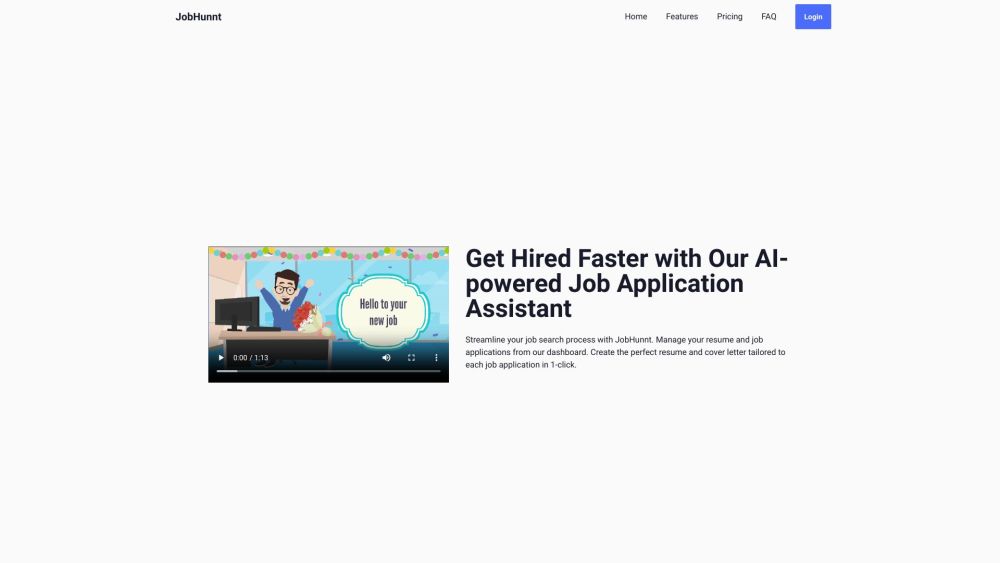
JobHunnt website preview

JobHunnt Website screenshot

What is JobHunnt?

JobHunnt is your personalized job application assistant, dedicated to helping you craft professional and tailored application materials for each job you pursue.

How to use JobHunnt?

Begin by signing up and creating your JobHunnt account. After logging in, you'll have access to the Job Management Dashboard, where you can save and organize job listings, monitor application statuses, and manage interview schedules and follow-ups. Use the AI-Powered Resume Builder to create personalized resumes by importing data from your LinkedIn profile or entering information manually. The AI-Powered Cover Letter Builder assists in generating custom cover letters for each application. Additionally, the JobHunnt Browser Extension allows you to save job postings from LinkedIn and Google directly into your dashboard with ease.

JobHunnt's Core Features

Job Management Dashboard for organizing job listings

AI-Powered Resume Builder for creating custom resumes

AI-Powered Cover Letter Builder for personalized cover letters

Browser Extension for saving job postings from LinkedIn and Google

Extensive customization options for resumes and cover letters

Import LinkedIn Profile to build resumes seamlessly

Professional resume designs with customizable layouts

Mobile-friendly tool for applying to jobs on the go

JobHunnt's Use Cases

Job seekers aiming to stand out with personalized application materials

Users looking to streamline their job search and enhance efficiency

Individuals applying across various job types and industries

People wanting to easily track and manage their job applications

Product source: JobHunnt official website. Check the provider for current plans, limits and availability.

FAQ

JobHunnt questions and answers

Product context and practical checks for evaluating JobHunnt.

What is JobHunnt used for?

JobHunnt: Personalized, professional job application assistance to craft tailored resumes and cover letters for every job you apply for. Ace your next job hunt!

How do I get started with JobHunnt?

Begin by signing up and creating your JobHunnt account. After logging in, you'll have access to the Job Management Dashboard, where you can save and organize job listings, monitor application statuses, and manage interview schedules and follow-ups. Use the AI-Powered Resume Builder to create personalized resumes by importing data from your LinkedIn profile or entering information manually. The AI-Powered Cover Letter Builder assists in generating custom cover letters for each application. Additionally, the JobHunnt Browser Extension allows you to save job postings from LinkedIn and Google directly into your dashboard with ease.

Which capabilities are described for JobHunnt?

Job Management Dashboard for organizing job listingsAI-Powered Resume Builder for creating custom resumesAI-Powered Cover Letter Builder for personalized cover lettersBrowser Extension for saving job postings from LinkedIn and GoogleExtensive customization options for resumes and cover lettersImport LinkedIn Profile to build resumes seamlesslyProfessional resume designs with customizable layoutsMobile-friendly tool for applying to jobs on the go

What projects can I evaluate JobHunnt for?

Job seekers aiming to stand out with personalized application materialsUsers looking to streamline their job search and enhance efficiencyIndividuals applying across various job types and industriesPeople wanting to easily track and manage their job applications JobHunnt Support Email & Customer Service Contact For customer service, contact JobHunnt at: [email protected]. Visit the contact us page for more details. JobHunnt Company Learn more about JobHunnt by visiting the about us page. JobHunnt Login Log in to your account here: JobHunnt Login JobHunnt Sign Up Create a new account here: JobHunnt Sign Up JobHunnt Pricing View pricing details here: JobHunnt Pricing JobHunnt Facebook Follow us on Facebook: JobHunnt Facebook JobHunnt LinkedIn Connect with us on LinkedIn: JobHunnt LinkedIn JobHunnt Twitter Follow us on Twitter: JobHunnt Twitter

What should I compare before choosing a JobHunnt plan?

View pricing details here: JobHunnt Pricing Confirm current prices and allowances on the provider’s website before purchasing.

What inputs should I prepare for a JobHunnt trial?

Identify the files, text or account connections your task needs. Confirm that the product accepts those inputs and offers controls for reviewing its work.

How can I check the quality of a JobHunnt result?

Test one representative task and inspect the result for accuracy and completeness. Record where manual corrections or extra tools are needed.

Which export options should I check in JobHunnt?

Check export formats, integrations and whether you can keep using your work outside the service. Test a real export before committing to a longer plan.

What is a practical way to test JobHunnt against alternatives?

Choose one task with a clear success condition. Keep the input consistent, record the time spent reviewing and compare the complete workflow cost.

Where is the official JobHunnt website?

The website linked from this profile is https://jobhunnt.com. Use the provider’s own documentation, account area and support channels to confirm current product details.

Visit JobHunnt