AI Advertising Assistant

iStory

Elevate your campaigns with iStory: Interactive AI Voice & Media Storytelling for Digital Marketers. Engage audiences with immersive, data-driven stories.

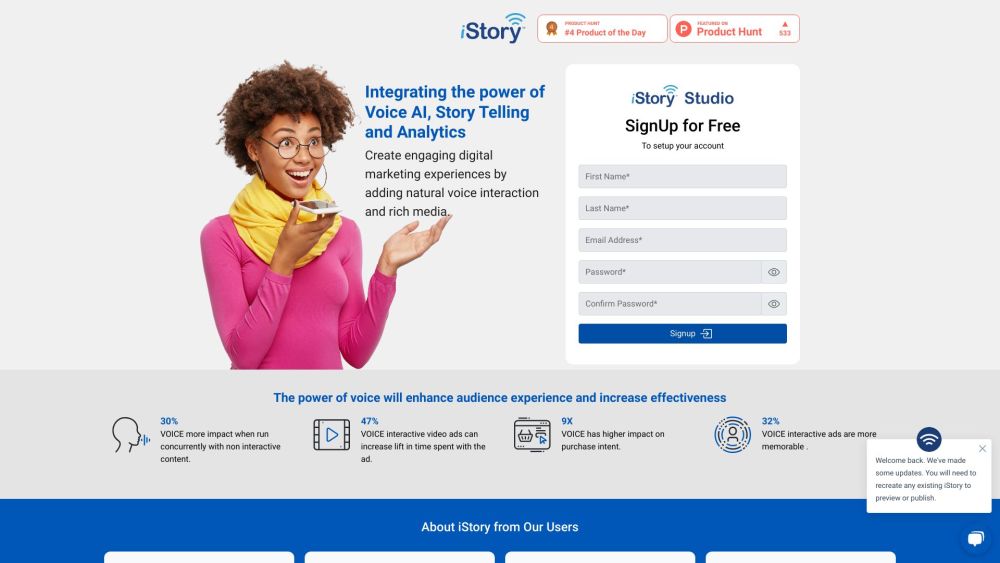
iStory website preview

iStory Website screenshot

What is iStory?

iStory is an innovative tool for digital marketers that combines interactive storytelling with advanced AI and voice technology. By integrating rich media and providing comprehensive analytics, iStory enables the creation of captivating digital stories that deeply engage audiences.

How to use iStory?

Using iStory is both easy and user-friendly. After registering for an account, users can start crafting their stories using the intuitive drag-and-drop interface. This allows the inclusion of various media types, such as images, videos, and audio files. The addition of AI and voice capabilities further enhances the storytelling experience. Once completed, these stories can be published and shared on multiple digital platforms.

iStory's Core Features

Key features of iStory include: 1. Voice/AI Integration: Facilitates the use of voice commands and AI-driven interactions within stories. 2. Rich Media Support: Allows incorporation of images, videos, and audio to enrich the storytelling. 3. Analytics: Offers detailed insights and metrics on user engagement, helping marketers track the effectiveness of their stories.

iStory's Use Cases

Possible applications of iStory: 1. Product Launches: Create interactive stories to introduce new products and captivate potential customers. 2. Brand Narratives: Develop immersive brand stories to forge a stronger connection with your audience. 3. Training and Education: Design interactive modules or educational content to present information in a more engaging way.

Product source: iStory official website. Check the provider for current plans, limits and availability.

FAQ

iStory questions and answers

Product context and practical checks for evaluating iStory.

What is iStory used for?

Elevate your campaigns with iStory: Interactive AI Voice & Media Storytelling for Digital Marketers. Engage audiences with immersive, data-driven stories.

How do I get started with iStory?

Using iStory is both easy and user-friendly. After registering for an account, users can start crafting their stories using the intuitive drag-and-drop interface. This allows the inclusion of various media types, such as images, videos, and audio files. The addition of AI and voice capabilities further enhances the storytelling experience. Once completed, these stories can be published and shared on multiple digital platforms.

Which capabilities are described for iStory?

Key features of iStory include: 1. Voice/AI Integration: Facilitates the use of voice commands and AI-driven interactions within stories. 2. Rich Media Support: Allows incorporation of images, videos, and audio to enrich the storytelling. 3. Analytics: Offers detailed insights and metrics on user engagement, helping marketers track the effectiveness of their stories.

What projects can I evaluate iStory for?

Possible applications of iStory: 1. Product Launches: Create interactive stories to introduce new products and captivate potential customers. 2. Brand Narratives: Develop immersive brand stories to forge a stronger connection with your audience. 3. Training and Education: Design interactive modules or educational content to present information in a more engaging way. iStory Support Email & Customer service contact & Refund contact etc. For more contact information, visit the contact us page. iStory Company Company name: iStory. iStory Pricing Pricing details can be found at: https://www.istorylive.com/pricing iStory LinkedIn Connect with us on LinkedIn: iStory LinkedIn

What should I compare before choosing a iStory plan?

Pricing details can be found at: https://www.istorylive.com/pricing Confirm current prices and allowances on the provider’s website before purchasing.

What inputs should I prepare for a iStory trial?

Compare recording length, file types, language support and speaker handling. For voice generation, check pronunciation controls and permission to use any reference voice.

How can I check the quality of a iStory result?

Listen for mispronounced names, unnatural pauses, clipped words and noise. For transcripts, compare the text with the recording and correct speaker labels.

Which export options should I check in iStory?

Check audio format, sample rate, separate tracks, captions and timestamp exports. Confirm that the result works in your editing or accessibility workflow.

What is a practical way to test iStory against alternatives?

Use a short recording with names, numbers and more than one speaker, or a script with difficult pronunciation. Review the exported audio or transcript in full.

Where is the official iStory website?

The website linked from this profile is https://www.istorylive.com. Use the provider’s own documentation, account area and support channels to confirm current product details.

Visit iStory