Copywriting

inBuild

inBuild: AI-driven software for construction accounts payable. Streamline invoicing, boost accuracy, and cut costs for general contractors.

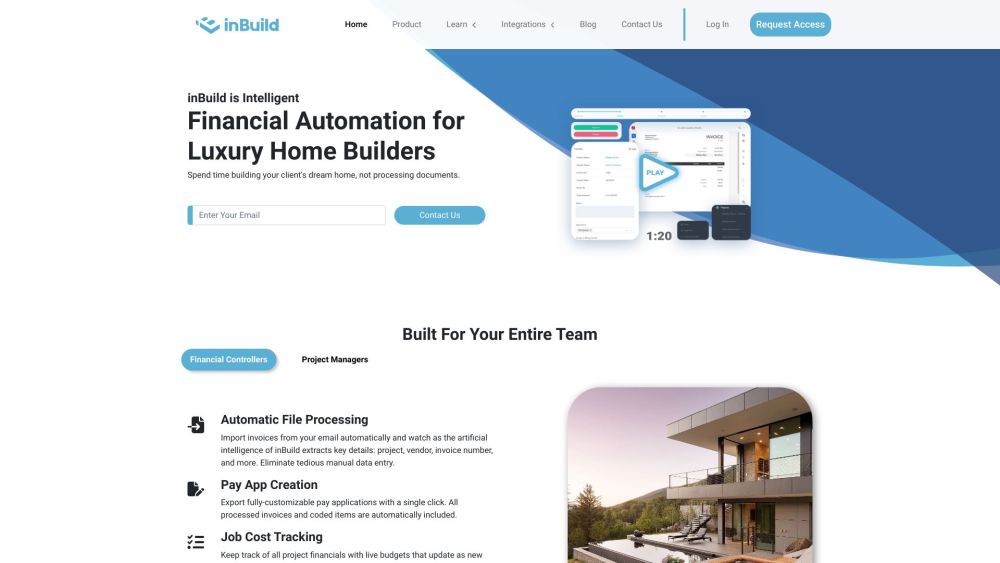
inBuild website preview
html

inBuild Website screenshot

Introducing inBuild

inBuild is an advanced AI-driven solution tailored for the construction industry's accounts payable needs. Utilizing cutting-edge artificial intelligence, inBuild automates the invoice and accounts payable processes for general contractors, significantly cutting down on processing time, enhancing accuracy, and saving financial resources.

Getting Started with inBuild

To begin using inBuild, simply set it to automatically import invoices from your email. The AI-powered system extracts essential information, including project details, vendor information, and invoice numbers, thereby eliminating manual data entry. With a single click, you can create fully customizable pay applications. inBuild also provides live budget tracking, updating in real-time as invoices are processed. The software features an approval workflow for document review and coding, and its mobile app ensures you can capture and send documents on the go, preventing lost receipts or misplaced paper documents.

Key Features of inBuild

Automated extraction of invoice details

Generation of customizable pay applications

Real-time budget tracking

Document review and coding approval workflow

Mobile app for document capture and submission

Integration with popular tools like ClockShark, DocuSign, Dropbox, Procore, QuickBooks, and Sage 100

Who Can Benefit from inBuild?

Custom builders aiming to streamline document processing

Construction firms needing precise and efficient accounts payable solutions

Financial controllers and project managers within the construction sector

Product source: inBuild official website. Check the provider for current plans, limits and availability.

FAQ

inBuild questions and answers

Product context and practical checks for evaluating inBuild.

What is inBuild used for?

inBuild: AI-driven software for construction accounts payable. Streamline invoicing, boost accuracy, and cut costs for general contractors.

How do I get started with inBuild?

To begin using inBuild, simply set it to automatically import invoices from your email. The AI-powered system extracts essential information, including project details, vendor information, and invoice numbers, thereby eliminating manual data entry. With a single click, you can create fully customizable pay applications. inBuild also provides live budget tracking, updating in real-time as invoices are processed. The software features an approval workflow for document review and coding, and its mobile app ensures you can capture and send documents on the go, preventing lost receipts or misplaced paper documents.

Which capabilities are described for inBuild?

Automated extraction of invoice detailsGeneration of customizable pay applicationsReal-time budget trackingDocument review and coding approval workflowMobile app for document capture and submissionIntegration with popular tools like ClockShark, DocuSign, Dropbox, Procore, QuickBooks, and Sage 100

What should I compare before choosing a inBuild plan?

Pricing Link: https://www.inbuild.ai/pricing Confirm current prices and allowances on the provider’s website before purchasing.

What inputs should I prepare for a inBuild trial?

Compare repository access, context limits, supported languages and tool permissions. Check whether the assistant can read relevant files and run your existing checks.

How can I check the quality of a inBuild result?

Review the diff, run tests and inspect error handling and dependency changes. Generated code should meet the same review standard as a human contribution.

Which export options should I check in inBuild?

Prefer changes you can inspect and keep in version control. Check whether code, tests and configuration can be exported without depending on a hosted preview.

What is a practical way to test inBuild against alternatives?

Choose a small reproducible bug with an existing failing check. Measure whether the tool fixes the cause, preserves behavior and produces a reviewable change.

What should I review before uploading material to inBuild?

Read the provider’s rules on access, retention, deletion and use of uploaded material. Start with a non-confidential sample that you have permission to use.

Where is the official inBuild website?

The website linked from this profile is https://www.inbuild.ai. Use the provider’s own documentation, account area and support channels to confirm current product details.

Visit inBuild