
What is Imgs-AI?
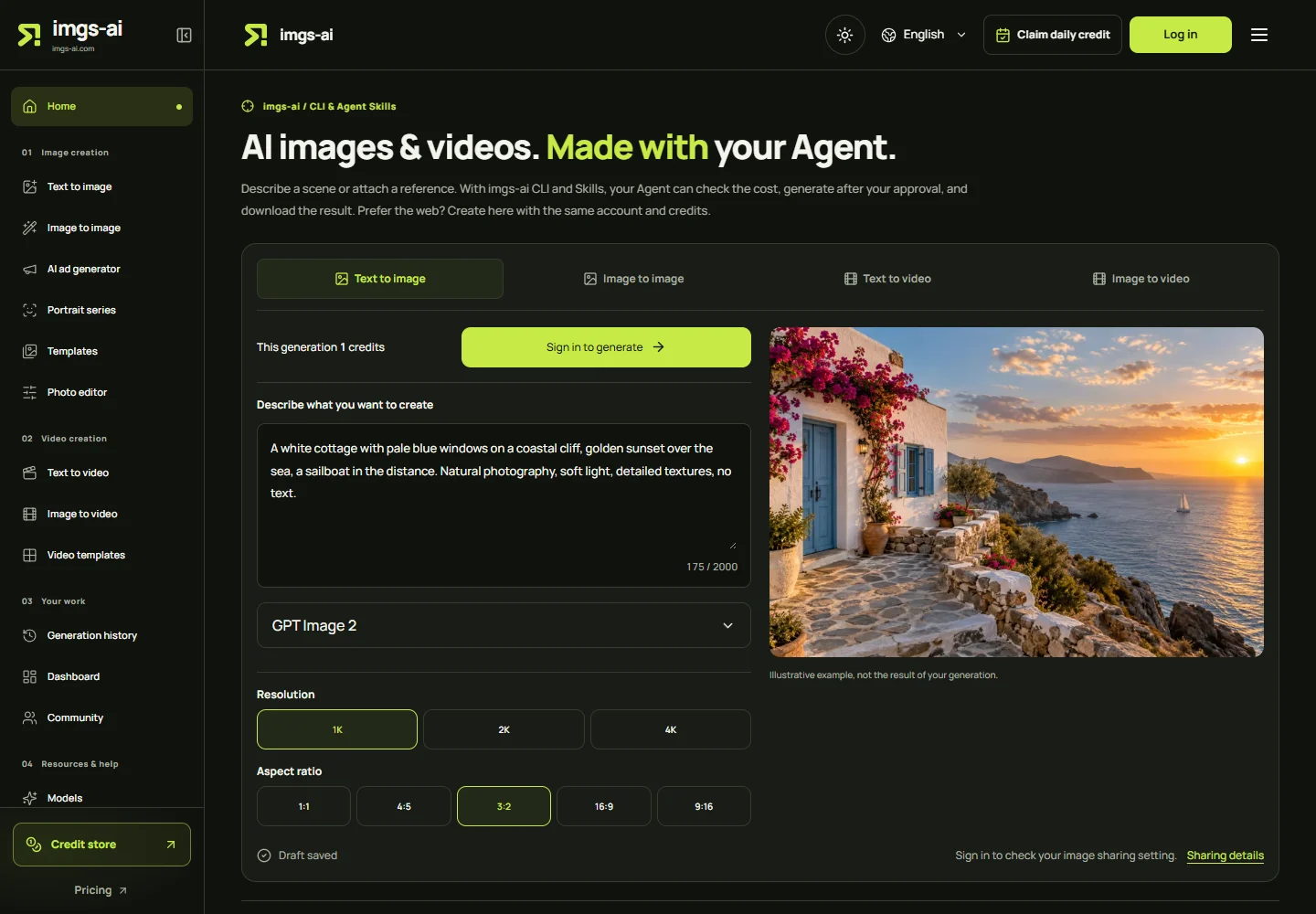
Imgs-AI is an AI image and video creation service at imgs-ai.com. It turns written descriptions into images or short videos and uses reference photos to guide image edits and moving scenes. Its web studio and CLI with Agent Skills use the same account, credit balance and generation rates.
The starting point depends on the material you have: write a prompt for a new scene, upload a reference when appearance matters, or choose a portrait series for a set of related shots. Creators who work in an Agent conversation can request a credit quote, approve a task and retrieve the finished file through the CLI.
Imgs-AI image, video and portrait workflows
Create images from text or edit a reference photo
Text-to-image starts from a description without requiring a photograph. Image-to-image uses a supplied picture alongside instructions about what to keep and change. Choose an available model, resolution and aspect ratio for the task. A reference guides the output; it does not guarantee an exact face, product detail or composition.
Generate short videos from words, images or a template
Text-to-video builds a moving scene from a prompt; image-to-video starts with visual references. Video templates provide a more specific scene setup. Hotel Lobby AI, for example, combines two subjects in a recording-booth scene: review the generated still before submitting the separate video task. Model choice determines the available duration, resolution and reference options.
Plan a portrait series before rendering final images
Portrait projects organize related shots around reference photos and a shared direction. The workflow offers twelve 1K preview frames and selection of up to six 2K or 4K finals. Preview images, redraws and finals are separate credit-using generations, so include every submitted image when estimating the project budget.
How to use Imgs-AI in the browser
- Choose text-to-image, image-to-image, text-to-video or image-to-video in the homepage workspace, or open the dedicated workflow page.
- Describe the subject, setting and desired changes. Add reference files only when they are needed and you have permission to use them.
- Select the model and available output settings. Review the credit cost and the applicable image-sharing setting before submitting.
- Follow the existing task in the workspace or generation history. Inspect the completed result, then download it before the expiry date shown for the file.
For a first image, use one clear subject and a short description of framing, light and style. Review the composition at a lower available resolution before spending credits on additional renders. A task still in the queue does not require a second submission.
Use Imgs-AI through CLI and Agent Skills
The CLI checks models and credit costs, submits approved requests, retrieves task progress and downloads image or MP4 files. The Skill explains that workflow to an Agent, including reference handling and when to ask for approval. Installation alone does not connect an account or provide generation credits.
Follow the current setup guide, approve the account connection in your browser, and ask the Agent to quote the chosen model and settings before generation. The host must support Skills, command execution, Node.js 20 or later and network access. File access is also needed for local references; compatibility depends on the client and its enabled tools.
Current CLI and Skill documentation covers text-to-image, reference-image editing, text-to-video, image-to-video and the two-stage Hotel Lobby AI workflow. Agent access can be reviewed and revoked on the website.
Imgs-AI CLI and Skill setup guide
Credits, memberships and result privacy
Generation uses credits. Imgs-AI offers credit packs without a subscription and Starter or Advanced monthly memberships. Registration does not include free generation credits. Image charges depend on the model, resolution and number of outputs; video charges depend on the model, resolution and requested duration. Check the current quote rather than treating an image price as a video price.
Images and videos draw from the same balance whether a task is submitted on the web or through the CLI. Monthly memberships renew until cancelled and add benefits such as concurrency and image-sharing controls; they do not make generation unlimited.
Generated videos remain private on every plan and do not enter the image community. Reference photos are not published to the community. Generated images follow the account's sharing rules: non-members cannot switch image sharing off, and shared images require review before community publication. Membership lets users turn off sharing for new image tasks; it does not automatically make older outputs private.
Current plans and sharing controls
Credit packs and generation rates
When Imgs-AI fits a creative workflow
Consider Imgs-AI for visual concepts, social-media stills and short clips, reference-based edits or a coordinated portrait project. The Agent route is useful when you want cost checks, task tracking and downloads within a conversation; the browser route exposes the creation controls directly.
Review faces, hands, text, product details and motion before using a result. The homepage's illustrative images are not a controlled model comparison or a guarantee of your output. Use material you have permission to upload, and check the provider's terms for the intended use.
Imgs-AI product information and sources
This profile was checked against Imgs-AI's homepage, CLI guide and pricing page on October 27, 2026. Available models, credit rates and plan benefits can change; the official website provides the current settings and terms.