AI Content Generator

ImageToPromptAI

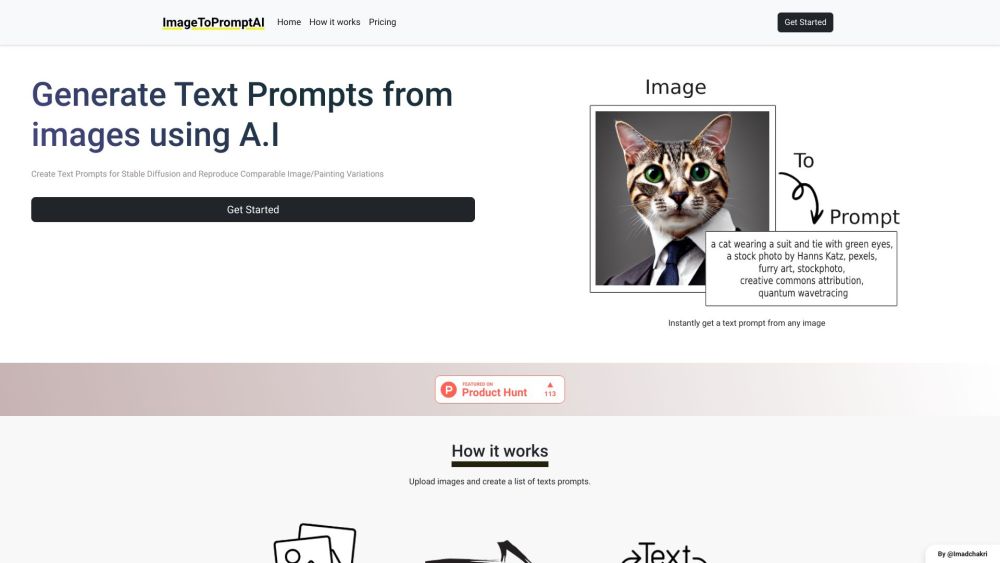
Generate creative text prompts from images effortlessly with ImageToPromptAI. Upload your images and let our AI craft precise, engaging prompts for you.

ImageToPromptAI website preview

ImageToPromptAI Website screenshot

What is ImageToPromptAI?

ImageToPromptAI is an innovative AI-driven tool designed to generate text prompts from images. Users can upload images and receive a curated list of text prompts derived from the content of their images.

How to Use ImageToPromptAI?

To start using ImageToPromptAI, create a new account or log in with your existing credentials. Once logged in, you can upload any image you wish to analyze. The AI will process these images and produce a series of relevant text prompts tailored to each image.

ImageToPromptAI's Core Features

The main features of ImageToPromptAI include: 1. AI-Based Text Prompt Generation: Automatically generate text prompts from any uploaded image. 2. Stable Diffusion: Ensures the prompts maintain consistent and reliable variations. 3. Image/Painting Variation Comparison: Facilitates the creation of comparable variations in images or paintings based on the prompts.

ImageToPromptAI's Use Cases

ImageToPromptAI can be applied in various scenarios, such as: 1. Artistic Inspiration: Artists can use the text prompts to spark new ideas or explore different artistic variations. 2. Creative Design and Advertising: Designers and advertisers can brainstorm visual content ideas or create multiple versions of an ad campaign using the generated prompts. 3. Image Content Analysis: Researchers and analysts can leverage the text prompts to interpret and analyze image content more effectively.

Product source: ImageToPromptAI official website. Check the provider for current plans, limits and availability.

FAQ

ImageToPromptAI questions and answers

Product context and practical checks for evaluating ImageToPromptAI.

What is ImageToPromptAI used for?

Generate creative text prompts from images effortlessly with ImageToPromptAI. Upload your images and let our AI craft precise, engaging prompts for you.

How do I get started with ImageToPromptAI?

To start using ImageToPromptAI, create a new account or log in with your existing credentials. Once logged in, you can upload any image you wish to analyze. The AI will process these images and produce a series of relevant text prompts tailored to each image.

Which capabilities are described for ImageToPromptAI?

The main features of ImageToPromptAI include: 1. AI-Based Text Prompt Generation: Automatically generate text prompts from any uploaded image. 2. Stable Diffusion: Ensures the prompts maintain consistent and reliable variations. 3. Image/Painting Variation Comparison: Facilitates the creation of comparable variations in images or paintings based on the prompts.

What projects can I evaluate ImageToPromptAI for?

ImageToPromptAI can be applied in various scenarios, such as: 1. Artistic Inspiration: Artists can use the text prompts to spark new ideas or explore different artistic variations. 2. Creative Design and Advertising: Designers and advertisers can brainstorm visual content ideas or create multiple versions of an ad campaign using the generated prompts. 3. Image Content Analysis: Researchers and analysts can leverage the text prompts to interpret and analyze image content more effectively. ImageToPromptAI Company Company Name: ImageToPromptAI, Inc. ImageToPromptAI Pricing Pricing Information: https://imagetopromptai.com/#pricing ImageToPromptAI Twitter Follow us on Twitter: https://twitter.com/ImadChakri

What should I compare before choosing a ImageToPromptAI plan?

Pricing Information: https://imagetopromptai.com/#pricing Confirm current prices and allowances on the provider’s website before purchasing.

What inputs should I prepare for a ImageToPromptAI trial?

Look for text prompts, image references, masks or sketches as appropriate. Compare composition control, supported upload types and the ability to revise a selected area.

How can I check the quality of a ImageToPromptAI result?

Inspect text, hands, edges, reflections and repeated objects at full size. Check that important product or brand details survive editing.

Which export options should I check in ImageToPromptAI?

Compare pixel dimensions, transparency, file formats and any enlargement options. Confirm that the downloaded result works in your design or publishing software.

What is a practical way to test ImageToPromptAI against alternatives?

Prepare a brief with a subject, composition, lighting and required output size. Test a first generation and a targeted revision to see how much control you retain.

Where is the official ImageToPromptAI website?

The website linked from this profile is https://buy.imagetopromptai.com. Use the provider’s own documentation, account area and support channels to confirm current product details.

Visit ImageToPromptAI