Writing Assistants

IdeaAize

IdeaAize is an all-in-one AI tool that leverages the power of artificial intelligence to generate high-quality, engaging content across multiple categories. It utilizes advanced natural language processing to create unique and human-like content in seconds, freeing users from writer's block and streamlining the content creation process.

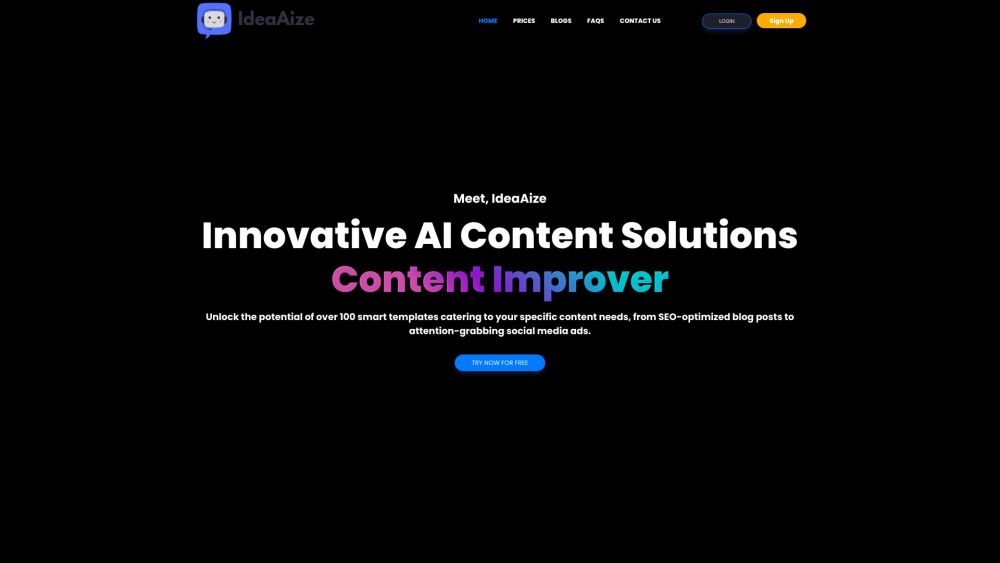
IdeaAize website preview

IdeaAize Website screenshot

Discovering IdeaAize

IdeaAize is an innovative AI platform designed to revolutionize content creation. Leveraging state-of-the-art natural language processing, it produces high-quality, engaging content across various formats in just seconds. By removing the obstacle of writer's block, IdeaAize simplifies and speeds up the content generation process.

Getting Started with IdeaAize

Using IdeaAize is straightforward. Begin by choosing a template that fits your content needs, whether it’s for emails, blogs, advertisements, social media posts, or other formats. Input the necessary information or keywords to guide the AI in crafting content that meets your specific requirements. The AI will then analyze your input and generate unique, engaging content almost instantly.

Key Features of IdeaAize

AI Chat Bots: Design interactive chatbot conversations for enhanced customer engagement.

AI Content Creation: Produce tailored, high-quality content for blogs, emails, advertisements, and more.

AI Image Generation: Describe your visual concept and let the AI create stunning images that match your vision.

AI Voiceovers: Generate clear and engaging voiceovers to bring your content to life.

AI Speech to Text: Effortlessly convert spoken words into written text.

AI Code Generation: Get the coding help you need with precise code snippets.

Team Management: Collaborate with your team to streamline content projects efficiently.

Smart Templates: Access a wide range of templates to jumpstart your content creation.

Applications of IdeaAize

Content Generation: Effortlessly create intelligent content for blogs, emails, advertisements, and more.

Chatbot Development: Create chatbots that enhance customer service and user engagement.

Image Creation: Generate stunning visuals quickly with AI-powered image creation.

Voiceover Production: Add professional AI-generated voiceovers to your content.

Speech Transcription: Convert spoken language to text with ease.

Coding Assistance: Receive coding support and precise snippets on demand.

Team Collaboration: Work seamlessly with your team to optimize content creation and management.

Product source: IdeaAize official website. Check the provider for current plans, limits and availability.

FAQ

IdeaAize questions and answers

Product context and practical checks for evaluating IdeaAize.

What is IdeaAize used for?

IdeaAize is an all-in-one AI tool that leverages the power of artificial intelligence to generate high-quality, engaging content across multiple categories. It utilizes advanced natural language processing to create unique and human-like content in seconds, freeing users from writer's block and streamlining the content creation process.

How do I get started with IdeaAize?

Using IdeaAize is straightforward. Begin by choosing a template that fits your content needs, whether it’s for emails, blogs, advertisements, social media posts, or other formats. Input the necessary information or keywords to guide the AI in crafting content that meets your specific requirements. The AI will then analyze your input and generate unique, engaging content almost instantly.

Which capabilities are described for IdeaAize?

AI Chat Bots: Design interactive chatbot conversations for enhanced customer engagement.AI Content Creation: Produce tailored, high-quality content for blogs, emails, advertisements, and more.AI Image Generation: Describe your visual concept and let the AI create stunning images that match your vision.AI Voiceovers: Generate clear and engaging voiceovers to bring your content to life.AI Speech to Text: Effortlessly convert spoken words into written text.AI Code Generation: Get the coding help you need with precise code snippets.Team Management: Collaborate with your team to streamline content projects efficiently.Smart Templates: Access a wide range of templates to jumpstart your content creation.

What projects can I evaluate IdeaAize for?

Content Generation: Effortlessly create intelligent content for blogs, emails, advertisements, and more.Chatbot Development: Create chatbots that enhance customer service and user engagement.Image Creation: Generate stunning visuals quickly with AI-powered image creation.Voiceover Production: Add professional AI-generated voiceovers to your content.Speech Transcription: Convert spoken language to text with ease.Coding Assistance: Receive coding support and precise snippets on demand.Team Collaboration: Work seamlessly with your team to optimize content creation and management. Customer Support and Contact Information For more contact details, visit our contact page. About IdeaAize Learn more about IdeaAize by visiting our about page. Login to IdeaAize Access your account at our login page. Sign Up for IdeaAize Register for an account at our sign-up page. Follow Us on Facebook Stay updated on Facebook: our Facebook page. Watch Us on YouTube Subscribe to our YouTube channel: our YouTube channel. Connect with Us on LinkedIn Join our LinkedIn network: our LinkedIn page. Follow Us on Twitter Get the latest updates on Twitter: our Twitter profile. Follow Us on Instagram See our latest posts on Instagram: our Instagram page.

What should I compare before choosing a IdeaAize plan?

Check IdeaAize’s current pricing page for included usage, renewal terms and any credit charges. Compare the cost of a usable result, including retries, rather than assuming that account registration includes free usage.

What inputs should I prepare for a IdeaAize trial?

Look for text prompts, image references, masks or sketches as appropriate. Compare composition control, supported upload types and the ability to revise a selected area.

How can I check the quality of a IdeaAize result?

Inspect text, hands, edges, reflections and repeated objects at full size. Check that important product or brand details survive editing.

Which export options should I check in IdeaAize?

Compare pixel dimensions, transparency, file formats and any enlargement options. Confirm that the downloaded result works in your design or publishing software.

What is a practical way to test IdeaAize against alternatives?

Prepare a brief with a subject, composition, lighting and required output size. Test a first generation and a targeted revision to see how much control you retain.

Where is the official IdeaAize website?

The website linked from this profile is https://ideaaize.com. Use the provider’s own documentation, account area and support channels to confirm current product details.

Visit IdeaAize