AI Advertising Assistant

HyperClapper

Boost your LinkedIn views and engagement with HyperClapper! Enjoy AI-driven comments, custom audiences, real-time analytics, and more. Achieve more with HyperClapper!

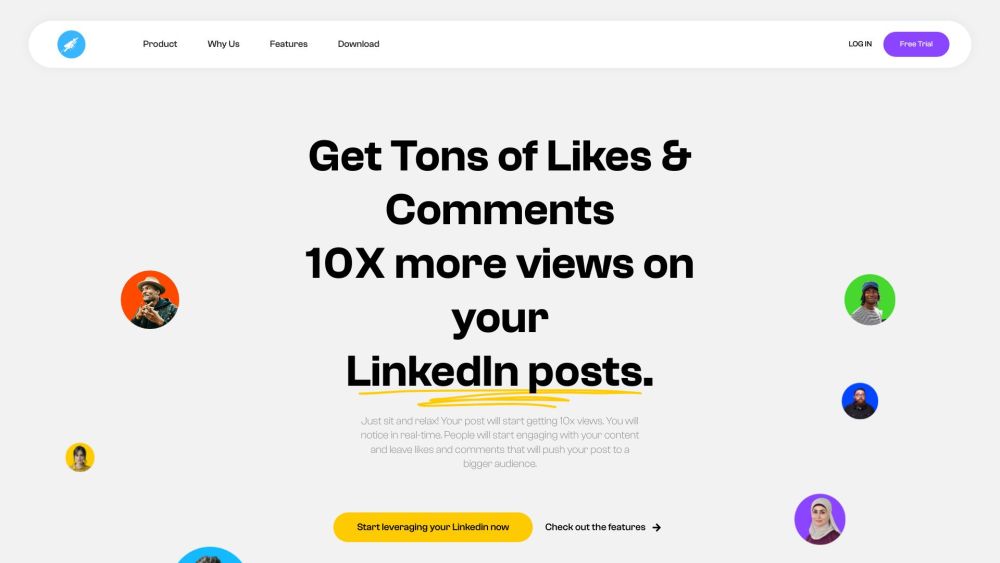
HyperClapper website preview

HyperClapper Website screenshot

Introducing HyperClapper: Elevate Your LinkedIn Presence

Are you looking to supercharge your LinkedIn engagement? Meet HyperClapper - the ultimate LinkedIn tool designed to increase views and user interaction on your posts. With cutting-edge features like AI Comment/Reply, Dwell Time monitoring, Custom Audience targeting, Real-time Active Users tracking, and in-depth LinkedIn Analytics, HyperClapper is your go-to solution for optimizing your LinkedIn strategy.

Harnessing the Power of HyperClapper

Utilizing HyperClapper is straightforward - simply link your LinkedIn profile, join relevant pods or groups, and start sharing your posts. Watch as members from these pods engage with your content, leading to a surge in views, likes, and comments, ultimately boosting your LinkedIn presence.

Key Features of HyperClapper

AI Comment/Reply

Dwell Time Monitoring

Targeted Custom Audience

Real-time Active Users Tracking

Comprehensive LinkedIn Analytics

Unlocking HyperClapper's Potential

Enhancing LinkedIn Posts

Driving User Engagement

Reaching a Wider Audience

Product source: HyperClapper official website. Check the provider for current plans, limits and availability.

FAQ

HyperClapper questions and answers

Product context and practical checks for evaluating HyperClapper.

What is HyperClapper used for?

Boost your LinkedIn views and engagement with HyperClapper! Enjoy AI-driven comments, custom audiences, real-time analytics, and more. Achieve more with HyperClapper!

How do I get started with HyperClapper?

Open the official HyperClapper website and identify the workflow that matches your task. Choose a question with known sources and a checkable result. Compare citation accuracy, omissions and reproducibility rather than response length.

Which capabilities are described for HyperClapper?

AI Comment/ReplyDwell Time MonitoringTargeted Custom AudienceReal-time Active Users TrackingComprehensive LinkedIn Analytics

What should I compare before choosing a HyperClapper plan?

Find out more about HyperClapper's pricing at https://hyperclapper.com/#Pricing Confirm current prices and allowances on the provider’s website before purchasing.

What inputs should I prepare for a HyperClapper trial?

Check supported documents, datasets and source access. Establish whether the product can inspect your actual material rather than answer from general knowledge.

How can I check the quality of a HyperClapper result?

Follow citations to the original source, recalculate important numbers and check the date and scope of the evidence. Distinguish an explanation from a verified result.

Which export options should I check in HyperClapper?

Look for usable citations, tables, downloadable data and reproducible steps. A clear answer should let another person inspect how the conclusion was reached.

What is a practical way to test HyperClapper against alternatives?

Choose a question with known sources and a checkable result. Compare citation accuracy, omissions and reproducibility rather than response length.

What should I review before uploading material to HyperClapper?

Read the provider’s rules on access, retention, deletion and use of uploaded material. Start with a non-confidential sample that you have permission to use.

Where is the official HyperClapper website?

The website linked from this profile is https://hyperclapper.com. Use the provider’s own documentation, account area and support channels to confirm current product details.

Visit HyperClapper