AI Rewriter

Humanify AI

Humanify AI: Elevate your writing, spot AI content instantly, and transform robotic text into authentically human prose—fast, smart, trusted.

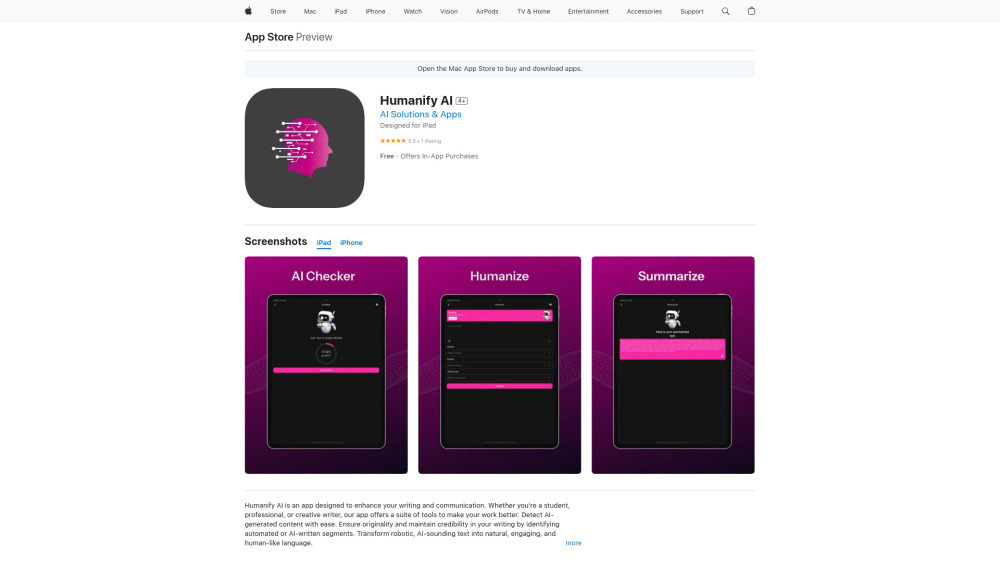
Humanify AI website preview

Humanify AI Website screenshot

What Is Humanify AI?

Humanify AI is a next-generation writing intelligence platform built to bridge the gap between artificial efficiency and authentic human expression. It empowers users to elevate clarity, voice, and credibility across every piece of written content—without sacrificing speed or scalability. At its core, Humanify AI helps you *enhance* your writing with intelligent suggestions, *detect* AI-generated text with high accuracy for integrity assurance, and *humanize* machine-crafted language so it resonates with real readers—complete with nuance, rhythm, and emotional resonance.

How to Get Started with Humanify AI

Getting started is simple: download Humanify AI from the Apple App Store. Optimized natively for Apple ecosystems, it runs seamlessly on iPhone, iPad, iPod touch, Mac (macOS 11.0+, Apple M1 chip or newer), and Apple Vision (visionOS 1.0+). Launch the app, paste or import your text, and instantly access three powerful workflows—refine, verify, or rewrite—to bring authenticity back into your words.

Humanify AI’s Core Capabilities

AI-Powered Writing Enhancement — Smarter, clearer, more persuasive

AI Content Detection — Trusted verification for academic, editorial, and compliance needs

Humanization Engine — Rewrites AI output into natural, context-aware, stylistically rich prose

Who Benefits from Humanify AI?

Students seeking polished, original essays and research submissions that reflect genuine critical thinking.

Business professionals crafting emails, proposals, and executive summaries that build trust—not suspicion.

Content creators and marketers transforming AI drafts into compelling, brand-aligned narratives.

Educators and editors verifying authorship and supporting ethical AI literacy in learning environments.

Writers who want to retain creative control—using AI as a collaborator, not a substitute.

Product source: Humanify AI official website. Check the provider for current plans, limits and availability.

FAQ

Humanify AI questions and answers

Product context and practical checks for evaluating Humanify AI.

What is Humanify AI used for?

Humanify AI: Elevate your writing, spot AI content instantly, and transform robotic text into authentically human prose—fast, smart, trusted.

How do I get started with Humanify AI?

Getting started is simple: download Humanify AI from the Apple App Store. Optimized natively for Apple ecosystems, it runs seamlessly on iPhone, iPad, iPod touch, Mac (macOS 11.0+, Apple M1 chip or newer), and Apple Vision (visionOS 1.0+). Launch the app, paste or import your text, and instantly access three powerful workflows—refine, verify, or rewrite—to bring authenticity back into your words.

Which capabilities are described for Humanify AI?

AI-Powered Writing Enhancement — Smarter, clearer, more persuasiveAI Content Detection — Trusted verification for academic, editorial, and compliance needsHumanization Engine — Rewrites AI output into natural, context-aware, stylistically rich prose

What should I compare before choosing a Humanify AI plan?

Check Humanify AI’s current pricing page for included usage, renewal terms and any credit charges. Compare the cost of a usable result, including retries, rather than assuming that account registration includes free usage.

What inputs should I prepare for a Humanify AI trial?

Look for text prompts, image references, masks or sketches as appropriate. Compare composition control, supported upload types and the ability to revise a selected area.

How can I check the quality of a Humanify AI result?

Inspect text, hands, edges, reflections and repeated objects at full size. Check that important product or brand details survive editing.

Which export options should I check in Humanify AI?

Compare pixel dimensions, transparency, file formats and any enlargement options. Confirm that the downloaded result works in your design or publishing software.

What is a practical way to test Humanify AI against alternatives?

Prepare a brief with a subject, composition, lighting and required output size. Test a first generation and a targeted revision to see how much control you retain.

What should I review before uploading material to Humanify AI?

Read the provider’s rules on access, retention, deletion and use of uploaded material. Start with a non-confidential sample that you have permission to use.

Where is the official Humanify AI website?

The website linked from this profile is https://apps.apple.com/us/app/humanify-ai/id6740541272. Use the provider’s own documentation, account area and support channels to confirm current product details.

Visit Humanify AI