AI Content Generator

Hookle

Boost your SME's social media game with Hookle! Powered by ChatGPT, create & schedule posts across platforms in seconds. Save time, stay focused. Try now!

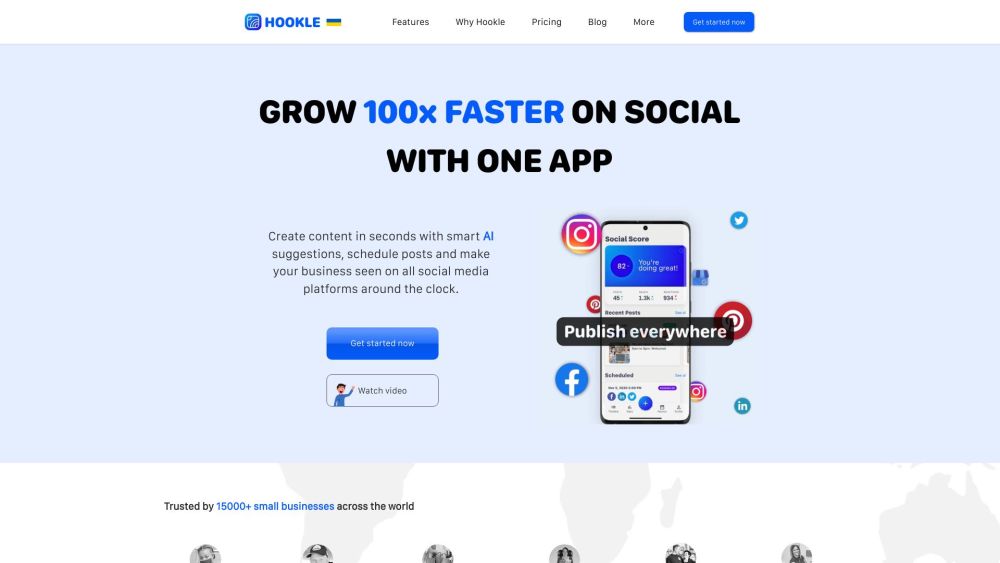
Hookle website preview

Hookle Website screenshot

What is Hookle?

Hookle is a versatile social media management app designed for small and medium enterprises (SMEs). Leveraging the power of ChatGPT, it enables businesses to swiftly create and schedule posts across various social platforms, all from one central app. This not only saves time but also allows businesses to maintain focus on their core operations.

How to Use Hookle?

To get started with Hookle, follow these steps: 1. Download the Hookle app from your preferred app store and sign up for free. 2. Connect all your social media accounts through Hookle. 3. Use the unified dashboard to view and manage all your social posts, with step-by-step guidance. 4. Utilize the AI-driven content suggestions to generate posts quickly and schedule them across your channels. 5. Analyze your social media performance using Hookle’s straightforward analytics, and refine your strategy based on the insights.

Hookle's Core Features

AI-driven content creation for efficiency

Capability to schedule posts on multiple platforms

Unified dashboard for all social media activities

Comprehensive social media analytics

Integration with Unsplash for high-quality images

Support for team collaboration in social media management

Hookle's Use Cases

SMEs aiming to streamline their social media efforts

Businesses looking to boost their social media presence and engagement

Companies needing an easy-to-use social media planning tool

Entrepreneurs and authors seeking effective customer outreach

Pet stores enhancing their visibility in the pet market

Product source: Hookle official website. Check the provider for current plans, limits and availability.

FAQ

Hookle questions and answers

Product context and practical checks for evaluating Hookle.

What is Hookle used for?

Boost your SME's social media game with Hookle! Powered by ChatGPT, create & schedule posts across platforms in seconds. Save time, stay focused. Try now!

How do I get started with Hookle?

To get started with Hookle, follow these steps: 1. Download the Hookle app from your preferred app store and sign up for free. 2. Connect all your social media accounts through Hookle. 3. Use the unified dashboard to view and manage all your social posts, with step-by-step guidance. 4. Utilize the AI-driven content suggestions to generate posts quickly and schedule them across your channels. 5. Analyze your social media performance using Hookle’s straightforward analytics, and refine your strategy based on the insights.

Which capabilities are described for Hookle?

AI-driven content creation for efficiencyCapability to schedule posts on multiple platformsUnified dashboard for all social media activitiesComprehensive social media analyticsIntegration with Unsplash for high-quality imagesSupport for team collaboration in social media management

What projects can I evaluate Hookle for?

SMEs aiming to streamline their social media effortsBusinesses looking to boost their social media presence and engagementCompanies needing an easy-to-use social media planning toolEntrepreneurs and authors seeking effective customer outreachPet stores enhancing their visibility in the pet market Hookle Support Email & Customer Service Contact For customer service, contact Hookle at: [email protected]. For more information, visit the contact us page(mailto:[email protected]?subject=Feedback from hookle.net:). Hookle Company Learn more about Hookle at the about us page(https://www.hookle.net/company). Hookle Pricing For pricing details, visit: https://www.hookle.net/pricing. Hookle on Social Media Follow Hookle on: Facebook, YouTube, LinkedIn, Twitter, Instagram, Pinterest.

What should I compare before choosing a Hookle plan?

For pricing details, visit: https://www.hookle.net/pricing. Confirm current prices and allowances on the provider’s website before purchasing.

What inputs should I prepare for a Hookle trial?

Identify the files, text or account connections your task needs. Confirm that the product accepts those inputs and offers controls for reviewing its work.

How can I check the quality of a Hookle result?

Test one representative task and inspect the result for accuracy and completeness. Record where manual corrections or extra tools are needed.

Which export options should I check in Hookle?

Check export formats, integrations and whether you can keep using your work outside the service. Test a real export before committing to a longer plan.

What is a practical way to test Hookle against alternatives?

Choose one task with a clear success condition. Keep the input consistent, record the time spent reviewing and compare the complete workflow cost.

Where is the official Hookle website?

The website linked from this profile is https://hookle.net. Use the provider’s own documentation, account area and support channels to confirm current product details.

Visit Hookle