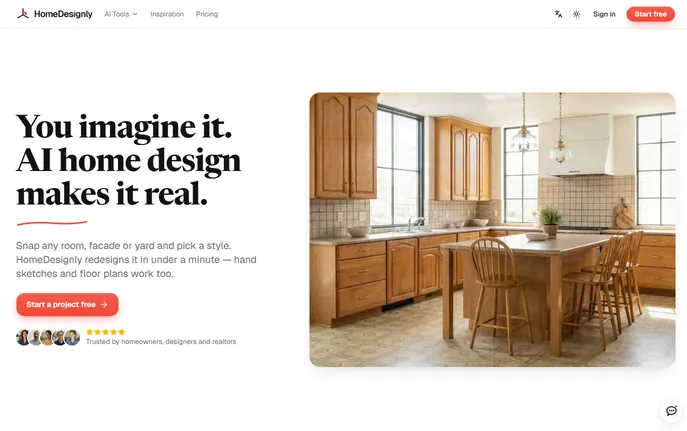
What is HomeDesignly?
HomeDesignly AI is a free, web-based design assistant that transforms ordinary photos into stunning, photorealistic visualizations of redesigned interiors, building facades, and outdoor spaces—in seconds. Whether you're planning a DIY refresh or preparing professional client presentations, HomeDesignly lets you preview real-world changes without costly mockups or physical samples. Accessible directly in your browser and spotlighted on platforms like aitop-tools.com, it accepts photos, hand-drawn sketches, floor plans, and 3D model exports to generate high-fidelity design alternatives instantly.
How to Use HomeDesignly
Getting started takes just three steps: upload a well-lit, front-facing image of your space (or import a sketch, plan, or screenshot from SketchUp, Revit, or Rhino), select your goal—such as “Modernize Living Room” or “Refresh Front Facade”—then choose a style, material palette, or furniture theme. Within moments, you’ll receive a lifelike render. Refine with side-by-side comparisons, toggle between finishes, swap furnishings, or generate shareable before-and-after slides or transformation videos—ideal for listings, proposals, or personal decision-making.
Key Features of HomeDesignly
- Intelligent Room Redesign: Preserve structural integrity—walls, doors, windows, and perspective stay fixed while AI reimagines flooring, lighting, cabinetry, and layout options for fair, realistic comparison.
- Smart Virtual Staging & Cleanup: Instantly furnish empty rooms or digitally remove clutter, outdated décor, or personal belongings—perfect for real estate agents, short-term rental hosts, and home sellers.
- Façade & Landscape Visualization: Experiment with cladding materials, window styles, roofing textures, hardscaping elements, and seasonal planting schemes—all overlaid accurately onto your existing exterior or garden photo.
- Multiformat Input Support: No need to start from scratch: upload photos, PDF plans, scanned sketches, or viewport captures from CAD/BIM tools to jumpstart professional-grade visuals—no plugins or software installs required.
Why Choose HomeDesignly?
Make confident, cost-conscious decisions by testing dozens of aesthetic directions in minutes—not weeks. Free starter credits let you explore risk-free; flexible subscription tiers ($12.99/month for creators, $29.99/month for teams) include monthly credit allowances, while one-time credit packs offer unlimited validity for occasional users. Seamlessly bridge the gap between concept and reality—without disrupting your current design stack or learning new software.
Use Cases and Applications
Homeowners use HomeDesignly to trial bold wall colors, test tile patterns against natural light, or visualize backyard expansions. Real estate professionals stage vacant properties across multiple markets in under a minute. Architects and landscape designers rapidly iterate façade treatments or garden layouts for client feedback—turning abstract ideas into tangible, persuasive visuals before construction begins.