AI Photo &amp Image Generator

HeyPhoto AI Photo Editor

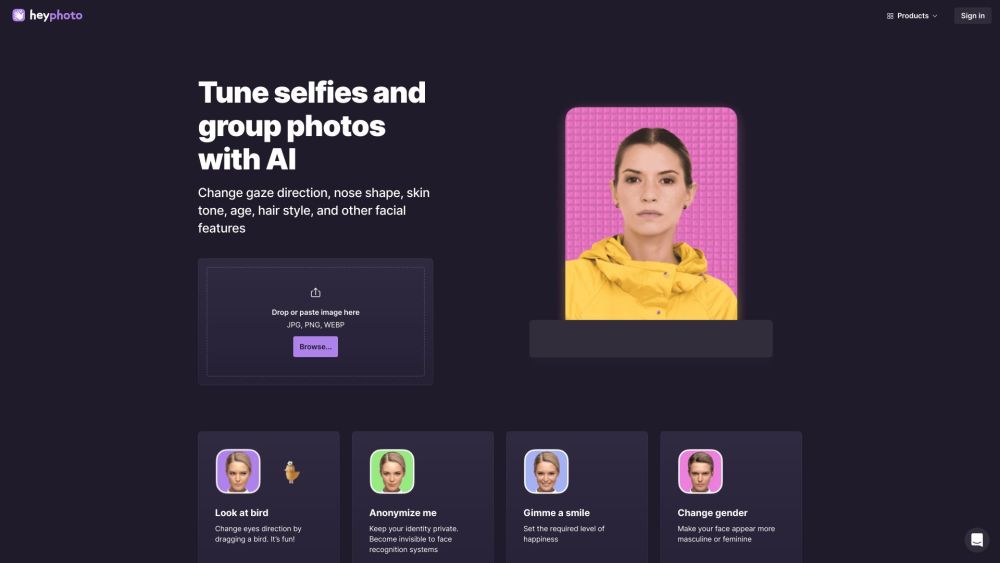
HeyPhoto is a free AI photo editor that uses artificial intelligence to make various changes to photos. Users can modify faces by making them smile, changing hairstyles, adding emotions, makeup, and even edit age. The service is available online and can be accessed with just a few clicks.

HeyPhoto AI Photo Editor website preview

HeyPhoto AI Photo Editor Online Website screenshot

What is HeyPhoto AI Photo Editor Online?

HeyPhoto is an online AI photo editor that leverages advanced artificial intelligence to enhance and modify photos effortlessly. Users can apply a variety of changes such as making a face smile, altering hairstyles, adding emotions, applying makeup, and even editing age. Accessible online, this tool requires only a few clicks to get started.

How to use HeyPhoto AI Photo Editor Online?

Using HeyPhoto is straightforward. Visit the website, upload your photo, and let the AI detect the faces in the image. From there, users can select from a suite of editing tools to make the desired adjustments. No special skills are needed, and once the edits are complete, the photo can be saved or downloaded directly.

HeyPhoto AI Photo Editor Online's Core Features

Change faces online: make a smiling face, change hairstyles, add emotions, makeup, and edit age

AI-powered photo editing

Face detection and recognition

Ability to adjust various facial features

Enhance image resolution with AI

Remove the background from any photo

Make production-quality face swaps with AI

Generate unique and expressive AI-generated faces in real time

HeyPhoto AI Photo Editor Online's Use Cases

Tune selfies and group photos with AI

Anonymize yourself and protect your identity

Improve dating profile pictures

Experiment with different facial features and expressions

Create realistic headshots using AI

Enhance image resolution

Remove unwanted backgrounds

Create production-quality face swaps

Generate unique AI-generated faces

Product source: HeyPhoto AI Photo Editor official website. Check the provider for current plans, limits and availability.

FAQ

HeyPhoto AI Photo Editor questions and answers

Product context and practical checks for evaluating HeyPhoto AI Photo Editor.

What is HeyPhoto AI Photo Editor used for?

HeyPhoto is a free AI photo editor that uses artificial intelligence to make various changes to photos. Users can modify faces by making them smile, changing hairstyles, adding emotions, makeup, and even edit age. The service is available online and can be accessed with just a few clicks.

How do I get started with HeyPhoto AI Photo Editor?

Using HeyPhoto is straightforward. Visit the website, upload your photo, and let the AI detect the faces in the image. From there, users can select from a suite of editing tools to make the desired adjustments. No special skills are needed, and once the edits are complete, the photo can be saved or downloaded directly.

Which capabilities are described for HeyPhoto AI Photo Editor?

Change faces online: make a smiling face, change hairstyles, add emotions, makeup, and edit ageAI-powered photo editingFace detection and recognitionAbility to adjust various facial featuresEnhance image resolution with AIRemove the background from any photoMake production-quality face swaps with AIGenerate unique and expressive AI-generated faces in real time

What projects can I evaluate HeyPhoto AI Photo Editor for?

Tune selfies and group photos with AIAnonymize yourself and protect your identityImprove dating profile picturesExperiment with different facial features and expressionsCreate realistic headshots using AIEnhance image resolutionRemove unwanted backgroundsCreate production-quality face swapsGenerate unique AI-generated faces HeyPhoto AI Photo Editor Online Support Email & Customer service contact & Refund contact etc. For more contact information, visit the contact us page. HeyPhoto AI Photo Editor Online Company Company name: Icons8 LLC For more about HeyPhoto, please visit the about us page. HeyPhoto AI Photo Editor Online Pricing For pricing details, visit the pricing page. HeyPhoto AI Photo Editor Online Facebook Follow us on Facebook: https://www.facebook.com/Icons8 HeyPhoto AI Photo Editor Online Youtube Subscribe to our Youtube channel: https://www.youtube.com/channel/UCRXYx6Qg7kgH0EAqa-Gl0HA HeyPhoto AI Photo Editor Online Tiktok Follow us on Tiktok: https://www.tiktok.com/@icons8_creators HeyPhoto AI Photo Editor Online Linkedin Connect with us on Linkedin: https://www.linkedin.com/company/icons8-llc/ HeyPhoto AI Photo Editor Online Twitter Follow us on Twitter: https://twitter.com/icons_8 HeyPhoto AI Photo Editor Online Instagram Follow us on Instagram: https://www.instagram.com/icons8 HeyPhoto AI Photo Editor Online Pinterest Check out our Pinterest: https://www.pinterest.ru/visualpharm/

What should I compare before choosing a HeyPhoto AI Photo Editor plan?

For pricing details, visit the pricing page. Confirm current prices and allowances on the provider’s website before purchasing.

What inputs should I prepare for a HeyPhoto AI Photo Editor trial?

Compare text prompts, reference frames, source footage and audio support. Check duration, aspect ratio and whether the tool lets you keep a subject consistent between shots.

How can I check the quality of a HeyPhoto AI Photo Editor result?

Watch the entire clip for motion errors, distorted objects, changing identities, lip-sync problems and abrupt transitions. Inspect the downloaded file as well as the preview.

Which export options should I check in HeyPhoto AI Photo Editor?

Check export resolution, frame rate, aspect ratio, audio tracks and watermark rules. A good preview is not a substitute for an export that fits your publishing channel.

What is a practical way to test HeyPhoto AI Photo Editor against alternatives?

Use a short shot with one subject and one camera movement. Keep the prompt and duration constant, then compare usable seconds and the number of regenerations.

Where is the official HeyPhoto AI Photo Editor website?

The website linked from this profile is https://hey-photo.com. Use the provider’s own documentation, account area and support channels to confirm current product details.

Visit HeyPhoto AI Photo Editor