AI Product Description Generator

Height

Height is an all-in-one project management tool that evolves with your company. It centralizes tasks and project conversations, making it easier for teams to collaborate and stay aligned. With features like spreadsheet, Kanban, calendar, Gantt chart, automations, code to task, task forms, and time tracking, Height offers a flexible and powerful solution for managing projects. It is trusted by fast-growing companies and integrates with popular tools like GitHub, Figma, and Zendesk to keep tasks always up-to-date.

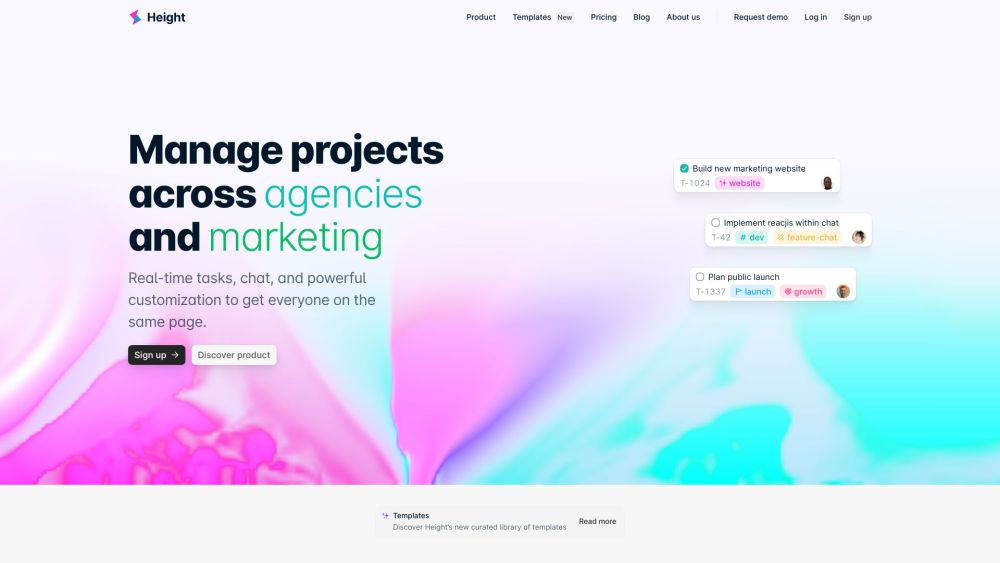
Height website preview

Height Website screenshot

What is Height?

Height is a comprehensive project management platform designed to grow alongside your team. It brings together task management and team communication in one place, simplifying collaboration and ensuring alignment across projects. With tools like spreadsheets, Kanban boards, calendars, Gantt charts, automation, code linking, task forms, and time tracking, Height provides a robust solution for handling all aspects of project management. It’s trusted by dynamic teams and integrates smoothly with platforms like GitHub, Figma, and Zendesk to keep your workflow up-to-date.

How to Get Started with Height?

To begin using Height, you first need to sign up and log in to your account. Once logged in, you can start by creating projects and assigning tasks to your team members. With multiple ways to visualize tasks—such as spreadsheet views, Kanban boards, calendars, or Gantt charts—you can easily organize tasks according to your team’s needs. Height’s automation features simplify repetitive processes, while its integrations ensure seamless collaboration with external tools. The built-in task chat rooms allow for easy communication and file sharing, keeping everything in one place.

Key Features of Height

Spreadsheet: Manage tasks and project data with a familiar, spreadsheet-style interface.

Kanban: Use a Kanban board to visualize tasks and track progress effortlessly.

Calendar: Organize and view tasks through a clear, calendar-based layout.

Gantt Charts: Plan and follow project timelines with Gantt chart functionality.

Automations: Automate repetitive tasks to streamline your workflow and save time.

Code to Task: Connect GitHub repositories to tasks, ensuring smoother development collaboration.

Task Forms: Collect essential information for tasks using customizable forms.

Time Tracking: Keep track of the time spent on various tasks and projects.

Integrations: Sync Height with GitHub, Figma, Zendesk, and other popular tools for real-time updates.

Height for Agencies: Features tailored for agency workflows, ensuring smoother collaboration with clients.

Height’s Use Cases

Centralize project communication and align team efforts.

Simplify task and project management in one unified platform.

Enhance collaboration by integrating your favorite tools.

Track tasks using various views like Kanban, spreadsheets, and Gantt charts.

Boost productivity by automating routine processes.

Capture important task-specific details with customizable forms.

Track time spent on tasks and optimize team productivity.

Collaborate seamlessly with cross-functional teams through built-in chat rooms.

Manage complex timelines and project phases with Gantt charts.

Tailor workflows to suit the unique needs of your team.

Product source: Height official website. Check the provider for current plans, limits and availability.

FAQ

Height questions and answers

Product context and practical checks for evaluating Height.

What is Height used for?

Height is an all-in-one project management tool that evolves with your company. It centralizes tasks and project conversations, making it easier for teams to collaborate and stay aligned. With features like spreadsheet, Kanban, calendar, Gantt chart, automations, code to task, task forms, and time tracking, Height offers a flexible and powerful solution for managing projects. It is trusted by fast-growing companies and integrates with popular tools like GitHub, Figma, and Zendesk to keep tasks always up-to-date.

How do I get started with Height?

To begin using Height, you first need to sign up and log in to your account. Once logged in, you can start by creating projects and assigning tasks to your team members. With multiple ways to visualize tasks—such as spreadsheet views, Kanban boards, calendars, or Gantt charts—you can easily organize tasks according to your team’s needs. Height’s automation features simplify repetitive processes, while its integrations ensure seamless collaboration with external tools. The built-in task chat rooms allow for easy communication and file sharing, keeping everything in one place.

Which capabilities are described for Height?

Spreadsheet: Manage tasks and project data with a familiar, spreadsheet-style interface.Kanban: Use a Kanban board to visualize tasks and track progress effortlessly.Calendar: Organize and view tasks through a clear, calendar-based layout.Gantt Charts: Plan and follow project timelines with Gantt chart functionality.Automations: Automate repetitive tasks to streamline your workflow and save time.Code to Task: Connect GitHub repositories to tasks, ensuring smoother development collaboration.Task Forms: Collect essential information for tasks using customizable forms.Time Tracking: Keep track of the time spent on various tasks and projects.Integrations: Sync Height with GitHub, Figma, Zendesk, and other popular tools for real-time updates.Height for Agencies: Features tailored for agency workflows, ensuring smoother collaboration with clients.

What projects can I evaluate Height for?

Centralize project communication and align team efforts.Simplify task and project management in one unified platform.Enhance collaboration by integrating your favorite tools.Track tasks using various views like Kanban, spreadsheets, and Gantt charts.Boost productivity by automating routine processes.Capture important task-specific details with customizable forms.Track time spent on tasks and optimize team productivity.Collaborate seamlessly with cross-functional teams through built-in chat rooms.Manage complex timelines and project phases with Gantt charts.Tailor workflows to suit the unique needs of your team. Height Login Height Login Link: https://height.app/signin

What should I compare before choosing a Height plan?

Check Height’s current pricing page for included usage, renewal terms and any credit charges. Compare the cost of a usable result, including retries, rather than assuming that account registration includes free usage.

What inputs should I prepare for a Height trial?

Look for text prompts, image references, masks or sketches as appropriate. Compare composition control, supported upload types and the ability to revise a selected area.

How can I check the quality of a Height result?

Inspect text, hands, edges, reflections and repeated objects at full size. Check that important product or brand details survive editing.

Which export options should I check in Height?

Compare pixel dimensions, transparency, file formats and any enlargement options. Confirm that the downloaded result works in your design or publishing software.

What is a practical way to test Height against alternatives?

Prepare a brief with a subject, composition, lighting and required output size. Test a first generation and a targeted revision to see how much control you retain.

Where is the official Height website?

The website linked from this profile is https://height.app. Use the provider’s own documentation, account area and support channels to confirm current product details.

Visit Height