AI Transcriber

Heidi Health

Heidi Health: AI medical scribe that transcribes patient visits in real time & auto-generates accurate, compliant clinical notes—saving hours weekly.

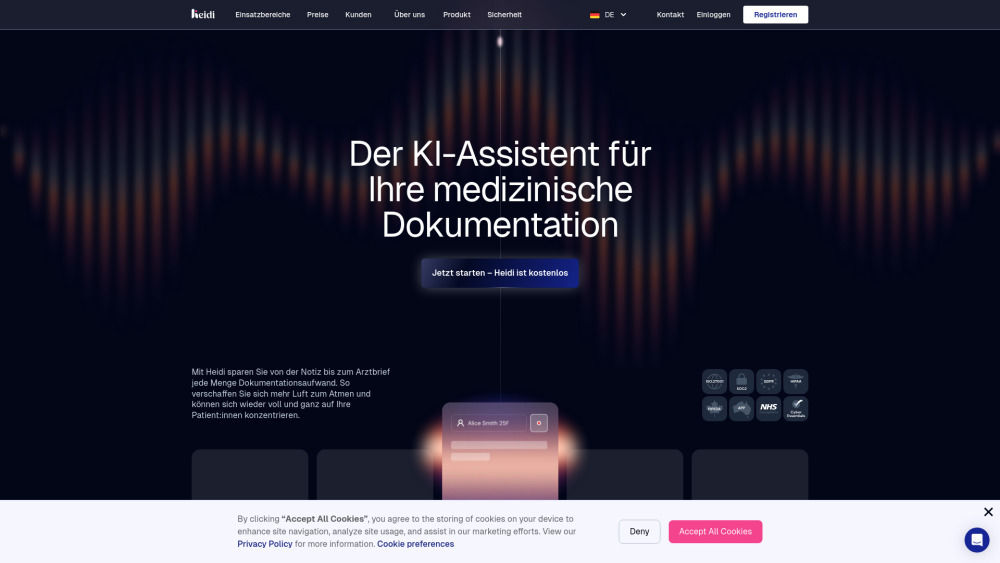
Heidi Health website preview

Heidi Health Website screenshot

Introducing Heidi Health: Real-Time Visit Transcription & Auto Clinical Notes

Heidi Health is a next-generation AI clinical documentation platform built for speed, accuracy, and clinician autonomy. It captures patient encounters in real time—converting spoken dialogue into structured, compliant clinical notes without manual dictation or after-visit charting. By intelligently interpreting context, intent, and clinical nuance, Heidi empowers providers to reclaim over 50% of their documentation time—freeing them to listen deeper, diagnose smarter, and care more humanly. Trusted by over 20,000 clinicians across 50+ countries, it processes more than 1.5 million patient interactions weekly with enterprise-grade reliability.

Getting Started with Heidi Health

Launch clinical documentation in seconds—not hours: 1. Start Live Capture: Initiate transcription at the onset of any visit (in-person, telehealth, or hybrid). Heidi listens, understands, and segments speech in real time—even during overlapping dialogue or clinical interruptions. 2. Refine & Personalize: Apply your specialty-specific template, adjust tone or detail level, or prompt Heidi to highlight psychosocial cues, red flags, or follow-up items. 3. Act & Export: Use natural-language commands—“Draft referral to cardiology,” “Add ICD-10 and CPT codes,” or “Summarize for patient handout”—and generate polished outputs in one click.

Powering Precision Documentation: Core Capabilities

Real-time, speaker-aware transcription with clinical intent recognition

Adaptive, specialty-optimized note templates (customizable or community-sourced)

Conversational AI commands for dynamic note editing and expansion

Context Type tagging for mid-visit annotations (e.g., “Add safety plan” or “Insert lab result interpretation”)

Persistent clinician memory—learns preferences, corrections, and workflow habits

Role-based team collaboration with audit trails and version control

Native multilingual transcription and note generation (English, Spanish, French, German, Arabic, and more)

One-click document automation: discharge summaries, progress notes, insurance letters, and handover reports

Template library with peer-reviewed, specialty-vetted frameworks

End-to-end encrypted infrastructure, certified to HIPAA, GDPR, ISO 27001:2022, SOC 2, NHS DSPT, and PIPEDA standards

Who Benefits from Heidi Health?

Psychologists & psychiatrists streamlining mental status exams and treatment plans

Dietitians and nutritionists documenting intake analysis, goals, and behavioral insights

Veterinarians capturing species-specific histories, exam findings, and client education

Physicians (MDs, DOs, MBBS) across primary care, pediatrics, geriatrics, and subspecialties

Nurses and NPs generating timely, audit-ready shift notes and care coordination summaries

Occupational, physical, and speech therapists documenting functional assessments and interventions

Podiatrists and dermatologists recording lesion descriptions, procedural details, and wound tracking

Clinics, group practices, hospitals, and telehealth platforms standardizing documentation at scale

Product source: Heidi Health official website. Check the provider for current plans, limits and availability.

FAQ

Heidi Health questions and answers

Product context and practical checks for evaluating Heidi Health.

What is Heidi Health used for?

Heidi Health: AI medical scribe that transcribes patient visits in real time & auto-generates accurate, compliant clinical notes—saving hours weekly.

How do I get started with Heidi Health?

Launch clinical documentation in seconds—not hours: 1. Start Live Capture: Initiate transcription at the onset of any visit (in-person, telehealth, or hybrid). Heidi listens, understands, and segments speech in real time—even during overlapping dialogue or clinical interruptions. 2. Refine & Personalize: Apply your specialty-specific template, adjust tone or detail level, or prompt Heidi to highlight psychosocial cues, red flags, or follow-up items. 3. Act & Export: Use natural-language commands—“Draft referral to cardiology,” “Add ICD-10 and CPT codes,” or “Summarize for patient handout”—and generate polished outputs in one click.

Which capabilities are described for Heidi Health?

Real-time, speaker-aware transcription with clinical intent recognitionAdaptive, specialty-optimized note templates (customizable or community-sourced)Conversational AI commands for dynamic note editing and expansionContext Type tagging for mid-visit annotations (e.g., “Add safety plan” or “Insert lab result interpretation”)Persistent clinician memory—learns preferences, corrections, and workflow habitsRole-based team collaboration with audit trails and version controlNative multilingual transcription and note generation (English, Spanish, French, German, Arabic, and more)One-click document automation: discharge summaries, progress notes, insurance letters, and handover reportsTemplate library with peer-reviewed, specialty-vetted frameworksEnd-to-end encrypted infrastructure, certified to HIPAA, GDPR, ISO 27001:2022, SOC 2, NHS DSPT, and PIPEDA standards

What should I compare before choosing a Heidi Health plan?

Check Heidi Health’s current pricing page for included usage, renewal terms and any credit charges. Compare the cost of a usable result, including retries, rather than assuming that account registration includes free usage.

What inputs should I prepare for a Heidi Health trial?

Compare recording length, file types, language support and speaker handling. For voice generation, check pronunciation controls and permission to use any reference voice.

How can I check the quality of a Heidi Health result?

Listen for mispronounced names, unnatural pauses, clipped words and noise. For transcripts, compare the text with the recording and correct speaker labels.

Which export options should I check in Heidi Health?

Check audio format, sample rate, separate tracks, captions and timestamp exports. Confirm that the result works in your editing or accessibility workflow.

What is a practical way to test Heidi Health against alternatives?

Use a short recording with names, numbers and more than one speaker, or a script with difficult pronunciation. Review the exported audio or transcript in full.

What should I review before uploading material to Heidi Health?

Read the provider’s rules on access, retention, deletion and use of uploaded material. Start with a non-confidential sample that you have permission to use.

Where is the official Heidi Health website?

The website linked from this profile is https://www.heidihealth.com. Use the provider’s own documentation, account area and support channels to confirm current product details.

Visit Heidi Health