Copywriting

Goodmeetings

Goodmeetings is an AI-powered Meeting Insights and Automation Platform for High-Performance Revenue Teams. It helps sales and customer success teams improve their performance by recording calls and customer meetings, generating AI-curated summaries and notes, and providing coaching and collaboration tools.

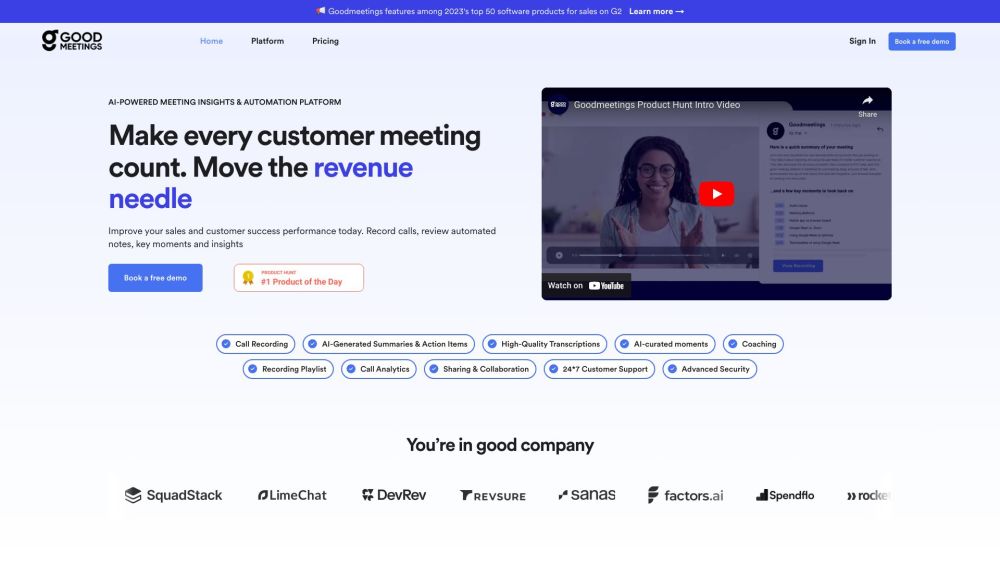
Goodmeetings website preview
html

Goodmeetings Website screenshot

Overview of Goodmeetings

Goodmeetings is an advanced AI-driven platform designed to enhance the efficiency of high-performing revenue teams. It assists sales and customer success teams by recording meetings and calls, creating AI-powered summaries and action items, and offering tools for coaching and team collaboration.

Getting Started with Goodmeetings

Here’s how to begin using Goodmeetings:

  1. Create a Goodmeetings workspace and initiate a 30-day free trial.
  2. Invite team members, set up workspace rules, analytics, and notifications.
  3. Integrate your calendar to automatically record meetings and sync with your CRM and task management tools.

Key Features of Goodmeetings

Meeting Recordings: Capture all your calls and meetings, removing the need for manual note-taking and CRM updates.

AI-Curated Summaries & Action Items: Automatically generate detailed summaries and actionable items using AI.

Accurate Transcriptions: Receive precise transcriptions of your meetings.

Highlighted Moments: Identify and highlight significant moments during meetings with AI.

Coaching Tools: Utilize meeting insights for coaching team members on optimal practices and strategies.

Call Analytics: Gain valuable insights from your meetings through advanced call analytics.

Collaboration & Sharing: Share key insights and customer feedback with your team and assign follow-up actions.

24/7 Support: Access round-the-clock customer support.

Enhanced Security: Safeguard your data with state-of-the-art security features.

Applications of Goodmeetings

Boosting Sales Performance: Use insights from meetings to enhance the sales process and close more deals.

Customer Success Strategies: Develop effective playbooks for new team members using customer insights.

Scaling Remote Sales: Efficiently scale remote sales operations by reaching more customers and generating leads.

Tailored Customer Solutions: Provide personalized solutions by leveraging meeting insights.

Enhancing Cross-Team Collaboration: Improve processes and develop targeted messaging by collaborating across different teams.

Product source: Goodmeetings official website. Check the provider for current plans, limits and availability.

FAQ

Goodmeetings questions and answers

Product context and practical checks for evaluating Goodmeetings.

What is Goodmeetings used for?

Goodmeetings is an AI-powered Meeting Insights and Automation Platform for High-Performance Revenue Teams. It helps sales and customer success teams improve their performance by recording calls and customer meetings, generating AI-curated summaries and notes, and providing coaching and collaboration tools.

How do I get started with Goodmeetings?

Here’s how to begin using Goodmeetings: Create a Goodmeetings workspace and initiate a 30-day free trial. Invite team members, set up workspace rules, analytics, and notifications. Integrate your calendar to automatically record meetings and sync with your CRM and task management tools.

Which capabilities are described for Goodmeetings?

Meeting Recordings: Capture all your calls and meetings, removing the need for manual note-taking and CRM updates.AI-Curated Summaries & Action Items: Automatically generate detailed summaries and actionable items using AI.Accurate Transcriptions: Receive precise transcriptions of your meetings.Highlighted Moments: Identify and highlight significant moments during meetings with AI.Coaching Tools: Utilize meeting insights for coaching team members on optimal practices and strategies.Call Analytics: Gain valuable insights from your meetings through advanced call analytics.Collaboration & Sharing: Share key insights and customer feedback with your team and assign follow-up actions.24/7 Support: Access round-the-clock customer support.Enhanced Security: Safeguard your data with state-of-the-art security features.

What projects can I evaluate Goodmeetings for?

Boosting Sales Performance: Use insights from meetings to enhance the sales process and close more deals.Customer Success Strategies: Develop effective playbooks for new team members using customer insights.Scaling Remote Sales: Efficiently scale remote sales operations by reaching more customers and generating leads.Tailored Customer Solutions: Provide personalized solutions by leveraging meeting insights.Enhancing Cross-Team Collaboration: Improve processes and develop targeted messaging by collaborating across different teams. Contact Goodmeetings For support or inquiries, visit the contact page. About Goodmeetings Learn more about Goodmeetings on the about us page. Log in to Goodmeetings Access your account at Goodmeetings Login. Sign up for Goodmeetings Create a new account at Goodmeetings Sign up. Pricing Information Check pricing details on the pricing page. Goodmeetings on YouTube Watch our videos on YouTube. Goodmeetings on LinkedIn Follow us on LinkedIn. Goodmeetings on Twitter Get updates from our Twitter.

What should I compare before choosing a Goodmeetings plan?

Check pricing details on the pricing page. Confirm current prices and allowances on the provider’s website before purchasing.

What inputs should I prepare for a Goodmeetings trial?

Compare support for source documents, style instructions, outlines and length limits. Check whether citations link to real material rather than merely looking like references.

How can I check the quality of a Goodmeetings result?

Verify names, dates, quotations and factual claims against the original sources. Edit tone, remove repetition and make sure the text answers the intended reader’s question.

Which export options should I check in Goodmeetings?

Check export to plain text, Markdown, documents or your publishing system. Formatting, headings and working links matter when moving a draft into production.

What is a practical way to test Goodmeetings against alternatives?

Use a real brief and a short source document. Compare factual accuracy, structure and editing time rather than accepting the longest or most confident draft.

Where is the official Goodmeetings website?

The website linked from this profile is https://goodmeetings.ai. Use the provider’s own documentation, account area and support channels to confirm current product details.

Visit Goodmeetings