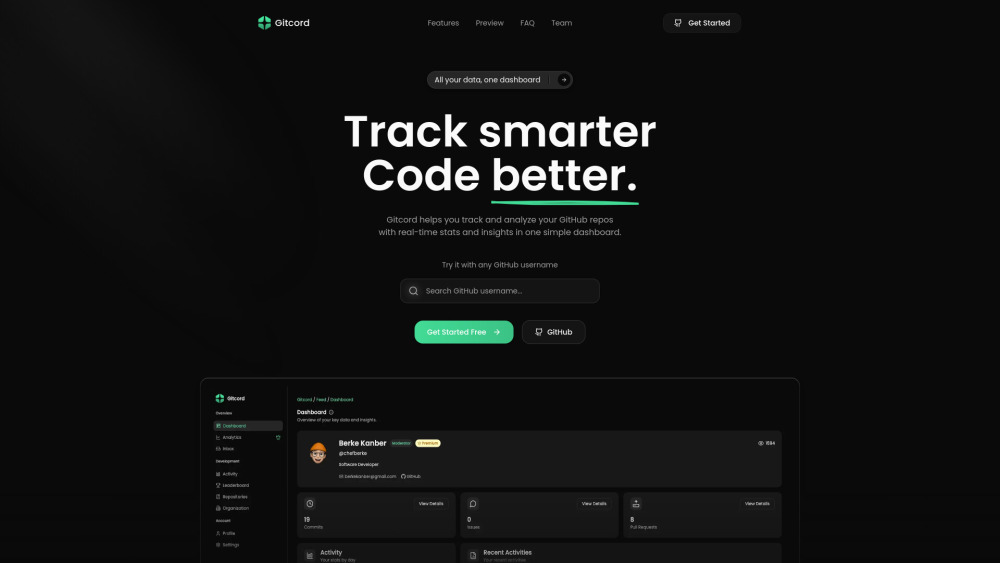
Introducing Gitcord: Where Code Meets Clarity
Gitcord transforms raw GitHub data into intuitive, actionable intelligence. It’s not just another repo monitor—it’s a visual command center for developers, teams, and open-source stewards who demand more than numbers: they want narratives. By synthesizing commits, PRs, stars, forks, and contributor activity in real time, Gitcord surfaces *what’s happening*, *why it matters*, and *who’s driving impact*. Whether you're solo-coding your next side project or scaling engineering visibility across 50+ repositories, Gitcord delivers context-rich analytics—no API keys, no setup friction, just instant insight.
Getting Started with Gitcord—In Seconds
Launch Gitcord by entering any GitHub username—yours, a teammate’s, or even an organization’s. Within seconds, you’ll see a live dashboard populated with dynamic metrics, interactive timelines, and trend-aware visualizations. No installation, no OAuth prompts, no waiting for syncs. Just pure, privacy-respecting observability—powered by GitHub’s public API and enhanced by Gitcord’s intelligent layer of pattern recognition and behavioral modeling.
The Gitcord Advantage: Beyond Basic Metrics
Real-Time Repo Pulse Monitoring
Track commits, pull requests, issues, and releases as they happen—visualized on synchronized timelines with drill-down filtering by branch, author, or repository.
Intelligent Activity Insights
Go beyond “how much” to understand “how”—spot coding rhythm shifts, language evolution across repos, burst-vs-sustained contribution patterns, and even PR velocity bottlenecks.
Team & Org Health Dashboard
Measure collaboration quality—not just quantity—with metrics like cross-repo code ownership, review responsiveness, merge latency, and contribution equity across roles and time zones.
Studio-Quality Contribution Visuals
Generate stunning, embeddable contribution heatmaps, activity sunbursts, and commit-flow diagrams—designed for portfolios, team retros, and community showcases.
Gamified Developer Recognition
Spark healthy engagement with customizable leaderboards—filterable by repo, timeframe, or contribution type—and share milestone badges that celebrate consistency, mentorship, and impact.
Who Benefits From Gitcord?
Solo Developers & Indie Hackers
Turn your GitHub profile into a living portfolio—track growth signals (stars, forks, traffic), benchmark against peers, and spot opportunities to deepen community engagement.
Engineering Managers & Tech Leads
Surface hidden dependencies, identify knowledge silos, validate sprint outcomes with objective activity data, and report org-wide health metrics without manual scraping.
Open Source Maintainers
Recognize contributors meaningfully, visualize onboarding friction points, measure documentation vs. code contributions, and spotlight underrepresented voices in your ecosystem.
DevRel & Community Teams
Power community dashboards, generate monthly “State of the Repo” reports, and create shareable visual stories that attract new contributors and sponsors.
Hiring & Talent Teams
Assess candidate impact holistically—review contribution diversity, collaboration depth, and long-term engagement—not just star counts or line totals.
Students & Learners
Build confidence through measurable progress: watch your contribution graph evolve, compare learning trajectories across languages, and earn verifiable skill milestones.