AI Product Description Generator

GitBook

GitBook: Tech Team's Knowledge Tool with AI Search & Insights. Simplify knowledge sharing with docs-as-code support and AI-powered search & insights.

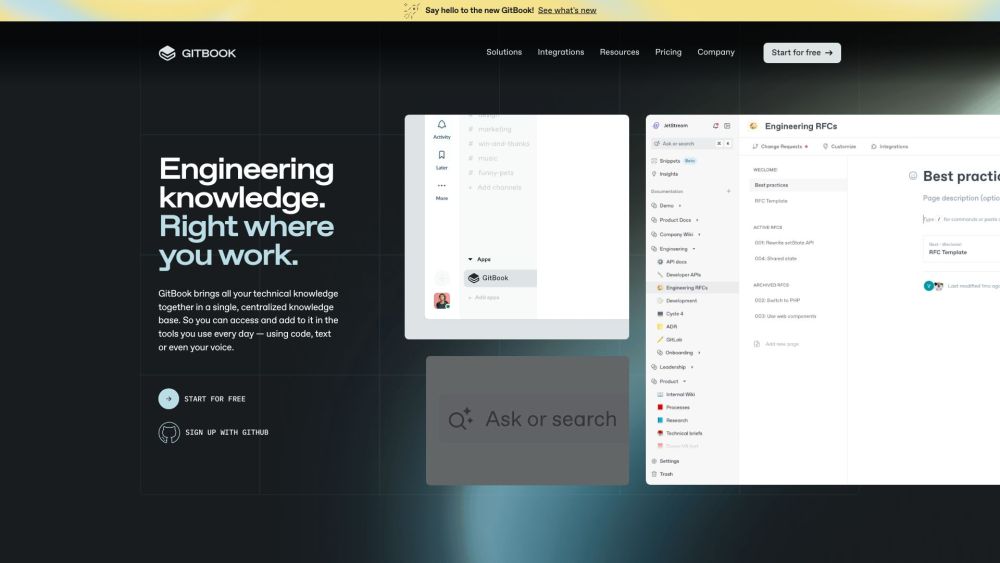
GitBook website preview

GitBook Website screenshot

Understanding GitBook

GitBook is an advanced knowledge management platform tailored for technical teams. It enhances the process of documentation with its docs-as-code capabilities and AI-driven search insights.

Utilizing GitBook Effectively

With GitBook, all your team's technical knowledge is consolidated into a single, accessible knowledge base. This allows for seamless contributions and access through code, text, or voice commands.

Key Features of GitBook

Seamlessly create and improve documentation within your preferred tools

AI-enhanced search functionalities and insights

Support for docs-as-code practices

Applications of GitBook

Effective knowledge management for engineering and tech teams

Organizing and capturing insights from conversations and code

Enhanced collaboration and version control for technical documents

Product source: GitBook official website. Check the provider for current plans, limits and availability.

FAQ

GitBook questions and answers

Product context and practical checks for evaluating GitBook.

What is GitBook used for?

GitBook: Tech Team's Knowledge Tool with AI Search & Insights. Simplify knowledge sharing with docs-as-code support and AI-powered search & insights.

How do I get started with GitBook?

Open the official GitBook website and identify the workflow that matches your task. Choose a small reproducible bug with an existing failing check. Measure whether the tool fixes the cause, preserves behavior and produces a reviewable change.

Which capabilities are described for GitBook?

Seamlessly create and improve documentation within your preferred toolsAI-enhanced search functionalities and insightsSupport for docs-as-code practices

What projects can I evaluate GitBook for?

Effective knowledge management for engineering and tech teamsOrganizing and capturing insights from conversations and codeEnhanced collaboration and version control for technical documents GitBook Support and Contact Information For support, refunds, or customer service, visit GitBook's contact page. About GitBook GitBook Inc. is headquartered at 440 N Barranca Ave #7171, Covina, CA 91723, USA. For more details, visit GitBook's about page. Access GitBook Log in to your GitBook account via this link. Sign up for a new account here. GitBook Pricing Information For pricing details, visit GitBook's pricing page. Follow GitBook Online Stay updated with GitBook on YouTube, LinkedIn, Twitter, and GitHub.

What should I compare before choosing a GitBook plan?

For pricing details, visit GitBook's pricing page. Confirm current prices and allowances on the provider’s website before purchasing.

What inputs should I prepare for a GitBook trial?

Compare repository access, context limits, supported languages and tool permissions. Check whether the assistant can read relevant files and run your existing checks.

How can I check the quality of a GitBook result?

Review the diff, run tests and inspect error handling and dependency changes. Generated code should meet the same review standard as a human contribution.

Which export options should I check in GitBook?

Prefer changes you can inspect and keep in version control. Check whether code, tests and configuration can be exported without depending on a hosted preview.

What is a practical way to test GitBook against alternatives?

Choose a small reproducible bug with an existing failing check. Measure whether the tool fixes the cause, preserves behavior and produces a reviewable change.

Where is the official GitBook website?

The website linked from this profile is https://gitbook.com. Use the provider’s own documentation, account area and support channels to confirm current product details.

Visit GitBook