AI Blog Writer

Ghost Craft AI

Ghost Craft AI: Instantly generate captivating news articles with AI—fast, engaging, and reliable. Explore use cases, pricing, reviews, features & alternatives.

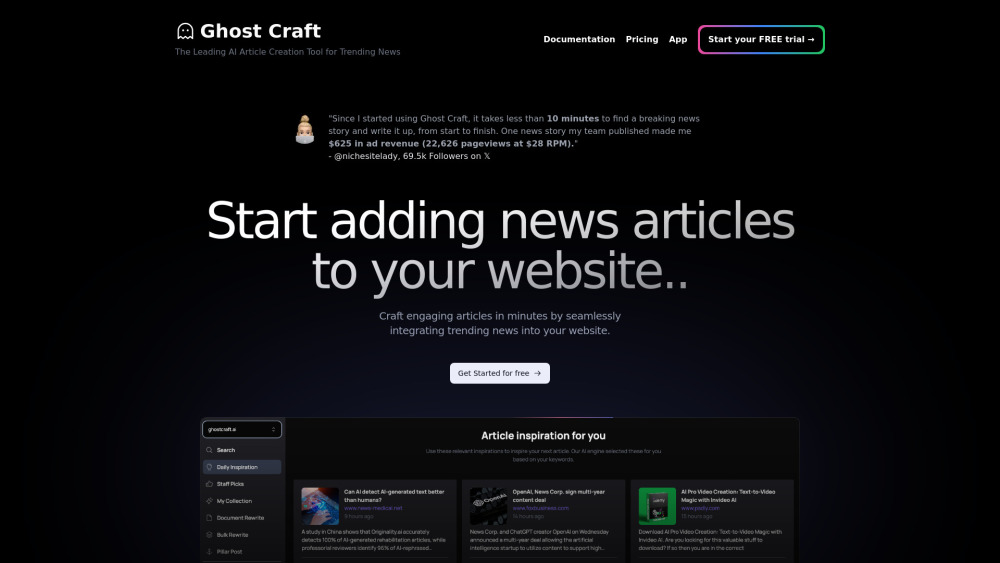
Ghost Craft AI website preview

Ghost Craft AI Website screenshot

Introducing Ghost Craft AI: The Intelligent News Engine for Modern Publishers

Ghost Craft AI is a next-generation content automation platform designed specifically for newsrooms, digital publishers, and marketing teams seeking speed, relevance, and search visibility. By fusing real-time trend detection with brand-aligned AI writing and on-page SEO intelligence, it transforms how timely, authoritative articles are produced — at scale.

Getting Started with Ghost Craft AI

Launch your first article in under 60 seconds: choose from live trending topics, input your brand voice guidelines, and generate a publication-ready draft — complete with semantic headings, keyword-rich metadata, and internal linking suggestions.

Key Capabilities of Ghost Craft AI

Real-time Trend Integration & News Pulse Engine

Brand-Specific SEO Architecture (not just keyword stuffing)

One-click WordPress publishing with native Gutenberg support

Role-based team workspaces with version history & editorial workflows

Where Teams Are Leveraging Ghost Craft AI

Powering daily news briefs and breaking story coverage without editorial bottlenecks

Scaling SEO blog production while maintaining topical authority and E-E-A-T signals

Performing ethical competitive content analysis and strategic rewriting — not duplication

Ghost Craft AI: Quick Answers

What is Ghost Craft AI?

A purpose-built AI news engine that merges live trend intelligence, brand voice modeling, and technical SEO logic to produce authoritative, discoverable, and on-brand articles — faster than manual workflows.

How to use Ghost Craft AI?

Select a trending topic from the AI-curated feed, refine tone and audience intent, then generate — with optional human-in-the-loop editing, fact-check prompts, and SEO health scoring before publishing.

Does Ghost Craft support multiple languages?

Yes — fully localized generation in 12+ languages, including nuanced dialect handling (e.g., UK vs. US English, Latin American vs. European Spanish), with consistent SEO adaptation per region.

Can I try Ghost Craft for free?

Absolutely. Start with a 7-day free trial — no credit card required. Access full features, including WordPress sync, team seats, and priority support during your evaluation.

Is the content generated by Ghost Craft unique?

Yes. Every article is generated from scratch using proprietary prompt orchestration and brand-specific constraints — verified via plagiarism and duplication checks. Outputs pass AI-detection thresholds and align with Google’s helpful content standards.

Product source: Ghost Craft AI official website. Check the provider for current plans, limits and availability.

FAQ

Ghost Craft AI questions and answers

Product context and practical checks for evaluating Ghost Craft AI.

What is Ghost Craft AI used for?

Ghost Craft AI: Instantly generate captivating news articles with AI—fast, engaging, and reliable. Explore use cases, pricing, reviews, features & alternatives.

How do I get started with Ghost Craft AI?

Launch your first article in under 60 seconds: choose from live trending topics, input your brand voice guidelines, and generate a publication-ready draft — complete with semantic headings, keyword-rich metadata, and internal linking suggestions.

Which capabilities are described for Ghost Craft AI?

Real-time Trend Integration & News Pulse EngineBrand-Specific SEO Architecture (not just keyword stuffing)One-click WordPress publishing with native Gutenberg supportRole-based team workspaces with version history & editorial workflows

What should I compare before choosing a Ghost Craft AI plan?

Transparent, usage-aware pricing — no hidden overage fees. View all tiers, feature comparisons, and annual discounts: https://www.ghostcraft.ai/pricing Confirm current prices and allowances on the provider’s website before purchasing.

What inputs should I prepare for a Ghost Craft AI trial?

Look for text prompts, image references, masks or sketches as appropriate. Compare composition control, supported upload types and the ability to revise a selected area.

How can I check the quality of a Ghost Craft AI result?

Inspect text, hands, edges, reflections and repeated objects at full size. Check that important product or brand details survive editing.

Which export options should I check in Ghost Craft AI?

Compare pixel dimensions, transparency, file formats and any enlargement options. Confirm that the downloaded result works in your design or publishing software.

What is a practical way to test Ghost Craft AI against alternatives?

Prepare a brief with a subject, composition, lighting and required output size. Test a first generation and a targeted revision to see how much control you retain.

What should I review before uploading material to Ghost Craft AI?

Read the provider’s rules on access, retention, deletion and use of uploaded material. Start with a non-confidential sample that you have permission to use.

Where is the official Ghost Craft AI website?

The website linked from this profile is https://www.ghostcraft.ai. Use the provider’s own documentation, account area and support channels to confirm current product details.

Visit Ghost Craft AI