AI Productivity Tools

GetSound.ai

GetSound.ai is a technology that helps users unleash productivity and minimize distractions by providing real-time soundscapes. It allows users to create a distraction-free environment for peak performance and focus.

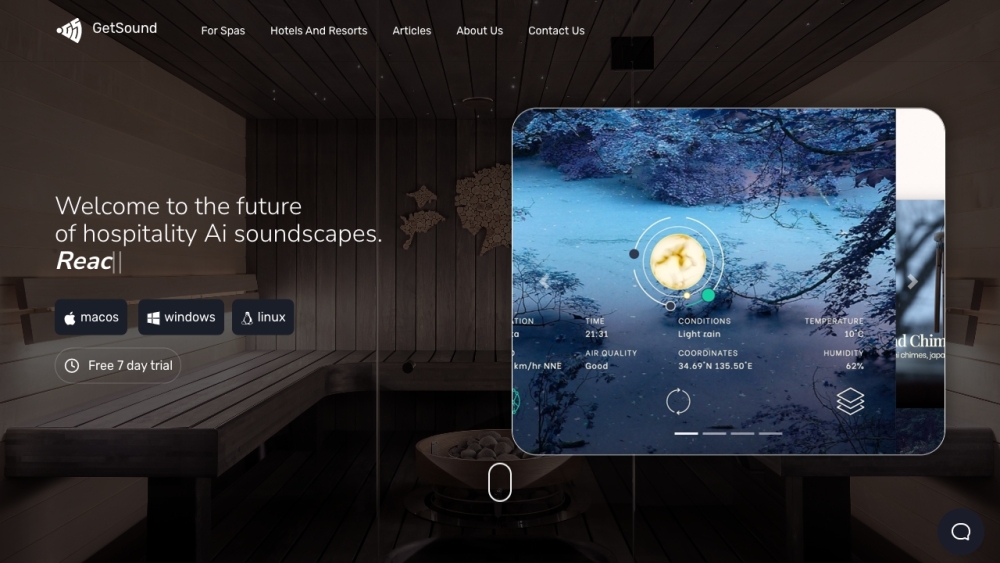
GetSound.ai website preview

GetSound.ai Website screenshot

Discover GetSound.ai

GetSound.ai is a groundbreaking application designed to boost productivity and reduce distractions through the use of live, adaptive soundscapes. It enables users to establish a serene atmosphere conducive to heightened focus and efficiency.

Getting Started with GetSound.ai

To start using GetSound.ai, download the app on your computer or smartphone. You can tailor your soundscapes according to your surroundings, including factors like location, weather, light levels, and wind. Dive into an immersive audio experience that transforms your environment into a distraction-free zone. Every session offers a fresh auditory experience to keep you engaged and motivated. Utilize GetSound.ai for focus sessions, relaxation, or mindfulness practices to maximize your productivity and well-being.

Key Features of GetSound.ai

Dynamic, real-time soundscapes personalized for you

Superior audio quality for an immersive experience

Regular updates ensure a new auditory experience

Soundscapes adapt to weather conditions

Extensive support and a knowledge base for assistance

Use Cases for GetSound.ai

Boosting Focus and Productivity Leverage GetSound.ai to create an environment free of distractions, enhancing your ability to concentrate and be productive. The real-time soundscapes facilitate deep focus, enabling you to achieve peak performance.

Fostering Relaxation and Mindfulness Transport yourself to a peaceful realm with GetSound.ai. Enjoy calming sounds such as rustling leaves and flowing water to establish a serene setting for relaxation and mindfulness activities.

Product source: GetSound.ai official website. Check the provider for current plans, limits and availability.

FAQ

GetSound.ai questions and answers

Product context and practical checks for evaluating GetSound.ai.

What is GetSound.ai used for?

GetSound.ai is a technology that helps users unleash productivity and minimize distractions by providing real-time soundscapes. It allows users to create a distraction-free environment for peak performance and focus.

How do I get started with GetSound.ai?

To start using GetSound.ai, download the app on your computer or smartphone. You can tailor your soundscapes according to your surroundings, including factors like location, weather, light levels, and wind. Dive into an immersive audio experience that transforms your environment into a distraction-free zone. Every session offers a fresh auditory experience to keep you engaged and motivated. Utilize GetSound.ai for focus sessions, relaxation, or mindfulness practices to maximize your productivity and well-being.

Which capabilities are described for GetSound.ai?

Dynamic, real-time soundscapes personalized for youSuperior audio quality for an immersive experienceRegular updates ensure a new auditory experienceSoundscapes adapt to weather conditionsExtensive support and a knowledge base for assistance

What projects can I evaluate GetSound.ai for?

Boosting Focus and Productivity Leverage GetSound.ai to create an environment free of distractions, enhancing your ability to concentrate and be productive. The real-time soundscapes facilitate deep focus, enabling you to achieve peak performance. Fostering Relaxation and Mindfulness Transport yourself to a peaceful realm with GetSound.ai. Enjoy calming sounds such as rustling leaves and flowing water to establish a serene setting for relaxation and mindfulness activities. Join the GetSound.ai Discord Connect with the GetSound.ai community on Discord: https://discord.gg/4gQVAyjYbs. For more details, click here (/discord/4gqvayjybs). Contact GetSound.ai Support Reach GetSound.ai customer service via email: [email protected]. About GetSound.ai Visit GetSound.ai's headquarters at: 2810 N Church St PMB 95982 Wilmington, Delaware 19802-4447, or call (866) 650-7566. Learn more about us on our about page. GetSound.ai Pricing Information Explore GetSound.ai's pricing options at: https://www.getsound.ai/pricing.html. Follow GetSound.ai on Facebook Stay updated by following us on Facebook: https://www.facebook.com/getsoundai/. GetSound.ai on LinkedIn Connect with us on LinkedIn: https://www.linkedin.com/company/getsound-ai. GetSound.ai on Twitter Follow our latest updates on Twitter: https://twitter.com/Getsound_AI. GetSound.ai on Instagram See our latest posts on Instagram: https://instagram.com/getsound.ai.

What should I compare before choosing a GetSound.ai plan?

Explore GetSound.ai's pricing options at: https://www.getsound.ai/pricing.html. Confirm current prices and allowances on the provider’s website before purchasing.

What inputs should I prepare for a GetSound.ai trial?

Identify the files, text or account connections your task needs. Confirm that the product accepts those inputs and offers controls for reviewing its work.

How can I check the quality of a GetSound.ai result?

Test one representative task and inspect the result for accuracy and completeness. Record where manual corrections or extra tools are needed.

Which export options should I check in GetSound.ai?

Check export formats, integrations and whether you can keep using your work outside the service. Test a real export before committing to a longer plan.

What is a practical way to test GetSound.ai against alternatives?

Choose one task with a clear success condition. Keep the input consistent, record the time spent reviewing and compare the complete workflow cost.

Where is the official GetSound.ai website?

The website linked from this profile is https://www.getsound.ai. Use the provider’s own documentation, account area and support channels to confirm current product details.

Visit GetSound.ai