AI Interior &amp Room Design

Getfloorplan

Transform real estate listings with Getfloorplan: AI-powered 2D/3D floor plans & immersive 360° virtual tours. Elevate your property marketing effortlessly.

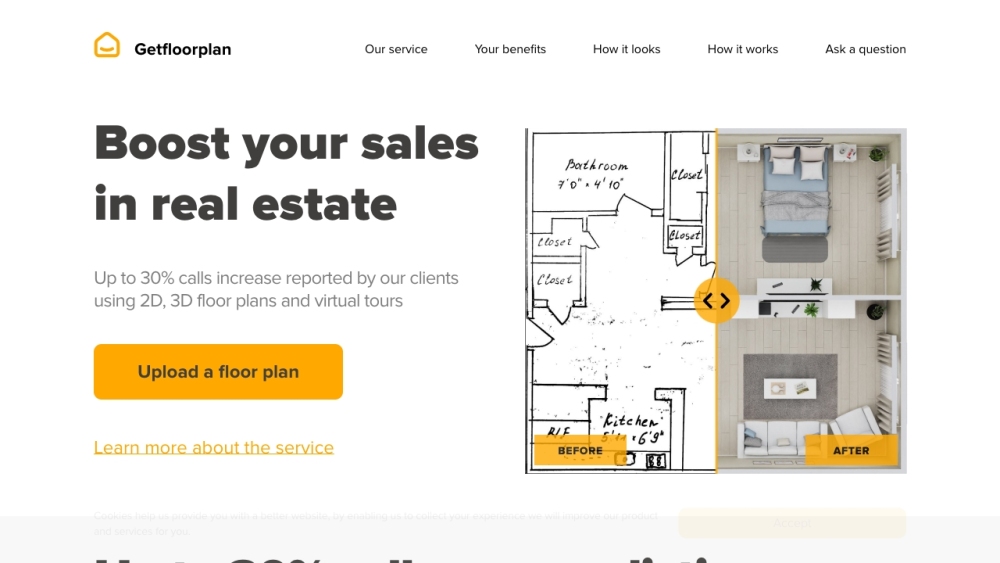
Getfloorplan website preview

Getfloorplan Website screenshot

Discover Getfloorplan

Getfloorplan is an innovative AI-driven platform designed to create stunning 2D and 3D floor plans alongside immersive 360° virtual tours, tailored specifically for real estate professionals. This powerful tool simplifies the process of enhancing property visuals, making it easier to captivate and engage potential buyers.

How to Get Started with Getfloorplan

Getting started with Getfloorplan is straightforward. Begin by uploading your existing floor plan or a hand-drawn sketch. The platform’s AI algorithms will swiftly transform your input into high-quality marketing assets, including 2D floor plans, vibrant 3D renderings, and interactive 360° virtual tours. These materials are easily accessible on any device, and you have the option to request a human review to ensure top-notch quality.

Key Features of Getfloorplan

2D and 3D Floor Plan Creation

360° Virtual Tour Generation

Rapid Processing – Up to 1,000 Renders Daily

AI-Enhanced Quality Delivered in 30 Minutes

Multi-Device Access via Convenient Widget

Getfloorplan in Action

Increase Real Estate Sales by Drawing in More Buyers

Boost Inquiries by 30% with Enhanced Property Visualization

Accelerate Property Sales with Superior Visual Assets

Save Time and Reduce Costs with Automated Floor Plan Creation

  • Getfloorplan Customer Support & Contact Information

    For customer support, reach out to Getfloorplan via email at: [email protected].

  • About Getfloorplan

    To learn more about Getfloorplan, visit the About Us page.

  • Getfloorplan on Social Media

    Follow Getfloorplan on Facebook: Facebook Link

    Check out Getfloorplan on YouTube: YouTube Link

    Connect with Getfloorplan on LinkedIn: LinkedIn Link

    Follow Getfloorplan on Twitter: Twitter Link

    Discover Getfloorplan on Instagram: Instagram Link

    Explore Getfloorplan on Pinterest: Pinterest Link

Product source: Getfloorplan official website. Check the provider for current plans, limits and availability.

FAQ

Getfloorplan questions and answers

Product context and practical checks for evaluating Getfloorplan.

What is Getfloorplan used for?

Transform real estate listings with Getfloorplan: AI-powered 2D/3D floor plans & immersive 360° virtual tours. Elevate your property marketing effortlessly.

How do I get started with Getfloorplan?

Getting started with Getfloorplan is straightforward. Begin by uploading your existing floor plan or a hand-drawn sketch. The platform’s AI algorithms will swiftly transform your input into high-quality marketing assets, including 2D floor plans, vibrant 3D renderings, and interactive 360° virtual tours. These materials are easily accessible on any device, and you have the option to request a human review to ensure top-notch quality.

Which capabilities are described for Getfloorplan?

2D and 3D Floor Plan Creation360° Virtual Tour GenerationRapid Processing – Up to 1,000 Renders DailyAI-Enhanced Quality Delivered in 30 MinutesMulti-Device Access via Convenient Widget

What should I compare before choosing a Getfloorplan plan?

Getfloorplan is an innovative AI-driven platform designed to create stunning 2D and 3D floor plans alongside immersive 360° virtual tours, tailored specifically for real estate professionals. This powerful tool simplifies the process of enhancing property visuals, making it easier to captivate and engage potential buyers. Confirm current prices and allowances on the provider’s website before purchasing.

What inputs should I prepare for a Getfloorplan trial?

Look for text prompts, image references, masks or sketches as appropriate. Compare composition control, supported upload types and the ability to revise a selected area.

How can I check the quality of a Getfloorplan result?

Inspect text, hands, edges, reflections and repeated objects at full size. Check that important product or brand details survive editing.

Which export options should I check in Getfloorplan?

Compare pixel dimensions, transparency, file formats and any enlargement options. Confirm that the downloaded result works in your design or publishing software.

What is a practical way to test Getfloorplan against alternatives?

Prepare a brief with a subject, composition, lighting and required output size. Test a first generation and a targeted revision to see how much control you retain.

What should I review before uploading material to Getfloorplan?

Read the provider’s rules on access, retention, deletion and use of uploaded material. Start with a non-confidential sample that you have permission to use.

Where is the official Getfloorplan website?

The website linked from this profile is https://getfloorplan.com. Use the provider’s own documentation, account area and support channels to confirm current product details.

Visit Getfloorplan