AI Analytics Assistant

G-Data Screen Data

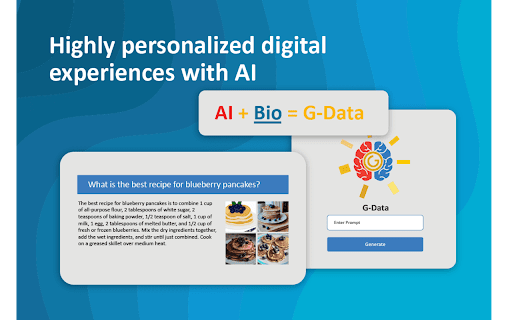
G-Data Screen Data Chrome Extension: Elevate your digital experiences with AI-driven insights and biometric security for seamless, personalized browsing.

G-Data Screen Data website preview

G-Data Screen Data - Chrome Extension Website screenshot

G-Data Screen Data: Elevate Digital Experiences with AI & Biometrics

G-Data Screen Data is a powerful Google Chrome extension designed to revolutionize the way users engage with digital content. By integrating advanced AI capabilities and biometric data, this extension seamlessly enhances online interactions, delivering a more personalized, secure, and efficient user experience.

How to Get Started with G-Data Screen Data

To begin using the G-Data Screen Data Chrome extension, install it from the Chrome Web Store and link it to your G-Data platform account. Once connected, the extension uses AI-driven algorithms and biometric data to tailor digital content, enhancing user interactions across various platforms.

Core Features of G-Data Screen Data

Advanced Screen Capture with Biometric Integration

Leverage cutting-edge screen capture features enhanced with biometric data to create customized digital content and insights based on real-time user interactions.

AI-Driven Customization

Experience a tailored digital environment, where AI adapts content and functionality according to your preferences and behavior, ensuring a more meaningful online experience.

Robust Privacy Protection

Your privacy is a priority. G-Data Screen Data gives you full control over how your biometric and personal data is managed, stored, and shared, with transparent consent and data-handling policies.

Practical Applications of G-Data Screen Data

Personalized Digital Journeys

With G-Data Screen Data, enjoy a personalized digital journey tailored to your specific needs, thanks to the seamless combination of AI and biometric insights.

Product source: G-Data Screen Data official website. Check the provider for current plans, limits and availability.

FAQ

G-Data Screen Data questions and answers

Product context and practical checks for evaluating G-Data Screen Data.

What is G-Data Screen Data used for?

G-Data Screen Data Chrome Extension: Elevate your digital experiences with AI-driven insights and biometric security for seamless, personalized browsing.

How do I get started with G-Data Screen Data?

To begin using the G-Data Screen Data Chrome extension, install it from the Chrome Web Store and link it to your G-Data platform account. Once connected, the extension uses AI-driven algorithms and biometric data to tailor digital content, enhancing user interactions across various platforms.

Which capabilities are described for G-Data Screen Data?

Advanced Screen Capture with Biometric Integration Leverage cutting-edge screen capture features enhanced with biometric data to create customized digital content and insights based on real-time user interactions. AI-Driven Customization Experience a tailored digital environment, where AI adapts content and functionality according to your preferences and behavior, ensuring a more meaningful online experience. Robust Privacy Protection Your privacy is a priority. G-Data Screen Data gives you full control over how your biometric and personal data is managed, stored, and shared, with transparent consent and data-handling policies.

What projects can I evaluate G-Data Screen Data for?

Personalized Digital Journeys With G-Data Screen Data, enjoy a personalized digital journey tailored to your specific needs, thanks to the seamless combination of AI and biometric insights.

What should I compare before choosing a G-Data Screen Data plan?

Check G-Data Screen Data’s current pricing page for included usage, renewal terms and any credit charges. Compare the cost of a usable result, including retries, rather than assuming that account registration includes free usage.

What inputs should I prepare for a G-Data Screen Data trial?

Check supported documents, datasets and source access. Establish whether the product can inspect your actual material rather than answer from general knowledge.

How can I check the quality of a G-Data Screen Data result?

Follow citations to the original source, recalculate important numbers and check the date and scope of the evidence. Distinguish an explanation from a verified result.

Which export options should I check in G-Data Screen Data?

Look for usable citations, tables, downloadable data and reproducible steps. A clear answer should let another person inspect how the conclusion was reached.

What is a practical way to test G-Data Screen Data against alternatives?

Choose a question with known sources and a checkable result. Compare citation accuracy, omissions and reproducibility rather than response length.

Where is the official G-Data Screen Data website?

The website linked from this profile is https://chromewebstore.google.com/detail/g-data-screen-data/gjacilgdfgdbfkjpfiiikbmipceepdog. Use the provider’s own documentation, account area and support channels to confirm current product details.

Visit G-Data Screen Data