AI PDF Summarizer

Free AI PDF Reader

Free AI PDF Reader: Summarize, analyze, translate & chat with PDFs—in seconds, 80+ languages. Smart, fast, 100% free.

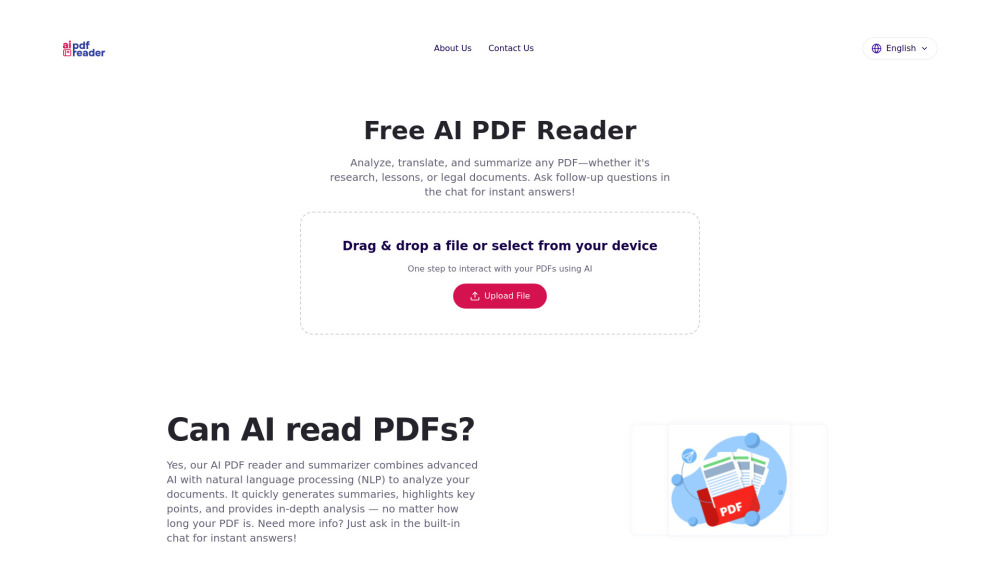
Free AI PDF Reader website preview

Free AI PDF Reader Website screenshot

Introducing Free AI PDF Reader: Your Intelligent Document Companion

Free AI PDF Reader transforms how you interact with PDFs — turning dense, static documents into dynamic, conversational knowledge sources. Whether it’s a technical whitepaper, legal agreement, academic journal, or multilingual report, our AI instantly distills insights, clarifies jargon, translates on demand, and answers your questions in context. No subscriptions, no paywalls — just powerful, instant intelligence built for real-world reading needs.

Why Users Choose Free AI PDF Reader

Smart Summarization Engine: Grasps intent, identifies core arguments, and generates concise, accurate summaries — even from highly specialized or poorly scanned PDFs.

Real-time Translation & Analysis: Seamlessly switch between 80+ languages while preserving meaning, tone, and technical nuance — ideal for global teams and cross-border learning.

Conversational AI Chat: Ask anything — “Explain this graph,” “Compare these two sections,” or “List the risks mentioned” — and get precise, citation-aware responses grounded in your document.

Persistent Context Awareness: Every follow-up builds naturally on prior interactions. The AI remembers your focus, your questions, and your document’s structure — no re-uploads or repetition needed.

Zero-Data-Retention Security: Files are processed in-memory and deleted immediately after analysis. No storage, no tracking, no third-party sharing — your content stays confidential by design.

Instant Access, Zero Friction: No account required to start. Drag-and-drop any PDF, click “Analyze,” and begin engaging — fully functional in under 10 seconds.

Who Benefits Most?

Students & Lifelong Learners: Accelerate comprehension of textbooks, lecture notes, and exam prep materials — generate flashcards, clarify concepts, and self-test via chat.

Educators & Trainers: Extract key takeaways, adapt content for diverse learners, and build lesson scaffolds directly from curriculum-aligned PDFs.

Researchers & Analysts: Navigate complex methodologies, extract data points, validate claims across pages, and synthesize findings across multiple papers — all in one interface.

Legal & Compliance Professionals: Scan contracts, policies, or regulatory updates for obligations, deadlines, and exclusions — then interrogate clauses with precision.

Global Business Teams: Break language barriers instantly — translate meeting agendas, internal reports, or partner documentation while maintaining contextual fidelity.

Product source: Free AI PDF Reader official website. Check the provider for current plans, limits and availability.

FAQ

Free AI PDF Reader questions and answers

Product context and practical checks for evaluating Free AI PDF Reader.

What is Free AI PDF Reader used for?

Free AI PDF Reader: Summarize, analyze, translate & chat with PDFs—in seconds, 80+ languages. Smart, fast, 100% free.

How do I get started with Free AI PDF Reader?

Open the official Free AI PDF Reader website and identify the workflow that matches your task. Prepare a brief with a subject, composition, lighting and required output size. Test a first generation and a targeted revision to see how much control you retain.

What should I compare before choosing a Free AI PDF Reader plan?

Check Free AI PDF Reader’s current pricing page for included usage, renewal terms and any credit charges. Compare the cost of a usable result, including retries, rather than assuming that account registration includes free usage.

What inputs should I prepare for a Free AI PDF Reader trial?

Look for text prompts, image references, masks or sketches as appropriate. Compare composition control, supported upload types and the ability to revise a selected area.

How can I check the quality of a Free AI PDF Reader result?

Inspect text, hands, edges, reflections and repeated objects at full size. Check that important product or brand details survive editing.

Which export options should I check in Free AI PDF Reader?

Compare pixel dimensions, transparency, file formats and any enlargement options. Confirm that the downloaded result works in your design or publishing software.

What is a practical way to test Free AI PDF Reader against alternatives?

Prepare a brief with a subject, composition, lighting and required output size. Test a first generation and a targeted revision to see how much control you retain.

What should I review before uploading material to Free AI PDF Reader?

Read the provider’s rules on access, retention, deletion and use of uploaded material. Start with a non-confidential sample that you have permission to use.

How can I check whether Free AI PDF Reader fits my existing workflow?

List the steps before and after using Free AI PDF Reader, including preparation, review and export. Test that complete sequence and check whether handoffs require manual conversion or another paid service.

Where is the official Free AI PDF Reader website?

The website linked from this profile is https://aipdfreader.net. Use the provider’s own documentation, account area and support channels to confirm current product details.

Visit Free AI PDF Reader