Text to Image

FLUX AI Image Generator

FLUX AI Image Generator turns your text prompts into visuals. Affordable pricing, diverse use cases, top-notch features, and glowing reviews make it a must-try. Explore alternatives or start creating today!

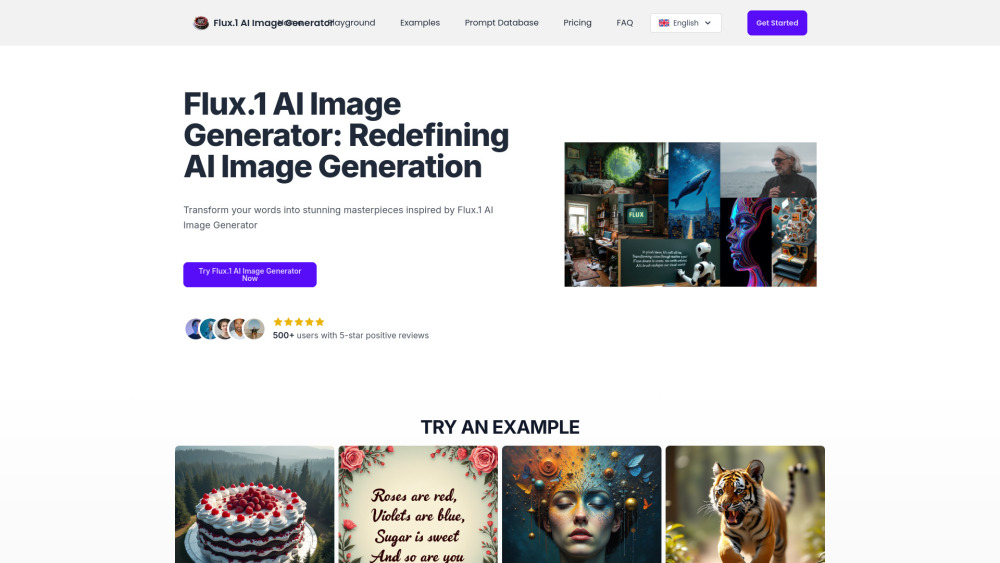
FLUX AI Image Generator website preview

FLUX AI Image Generator Website screenshot

Discover FLUX AI Image Generator

FLUX AI Image Generator is a cutting-edge tool designed to create visually stunning images from textual input. It is developed by Black Forest Labs and empowers users to bring their ideas to life through advanced AI technology.

Accessing FLUX AI Image Generator

To harness the power of FLUX AI Image Generator, you can utilize its API, Replicate, fal.ai, or even run it locally via ComfyUI for a more personalized experience.

Key Features of FLUX AI Image Generator

Top-tier image creation

Variety of model options tailored to different needs

Superior text-to-image conversion capabilities

Mastery in complex scene composition

Enhanced rendering of hands and intricate details

Optimized performance for efficiency

Seamless integration into various workflows

Open-source accessibility for developers

Supports commercial use cases

Continuous updates and improvements

Practical Applications of FLUX AI Image Generator

Produce high-resolution visuals for artistic endeavors.

Design captivating graphics for promotional campaigns.

Common Questions About FLUX AI Image Generator

What exactly is FLUX AI Image Generator?

How do I start using FLUX AI Image Generator?

Which versions of FLUX AI Image Generator are available?

Is this tool open-source?

What ethical considerations should I keep in mind?

  • Contact Information for FLUX AI Image Generator Support

    For further assistance, visit the official contact page at here.

  • Login Portal for FLUX AI Image Generator

    Access your account through the login link: https://flux1pro.com/signin

  • FLUX AI Image Generator Pricing Options

    Explore pricing plans at: https://flux1pro.com/pricing

Common Queries Regarding FLUX AI Image Generator

What defines FLUX AI Image Generator?

It’s an innovative solution that leverages AI to produce remarkable images based on textual descriptions, crafted by Black Forest Labs.

How does one operate FLUX AI Image Generator?

You can engage with FLUX AI Image Generator through its API, Replicate, fal.ai, or by setting up ComfyUI on your local machine.

Which editions of FLUX AI Image Generator exist?

The editions include [pro] for premium results, [dev] aimed at non-commercial applications, and [schnell] optimized for local development environments.

Does FLUX AI Image Generator offer open-source access?

Absolutely, both [dev] and [schnell] variants are open-source, with models available on HuggingFace.

What ethical standards must be followed while using FLUX AI Image Generator?

Adherence to ethical guidelines is crucial, ensuring no illegal actions, harmful outputs, or misuse without consent occur during usage.

Product source: FLUX AI Image Generator official website. Check the provider for current plans, limits and availability.

FAQ

FLUX AI Image Generator questions and answers

Product context and practical checks for evaluating FLUX AI Image Generator.

What is FLUX AI Image Generator used for?

FLUX AI Image Generator turns your text prompts into visuals. Affordable pricing, diverse use cases, top-notch features, and glowing reviews make it a must-try. Explore alternatives or start creating today!

How do I get started with FLUX AI Image Generator?

Open the official FLUX AI Image Generator website and identify the workflow that matches your task. Prepare a brief with a subject, composition, lighting and required output size. Test a first generation and a targeted revision to see how much control you retain.

Which capabilities are described for FLUX AI Image Generator?

Top-tier image creationVariety of model options tailored to different needsSuperior text-to-image conversion capabilitiesMastery in complex scene compositionEnhanced rendering of hands and intricate detailsOptimized performance for efficiencySeamless integration into various workflowsOpen-source accessibility for developersSupports commercial use casesContinuous updates and improvements

What projects can I evaluate FLUX AI Image Generator for?

Produce high-resolution visuals for artistic endeavors.Design captivating graphics for promotional campaigns.

What should I compare before choosing a FLUX AI Image Generator plan?

Explore pricing plans at: https://flux1pro.com/pricing Confirm current prices and allowances on the provider’s website before purchasing.

What inputs should I prepare for a FLUX AI Image Generator trial?

Look for text prompts, image references, masks or sketches as appropriate. Compare composition control, supported upload types and the ability to revise a selected area.

How can I check the quality of a FLUX AI Image Generator result?

Inspect text, hands, edges, reflections and repeated objects at full size. Check that important product or brand details survive editing.

Which export options should I check in FLUX AI Image Generator?

Compare pixel dimensions, transparency, file formats and any enlargement options. Confirm that the downloaded result works in your design or publishing software.

What is a practical way to test FLUX AI Image Generator against alternatives?

Prepare a brief with a subject, composition, lighting and required output size. Test a first generation and a targeted revision to see how much control you retain.

Where is the official FLUX AI Image Generator website?

The website linked from this profile is https://flux1pro.com. Use the provider’s own documentation, account area and support channels to confirm current product details.

Visit FLUX AI Image Generator