AI tool profile

Fluent

Learn a new language effortlessly with Fluent's AI-powered browser integration.

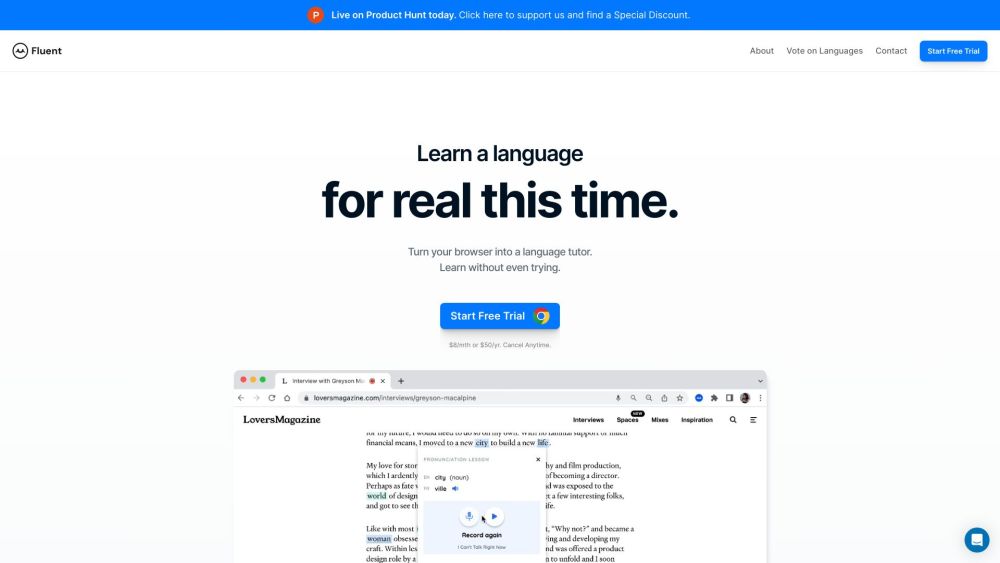
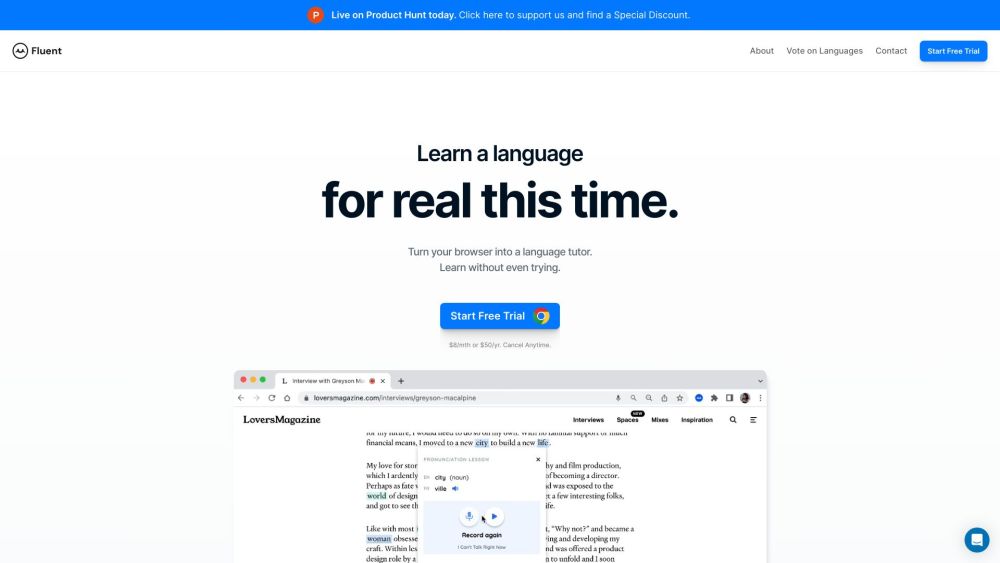
Fluent website preview

Fluent Website screenshot

What is Fluent?

Fluent is a language learning platform that helps users learn a new language while browsing the web. It turns your browser into a language tutor, allowing you to learn without even trying. By integrating with your web browser, Fluent offers AI-powered pronunciation lessons, vocabulary learning from anything you read, and the ability to practice reading, writing, and listening in the language you are learning. With streaks and leaderboards, Fluent also encourages users to stay motivated and reach fluency in their chosen language.

How to use Fluent?

To use Fluent, simply start a free trial or subscribe to a monthly or yearly plan. Once you have installed the Fluent extension on your web browser, it will automatically start helping you learn a new language. As you browse the web, Fluent will provide AI pronunciation lessons, highlight and teach vocabulary from the content you read, and allow you to practice your language skills through reading, writing, and listening exercises. You can track your progress, compete with others through streaks and leaderboards, and customize your learning experience according to your language goals.

Fluent's Core Features

AI pronunciation lessons

Vocabulary learning from anything you read

Reading, writing, and listening exercises

Streaks and leaderboards for motivation

Integration with web browsers

Support for multiple languages

Fluent's Use Cases

Learning a new language while browsing the web

Improving pronunciation and speaking skills

Expanding vocabulary through reading

Practicing reading, writing, and listening in a foreign language

Staying motivated with streaks and leaderboards

Product source: Fluent official website. Check the provider for current plans, limits and availability.

FAQ

Fluent questions and answers

Product context and practical checks for evaluating Fluent.

What is Fluent used for?

Learn a new language effortlessly with Fluent's AI-powered browser integration.

How do I get started with Fluent?

To use Fluent, simply start a free trial or subscribe to a monthly or yearly plan. Once you have installed the Fluent extension on your web browser, it will automatically start helping you learn a new language. As you browse the web, Fluent will provide AI pronunciation lessons, highlight and teach vocabulary from the content you read, and allow you to practice your language skills through reading, writing, and listening exercises. You can track your progress, compete with others through streaks and leaderboards, and customize your learning experience according to your language goals.

Which capabilities are described for Fluent?

AI pronunciation lessonsVocabulary learning from anything you readReading, writing, and listening exercisesStreaks and leaderboards for motivationIntegration with web browsersSupport for multiple languages

What projects can I evaluate Fluent for?

Learning a new language while browsing the webImproving pronunciation and speaking skillsExpanding vocabulary through readingPracticing reading, writing, and listening in a foreign languageStaying motivated with streaks and leaderboards Fluent Support Email & Customer service contact & Refund contact etc. More Contact, visit the contact us page(https://www.fluent.co/contact-us) Fluent Company Fluent Company name: Fluent . More about Fluent, Please visit the about us page(https://www.fluent.co/about). Fluent Login Fluent Login Link: http://auth.fluent.co/in Fluent Tiktok Fluent Tiktok Link: https://www.tiktok.com/@usefluentFluent Linkedin Fluent Linkedin Link: https://www.linkedin.com/company/usefluent/Fluent Twitter Fluent Twitter Link: https://twitter.com/usefluentFluent Instagram Fluent Instagram Link: https://www.instagram.com/usefluent/

What should I compare before choosing a Fluent plan?

Check Fluent’s current pricing page for included usage, renewal terms and any credit charges. Compare the cost of a usable result, including retries, rather than assuming that account registration includes free usage.

What inputs should I prepare for a Fluent trial?

Check supported documents, datasets and source access. Establish whether the product can inspect your actual material rather than answer from general knowledge.

How can I check the quality of a Fluent result?

Follow citations to the original source, recalculate important numbers and check the date and scope of the evidence. Distinguish an explanation from a verified result.

Which export options should I check in Fluent?

Look for usable citations, tables, downloadable data and reproducible steps. A clear answer should let another person inspect how the conclusion was reached.

What is a practical way to test Fluent against alternatives?

Choose a question with known sources and a checkable result. Compare citation accuracy, omissions and reproducibility rather than response length.

Where is the official Fluent website?

The website linked from this profile is https://www.fluent.co. Use the provider’s own documentation, account area and support channels to confirm current product details.

Visit Fluent