AI Product Description Generator

Flojoy Studio

Flojoy Studio is the leading open-source desktop app for automating test, measurement, and control of hardware devices such as circuit boards, oscilloscopes, function generators, power supplies, robotic arms, and motor controllers.

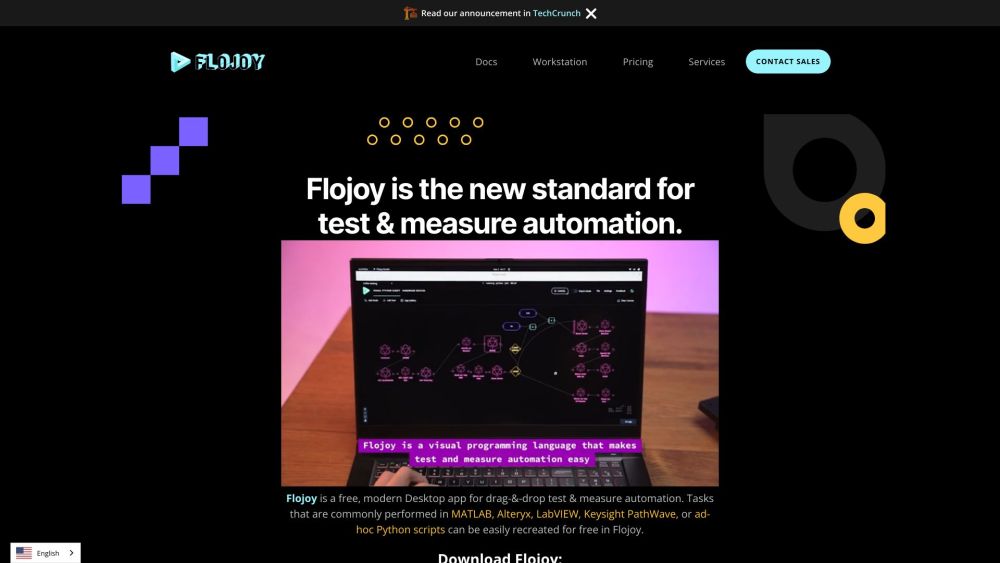
Flojoy Studio website preview

Flojoy Studio Website screenshot

Discovering Flojoy Studio

Flojoy Studio is a premier open-source desktop application designed to streamline the automation of testing, measuring, and controlling various hardware devices, including circuit boards, oscilloscopes, function generators, power supplies, robotic arms, and motor controllers.

Getting Started with Flojoy Studio

To begin using Flojoy Studio, download the application and connect it to more than 700 compatible benchtop instruments, sensors, motors, cameras, DAQ boards, and DMMs. With Flojoy Studio, you can create and execute powerful engineering and AI-driven applications for DAQ and automated test measurements, all without needing any programming expertise.

Key Features of Flojoy Studio

Open-source Software

Python Integration

Support for 700+ Benchtop Instruments

Drag-and-Drop Automation

Visual Pipeline Connections

Advanced Image Processing and DSP

Comprehensive Simulation Environment

Open Architecture for Community Collaboration

Automation of Over 400 Bench-Top Instruments

Practical Applications of Flojoy Studio

Testing, Measurement, and Control

Robotic Systems and Motors

Digital Signal Processing and Image Analysis

Simulation and Modeling

Product source: Flojoy Studio official website. Check the provider for current plans, limits and availability.

FAQ

Flojoy Studio questions and answers

Product context and practical checks for evaluating Flojoy Studio.

What is Flojoy Studio used for?

Flojoy Studio is the leading open-source desktop app for automating test, measurement, and control of hardware devices such as circuit boards, oscilloscopes, function generators, power supplies, robotic arms, and motor controllers.

How do I get started with Flojoy Studio?

To begin using Flojoy Studio, download the application and connect it to more than 700 compatible benchtop instruments, sensors, motors, cameras, DAQ boards, and DMMs. With Flojoy Studio, you can create and execute powerful engineering and AI-driven applications for DAQ and automated test measurements, all without needing any programming expertise.

Which capabilities are described for Flojoy Studio?

Open-source SoftwarePython IntegrationSupport for 700+ Benchtop InstrumentsDrag-and-Drop AutomationVisual Pipeline ConnectionsAdvanced Image Processing and DSPComprehensive Simulation EnvironmentOpen Architecture for Community CollaborationAutomation of Over 400 Bench-Top Instruments

What projects can I evaluate Flojoy Studio for?

Testing, Measurement, and ControlRobotic Systems and MotorsDigital Signal Processing and Image AnalysisSimulation and Modeling Join the Flojoy Studio Community on Discord Connect with the Flojoy Studio community via Discord: https://discord.gg/fGfdTJGba9, https://discord.gg/7HEBr7yG8c. For more Discord messages, click here. Contact Flojoy Studio Support For customer service, reach out to Flojoy Studio support via email: [email protected]. Visit the contact page for more information. About Flojoy Inc. Flojoy Studio is developed and maintained by Flojoy Inc. Flojoy Studio on YouTube Watch tutorials and updates on Flojoy Studio's YouTube channel: https://www.youtube.com/@flojoy_ai/videos Follow Flojoy Studio on TikTok Check out Flojoy Studio's TikTok for quick tips and updates: https://www.tiktok.com/@flojoy_ai Connect with Flojoy Studio on Twitter Stay updated by following Flojoy Studio on Twitter: https://twitter.com/flojoy_ai Flojoy Studio on Instagram Follow Flojoy Studio's Instagram for the latest photos and stories: http://instagram.com/flojoy_ai Explore Flojoy Studio on GitHub Access the source code and contribute on GitHub: https://github.com/flojoy-ai/

What should I compare before choosing a Flojoy Studio plan?

Check Flojoy Studio’s current pricing page for included usage, renewal terms and any credit charges. Compare the cost of a usable result, including retries, rather than assuming that account registration includes free usage.

What inputs should I prepare for a Flojoy Studio trial?

Identify the files, text or account connections your task needs. Confirm that the product accepts those inputs and offers controls for reviewing its work.

How can I check the quality of a Flojoy Studio result?

Test one representative task and inspect the result for accuracy and completeness. Record where manual corrections or extra tools are needed.

Which export options should I check in Flojoy Studio?

Check export formats, integrations and whether you can keep using your work outside the service. Test a real export before committing to a longer plan.

What is a practical way to test Flojoy Studio against alternatives?

Choose one task with a clear success condition. Keep the input consistent, record the time spent reviewing and compare the complete workflow cost.

Where is the official Flojoy Studio website?

The website linked from this profile is https://www.flojoy.ai. Use the provider’s own documentation, account area and support channels to confirm current product details.

Visit Flojoy Studio